
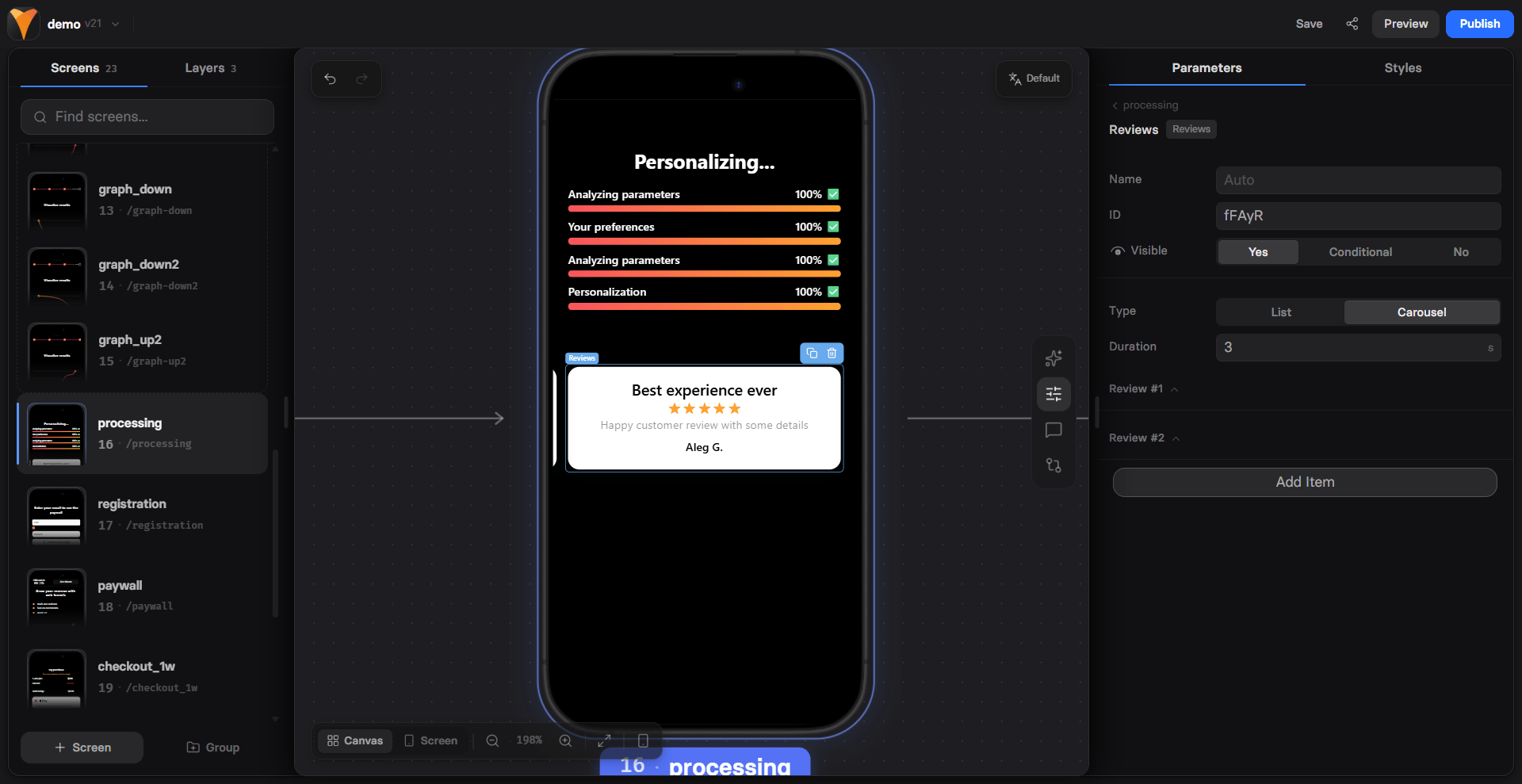
When to Use
Strategic placement for maximum impact:- Before checkout - Final trust push
- After benefits - Proof it works
- On paywalls - Justify the price
- After objections - Counter doubts
- Landing pages - Build immediate credibility
Reviews near checkout increase conversion by 20-35%. Place them where
users need final reassurance before committing.
Display Types
Choose your presentation style:List View
All reviews visible at once:- Shows multiple testimonials
- Users can scan quickly
- Better for 2-4 reviews
- Takes more space
Carousel View
Auto-rotating testimonials:- Space-efficient
- Continuous movement catches eye
- Better for 5+ reviews
- Adds dynamic element
- 3000ms (3s) - Quick rotation
- 5000ms (5s) - Comfortable reading
- 7000ms (7s) - Detailed testimonials
Creating Reviews
Each review needs:Review Title
The main takeaway:- “Life-changing results!”
- “Best investment ever”
- “Exceeded expectations”
Review Text
The actual testimonial:- 2-3 sentences ideal
- Specific results mentioned
- Emotional language
- Authentic voice
Author Details
Build credibility:- Full name or initials
- Location (city, country)
- Role/company (if B2B)
- Photo (if available)
Writing Effective Reviews
Specificity Wins
❌ Vague: “Great product, highly recommend!” ✅ Specific: “Lost 15 pounds in 6 weeks without feeling hungry. The meal plans are delicious!”Results-Focused
❌ Feature-focused: “The app has lots of features and works well.” ✅ Results-focused: “Doubled my productivity and finally hit my revenue goals.”Objection Handling
Address common concerns:- “I was skeptical but…” (doubt)
- “Even as a beginner…” (difficulty)
- “Worth every penny…” (price)
- “Support responded in minutes…” (service)
Variety Matters
Mix different angles:- Results achieved
- Ease of use
- Support quality
- Value for money
- Transformation story
Mobile Optimization
Reviews adapt perfectly to mobile: Carousel Benefits- Swipe gestures supported
- Full-width testimonials
- Auto-play continues
- Touch to pause
- Readable font sizes
- Proper line heights
- Clear author attribution
- Visible star ratings
- Lazy load images
- Smooth transitions
- Light animations
- Fast rendering
Psychology of Social Proof
Trust Signals
Reviews provide:- Consensus - Others succeeded
- Authority - Expert endorsement
- Similarity - People like me
- Specificity - Real results
Placement Psychology
Before risk - Reduce anxiety After value - Confirm worth Near CTA - Final push After price - Justify costQuantity vs Quality
- 3-5 reviews optimal
- Too many = overwhelming
- Too few = insufficient proof
- Quality over quantity
Advanced Strategies
Segmented Reviews
Match reviews to user type:Progressive Disclosure
Build trust gradually:Video Testimonials
Embed video reviews:- Higher credibility
- Emotional connection
- Better engagement
- Show real people
Before/After
Transformation stories:Common Patterns
The Trust Sandwich
The Objection Crusher
The Success Path
Best Practices
Authenticity
- Use real testimonials
- Include full names when possible
- Add specifics (city, role)
- Avoid stock photos
Diversity
- Different demographics
- Various use cases
- Range of results
- Multiple benefits
Credibility Boosters
- Include photos
- Add LinkedIn links
- Show company logos
- Mention timeframes
Update Regularly
- Fresh testimonials
- Recent dates
- Current results
- Seasonal relevance
Testing Variables
A/B test these elements:- Display type - List vs carousel
- Number - 3 vs 5 vs 7 reviews
- Rotation speed - 3s vs 5s vs 7s
- Content focus - Results vs ease
- Author details - Full name vs initials
Troubleshooting
Carousel not rotating
Carousel not rotating
- Check duration is set
- Verify type is “Carousel”
- Look for JavaScript errors
- Test in different browsers
Reviews not displaying
Reviews not displaying
- Ensure reviews are added
- Check visibility settings
- Verify no CSS hiding them
- Test in preview mode
Text cut off
Text cut off
- Shorten testimonial length
- Adjust container height
- Check responsive settings
- Test on mobile devices
Stars not showing
Stars not showing
- Stars are automatic
- Check for theme conflicts
- Verify element version
- Clear browser cache
Conversion Impact
Strategic review placement:Reviews work best when they address the specific concerns users have
at that point in the funnel.
Next Steps
- Add FAQs to address remaining concerns
- Include timer for urgency after trust
- Track impact with analytics
- Test variations with A/B tests