| Funnel navigation | |
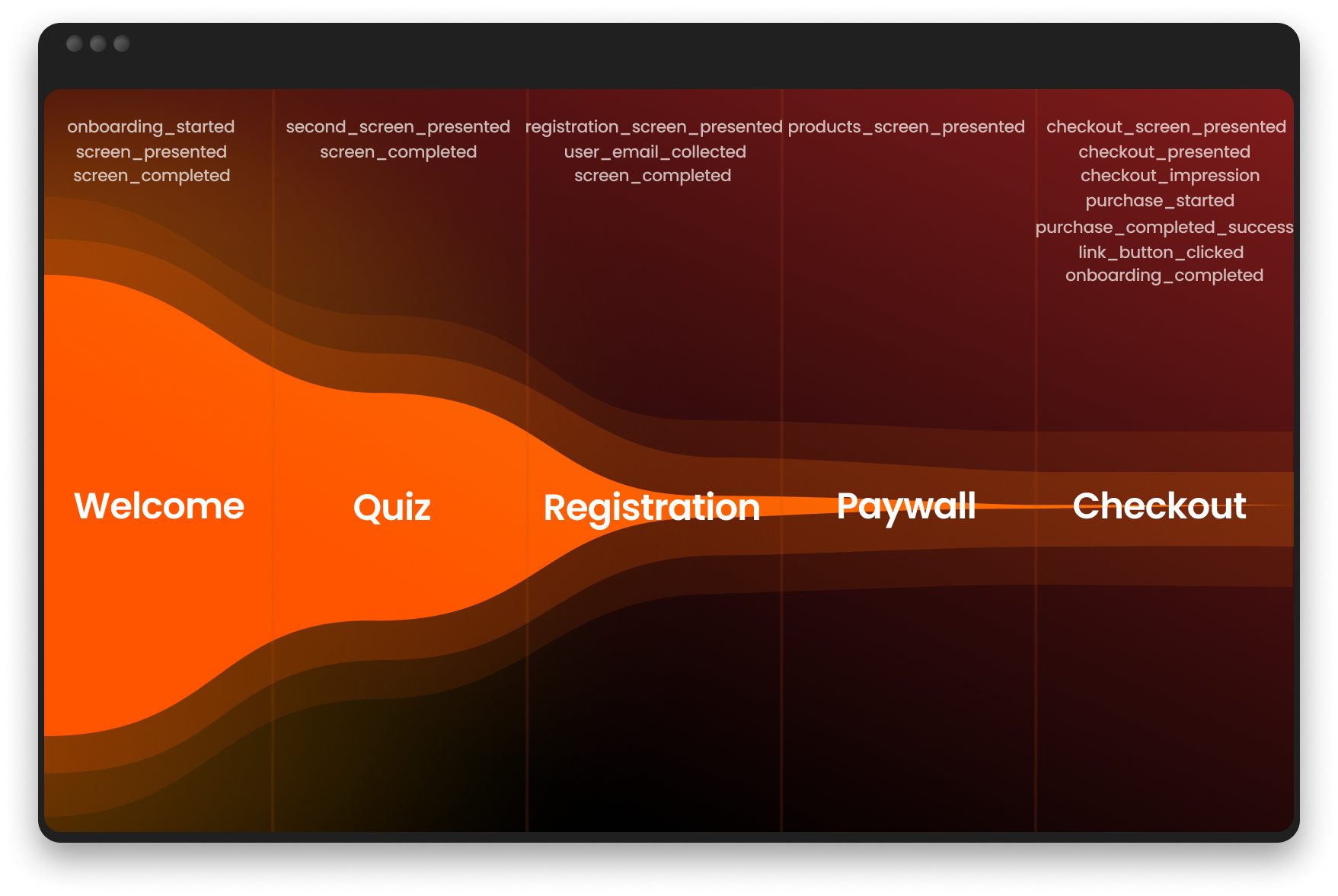
| onboarding_started | User begins the funnel experience |
| onboarding_completed | User reaches a screen with final ID |
| screen_presented | User views a screen |
| screen_completed | User navigates away from a screen |
| second_screen_presented | User views the second screen |
| products_screen_presented | User views paywall with Price Picker or Plan Picker elements |
| registration_screen_presented | User views a screen with Email input or authentication |
| user_email_collected | User entered a valid email |
| link_button_clicked | External link is clicked |
| Authentication | |
| auth_button_clicked | User taps an OAuth button to start authentication |
| auth_success | Authentication provider returns a successful result |
| auth_fail | Authentication fails or the provider returns an error |
| Purchases | |
| checkout_screen_presented | User views a screen with Checkout element |
| checkout_presented | User views a Checkout element (can fire multiple times) |
| checkout_impression | Checkout is shown for the first time (once per session) |
| purchase_started | User entered payment details and tapped Pay, or tapped one-click purchase button (Apple/Google Pay) |
| purchase_completed_success | Payment succeeds. For Mixpanel, this event also indicates renewals. |
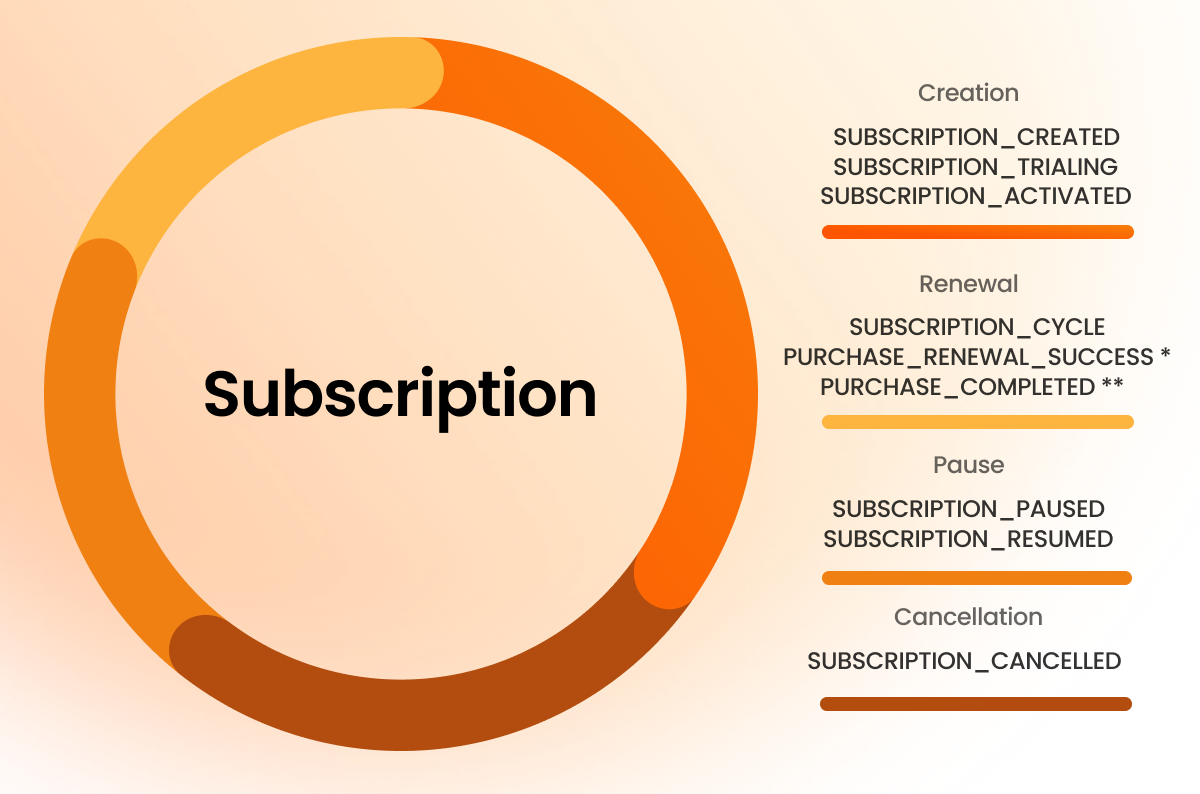
| purchase_renewal_success | Renewal payment succeeds |
| purchase_completed_fail | Payment fails |
| Subscriptions | |
| subscription_created | Subscription is created for user |
| subscription_trialing | Subscription enters trial period |
| subscription_activated | Subscription enters a paid period after trial |
| subscription_cycle | Recurrent payment is paid for subscription |
| subscription_paused | Subscription billing was paused in PSP |
| subscription_resumed | Subscription billing was resumed in PSP |
| subscription_cancelled | Subscription was cancelled |
| subscription_unpaid | Recurring subscription payment was not charged |
| Technical | |
| checkout_init_error | Checkout initialization fails, except for digital wallets on devices that don’t support them |
| variable_not_found | Variable placeholder has no assigned value |