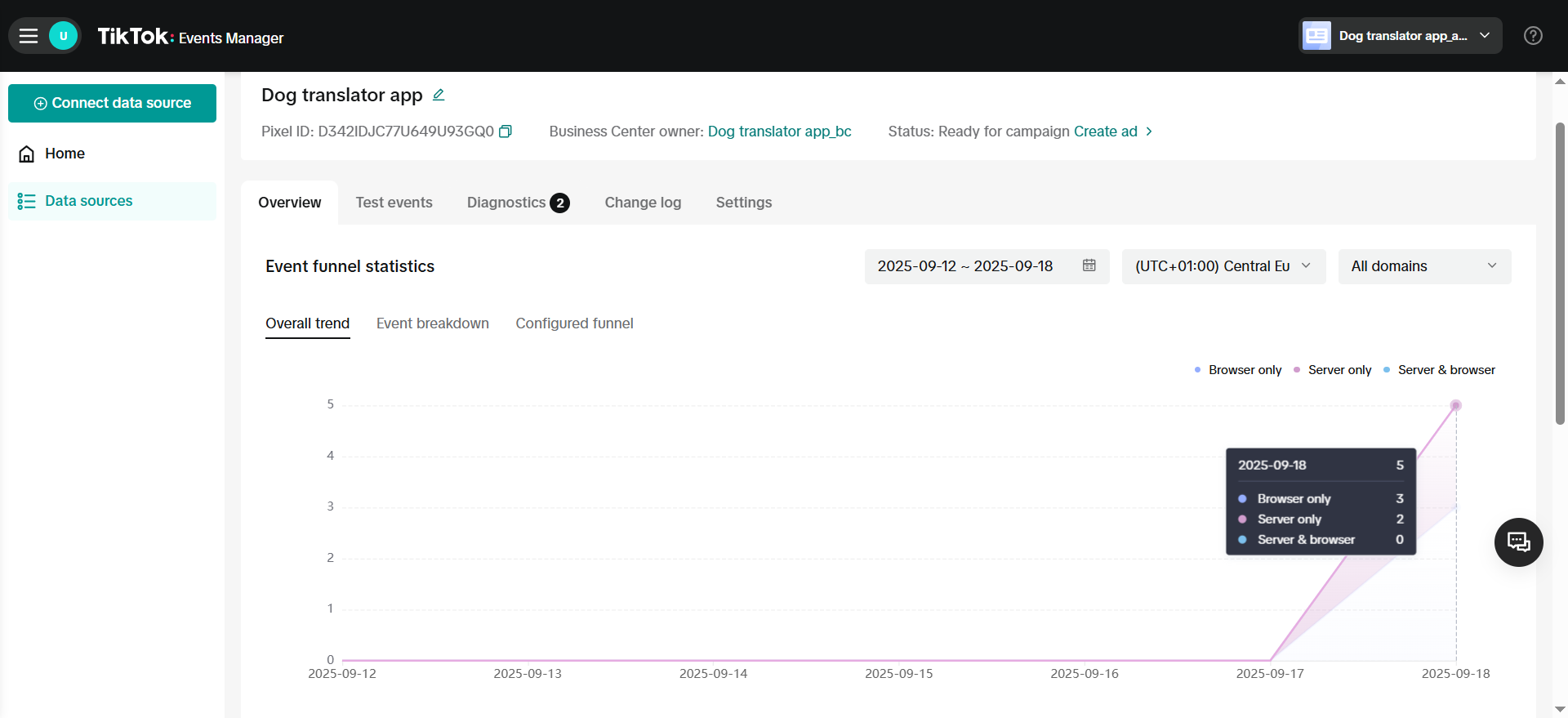
The TikTok Pixel integration tracks your funnel events and sends them to TikTok Events Manager. This helps you target ads better and optimize your campaigns on TikTok. The integration includes two tracking methods:
  • TikTok Pixel event tracking
  • Events API

TikTok Pixel vs Events API

Here’s how these two tracking methods work:
  • TikTok Pixel is code on your funnel pages that tracks what visitors do and sends this data to TikTok through their browser.
  • Events API connects FunnelFox servers directly to TikTok, which means events are still tracked even if browser tracking doesn’t work.
Events API is recommended alongside TikTok Pixel to maximize performance benefits. Learn more in the TikTok documentation on Events API.

Use Events API

Events API acts as a backup when browser tracking fails or gets blocked. Here’s a common example: When someone buys your product through PayPal, they complete the purchase on PayPal’s website, not on your funnel. Some browsers (especially mobile app browsers) can’t track this properly, so you might miss the CompletePayment event. Events API solves this problem. When FunnelFox servers get the transaction details from PayPal, they automatically send a CompletePayment event to TikTok using Events API. This way, you never miss important conversion data.

Tracked events

EventTikTok Pixel TriggerEvents API Trigger
CompletePayment (Purchase)User completed checkout (including checkouts that start a free trial)FunnelFox received transaction event from PSP (including checkouts that start a free trial)
checkout_presentedUser has opened a screen with checkout
(Can fire multiple times)
-
InitiateCheckoutUser has seen the checkout element
(Triggers only once per user session)
-
CompleteRegistrationUser completed screen with Authorization element or email input-
In TikTok Events Manager, the Purchase event corresponds to the CompletePayment event from your funnel. Learn more about reserved events in TikTok.

Payment flow events

When customers purchase subscriptions, the event flow varies depending on the purchase type. Select your PSP below to see how each purchase type triggers TikTok Pixel events for your setup.
Purchase typeTrial startConversion / Sub startRenewal
Subscription onlyPurchasePurchase
Free trialPurchasePurchasePurchase
Paid trialPurchasePurchasePurchase
Lifetime (one-off)Purchase
Purchase typeTrial startConversion / Sub startRenewal
Subscription onlyPurchasePurchase
Free trialPurchasePurchasePurchase
Paid trialPurchasePurchasePurchase
Lifetime (one-off)Purchase
Purchase typeTrial startConversion / Sub startRenewal
Subscription onlyPurchasePurchase
Free trialPurchasePurchasePurchase
Paid trialPurchasePurchasePurchase
Lifetime (one-off)Purchase
Purchase typeTrial startConversion / Sub startRenewal
Subscription onlyPurchasePurchase
Free trialPurchasePurchasePurchase
Paid trialPurchasePurchasePurchase
Lifetime (one-off)Purchase

Limit purchase events

You can stop sending purchase events after the first one for the same user. But for free trials, FunnelFox will still keep sending the purchase event for trial start and conversion, and only suppress renewals. To do so, go to Integrations > TikTok and toggle on Limit Purchase Events.
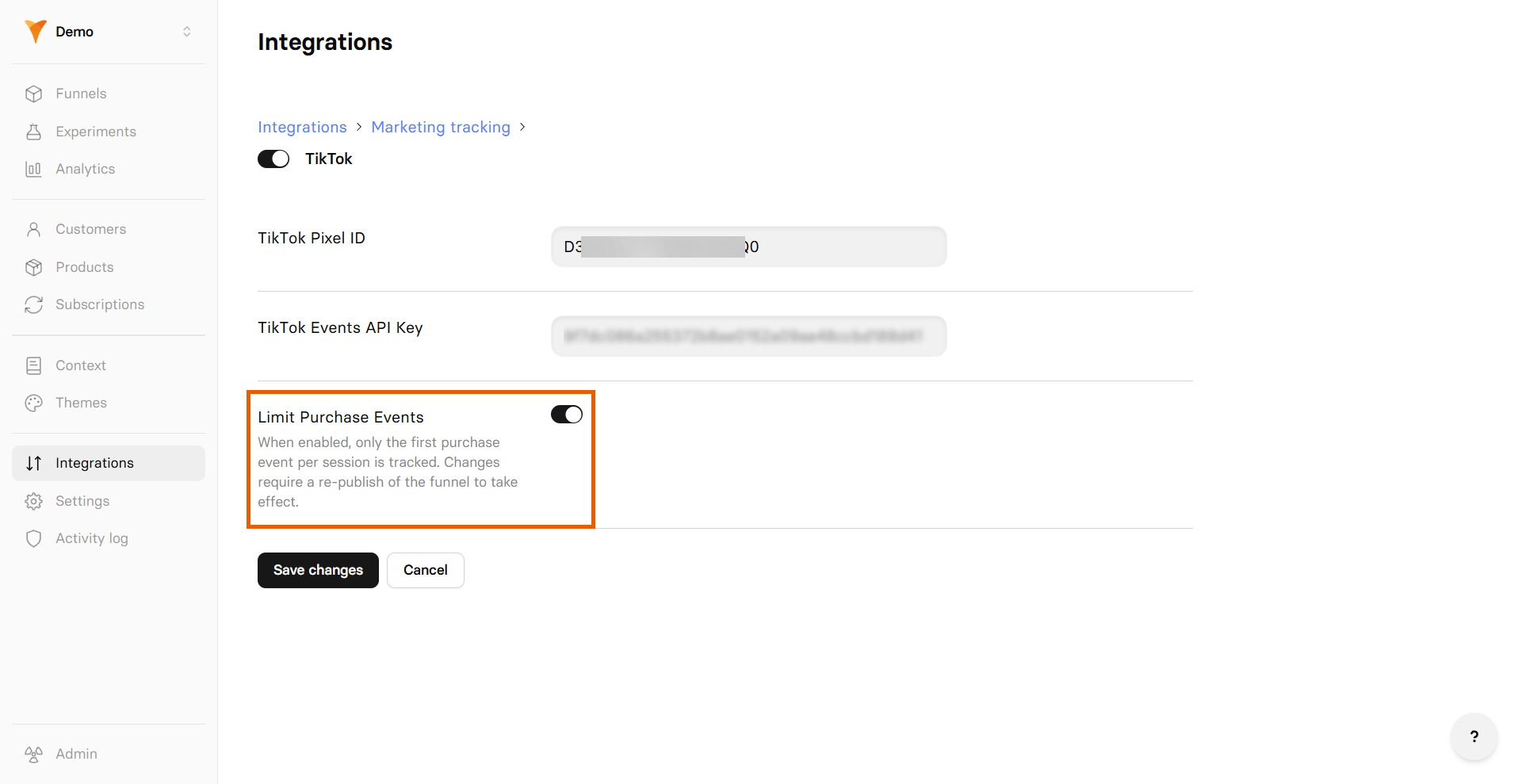
Select your PSP below to see how each purchase type triggers TikTok Pixel events when the toggle is enabled.
Purchase typeTrial startConversion / Sub startRenewal
Subscription onlyPurchase
Free trialPurchasePurchase
Paid trialPurchase
Lifetime (one-off)Purchase
Purchase typeTrial startConversion / Sub startRenewal
Subscription onlyPurchase
Free trialPurchasePurchase
Paid trialPurchase
Lifetime (one-off)Purchase
Purchase typeTrial startConversion / Sub startRenewal
Subscription onlyPurchase
Free trialPurchasePurchase
Paid trialPurchase
Lifetime (one-off)Purchase
Purchase typeTrial startConversion / Sub startRenewal
Subscription onlyPurchase
Free trialPurchasePurchase
Paid trialPurchase
Lifetime (one-off)Purchase

Next steps