
- Meta Pixel event tracking
- Conversions API
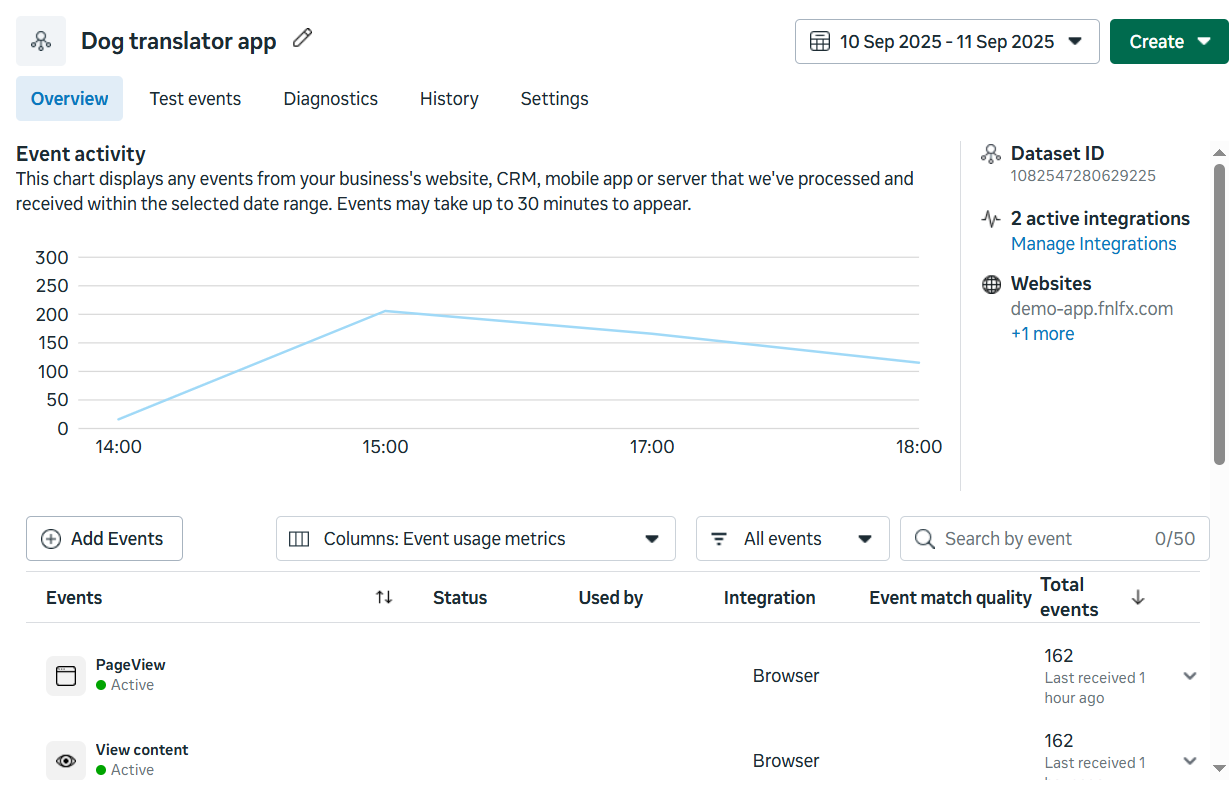
Meta Pixel vs Conversions API
Here’s how these two tracking methods work:- Meta Pixel creates user identity on your funnel and tracks purchase, registration, and engagement events from the browser.
- Conversions API receives events from FunnelFox servers and checks if these events were already sent from the browser.
Conversions API is an addition to Meta Pixel that we highly recommend for
complete event coverage. Learn more in the Facebook documentation on Conversions API.
Use Conversions API
Conversions API acts as a backup when browser tracking fails or gets blocked. Here’s a common example: When someone buys your product through PayPal, they complete the purchase on PayPal’s website, not on your funnel. Some browsers (especially mobile app browsers) can’t track this properly, so you might miss thePurchase event.
Conversions API solves this problem. When FunnelFox servers get the transaction details from PayPal, they automatically send a Purchase event to Facebook using Conversions API. This way, you never miss important conversion data.
FunnelFox deduplicates browser (Pixel) and server (CAPI) events by sending the same event_id and external_id with both, so Facebook keeps a single conversion if duplicates arrive.
Tracked events
Payment flow events
When customers purchase subscriptions, the event flow varies depending on the PSP. Select your PSP below to see how each payment type triggers Meta Pixel events for your setup.Stripe
Stripe
* Additional subscription upsell (not upgrade instead of initial one).
Paddle
Paddle
Solidgate
Solidgate
* Intro discounts cannot be configured directly in Solidgate. They are applied via a paid trial and use the same transactions.
FunnelFox Billing
FunnelFox Billing
Configure events
By default, FunnelFox sends events to Meta based on the mappings described in the Tracked events and Payment flow events sections. You can customize this behavior to match your setup.- Go to Purchase Event Mapping on the Integrations > Meta page.
- Configure the following, then republish your funnel:
- Toggle on / off: Whether FunnelFox sends the event at all.
- Channel: How the event reaches Meta: Browser + CAPI, Browser only, or CAPI only.
- Meta event: The Meta event name the purchase maps to. Choose from
Purchase,Subscribe,StartTrial,AddToCart,InitiateCheckout, andRenewal. - Include purchase value: Attaches the purchase value and currency to the event so Meta can calculate return on ad spend.
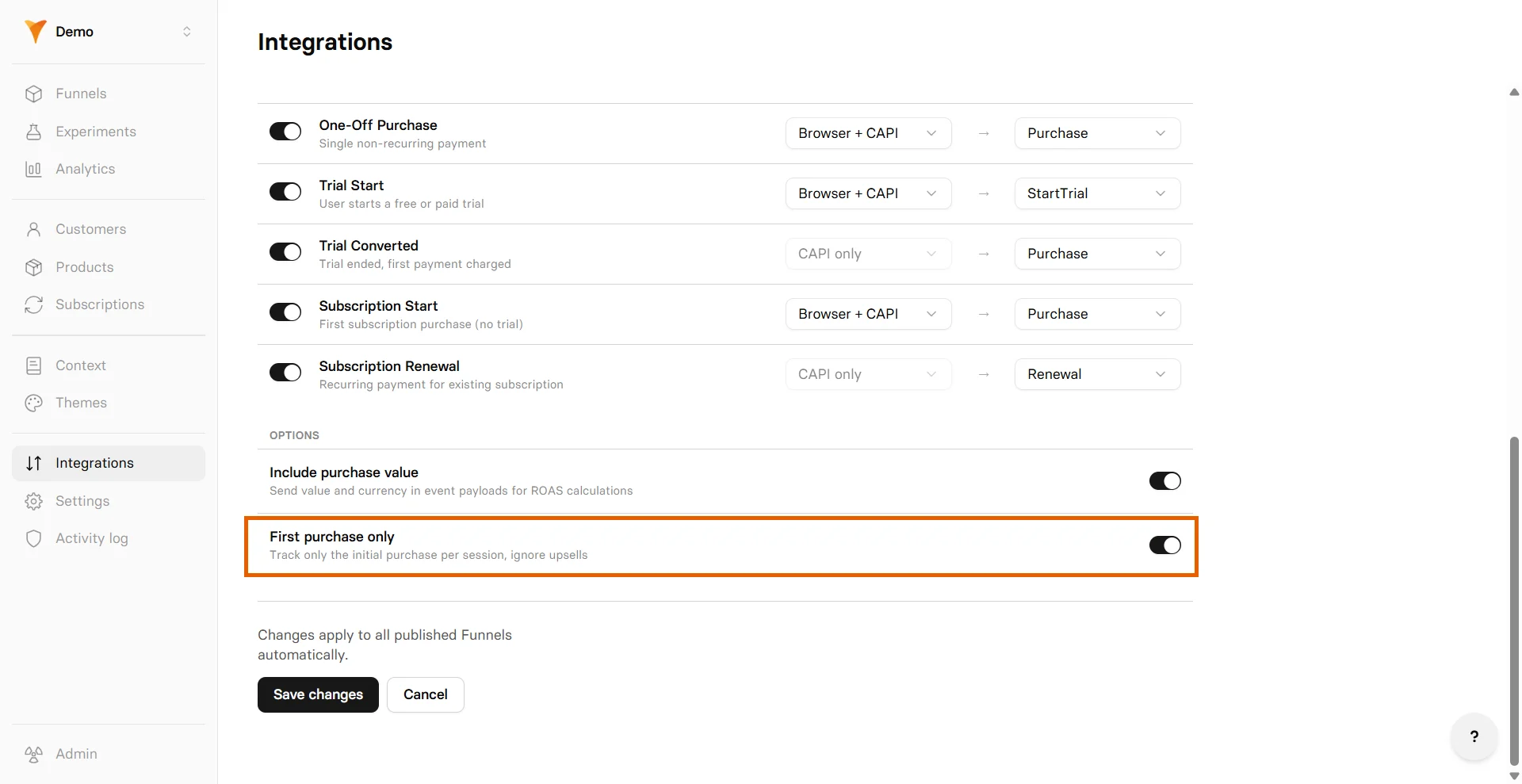
- First purchase only: Sends only the first purchase per session and ignores upsells. Learn more in the Limit purchase events section below.
- Disable default events: Stops sending non-purchase events such as
PageView,ViewContent, andCompleteRegistration. Learn more in the Disable default events section below.
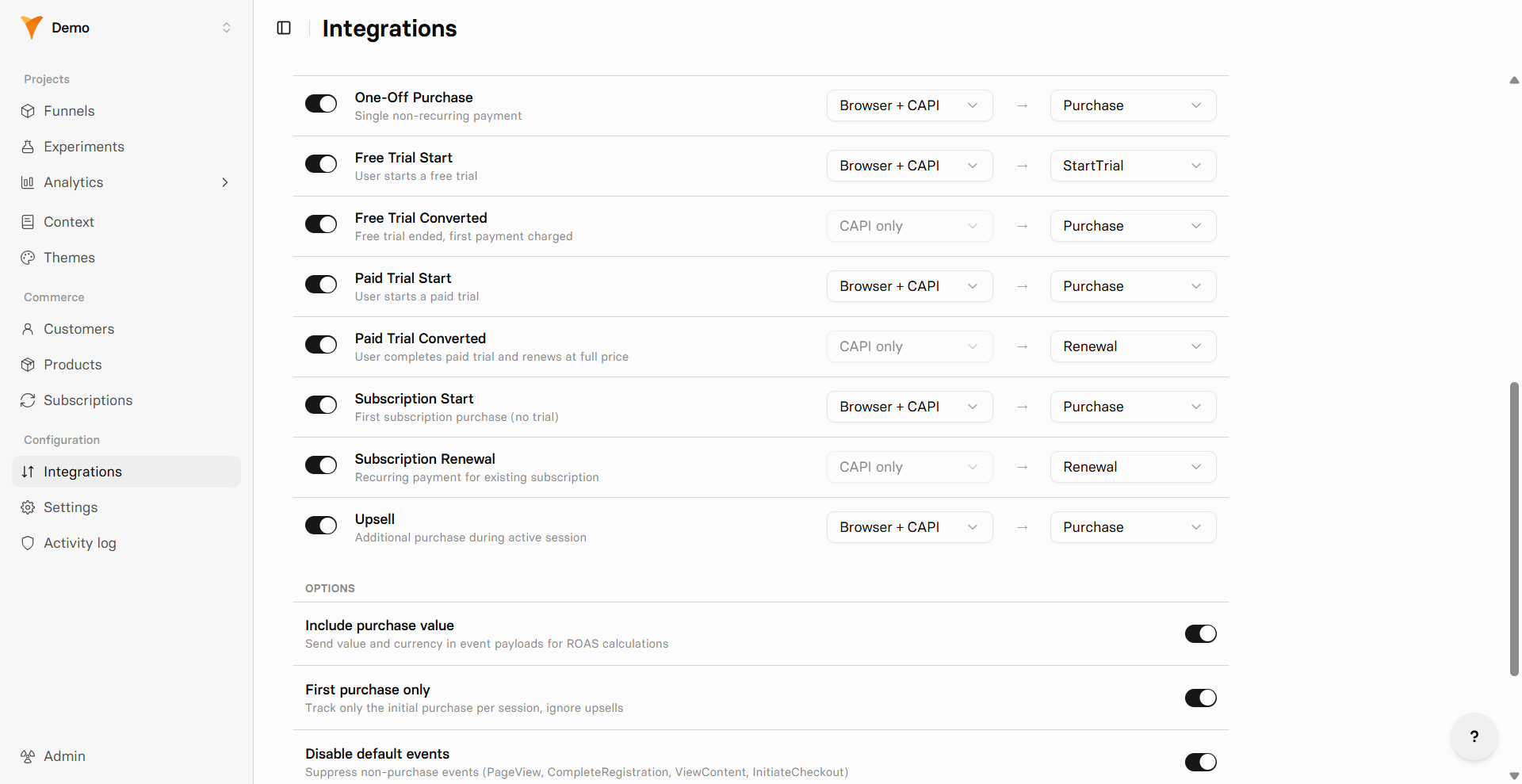
Free trial converted, Paid trial converted, and Subscription
renewal happen after the user leaves the funnel, so the browser pixel
cannot fire them. These events always send through Conversions API only.
Paid trial converted fires only on the first renewal after a paid
trial. Every later renewal uses Subscription renewal.
Limit purchase events
You can stop sending purchase events for additional subscription upsells. When this is on, FunnelFox suppresses thePurchase events for Stripe that a
subscription upsell would trigger (both its conversion and its renewals).
To do so, go to Integrations > Meta and toggle on
First purchase only.
Stripe
Stripe
* Additional subscription upsell (not upgrade instead of initial one).
Paddle
Paddle
Solidgate
Solidgate
* Intro discounts cannot be configured directly in Solidgate. They are applied via a paid trial and use the same transactions.
FunnelFox Billing
FunnelFox Billing
Disable default events
By default, FunnelFox sends engagement events to Meta alongside purchase events. You can turn these off to keep only purchase data in Events Manager, for example to keep a pixel clean for a purchase-optimized campaign. To turn them off, go to Integrations > Meta and toggle on Disable default events.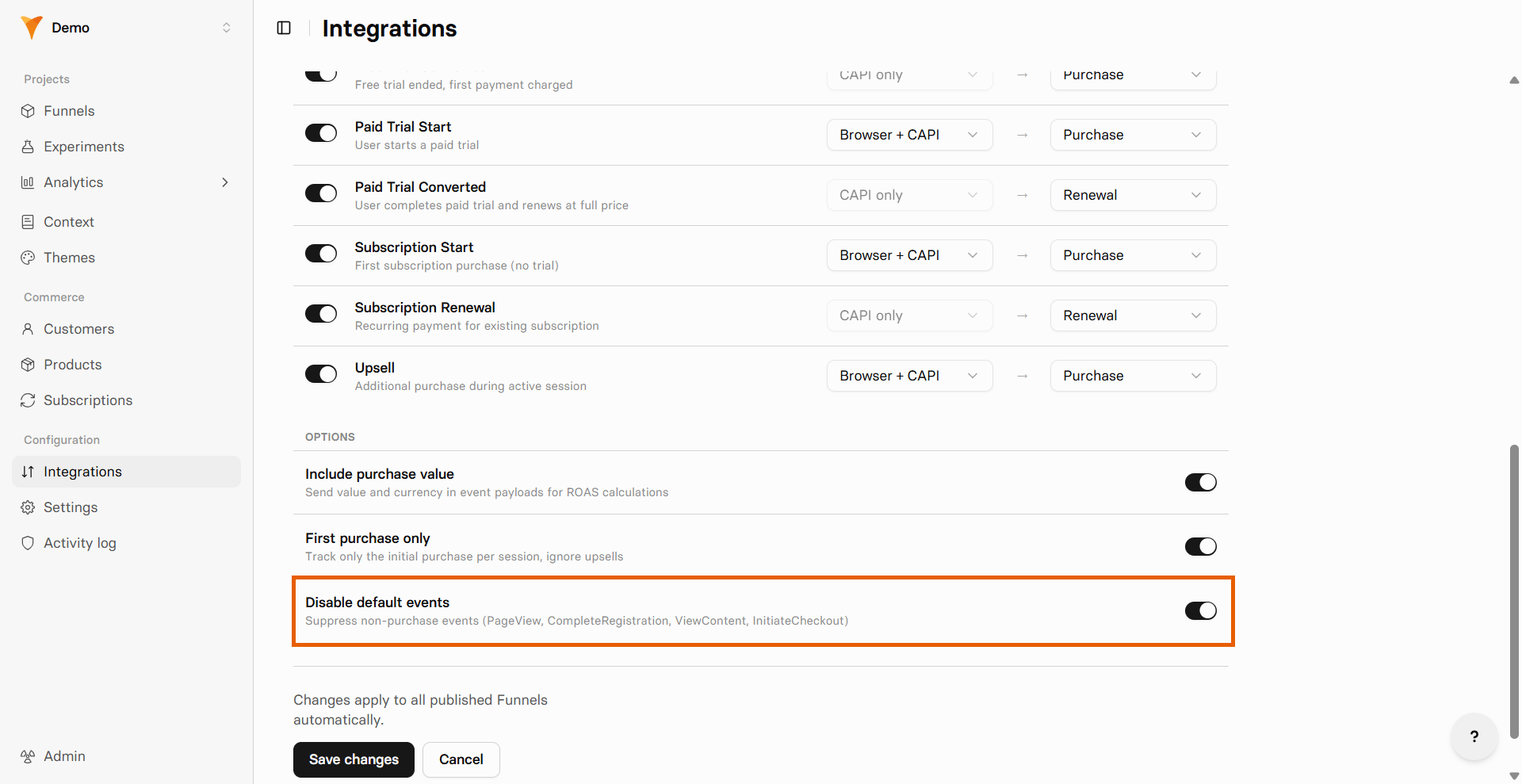
- Meta Pixel:
PageView,ViewContent,InitiateCheckout, andcheckout_presented. - Meta Pixel and Conversions API:
CompleteRegistration.