
This is a paid service. Please contact your Customer Success Manager to enable it.
How it works
FunnelFox Protect intercepts disputes before they become chargebacks. Compare the two scenarios below to see the difference. Without FunnelFox Protect:1
Customer files a dispute
Customer files a transaction dispute with their bank.
2
Card network processes chargeback
Card network processes the chargeback and withdraws funds.
3
Account block risk
PSP blocks your merchant account due to frequent chargebacks.
1
Customer files a dispute
Customer files a transaction dispute with their card issuer.
2
Automatic refund
FunnelFox Protect automatically refunds the transaction before it becomes a chargeback.
3
Account stays protected
Your merchant account remains in good standing since no chargeback is recorded with the card network.
Setup
To protect your merchant account, you need to enable the service and configure your payment provider details. This allows FunnelFox Protect to monitor and respond to disputes automatically. Before you start, ask your Solutions Manager to enable FunnelFox Protect, then follow the steps below.1. Configure integration
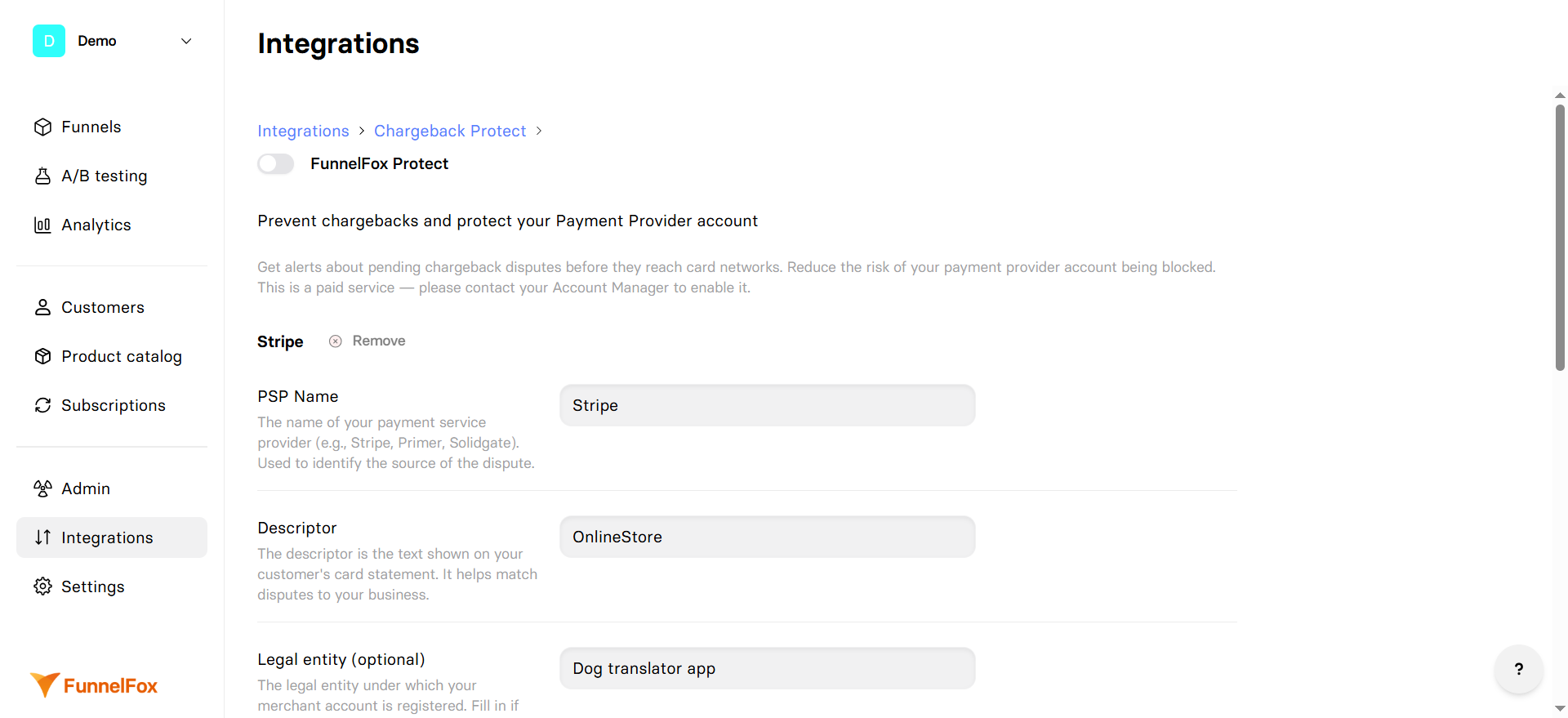
- Go to Integrations > FunnelFox Protect.
- Configure the following fields:
- PSP Name: Your payment service provider name (e.g., Stripe, Primer, Solidgate). Used to identify the dispute source.
- Descriptor: Text shown on your customer’s card statement. Helps match disputes to your business.
- Legal entity (optional): Legal entity under which your merchant account is registered. Fill in if you operate multiple companies.
- Internal ID (optional): Your internal merchant or account identifier. Can help with integration and tracking.
- Visa CAID: Unique Visa Card Acceptor ID for your merchant account. Used for tracking and handling Visa card disputes.
- Visa BIN: Bank Identification Number for your Visa transactions. The first 6 digits of the card number, used for payment routing.
- MCC: Merchant Category Code — a four-digit code that defines your business category for payment systems.
- Click Add alert for PSP to set up FunnelFox Protect for another PSP.
- Click Save changes.
2. Create restricted key
- Log in to your Stripe dashboard.
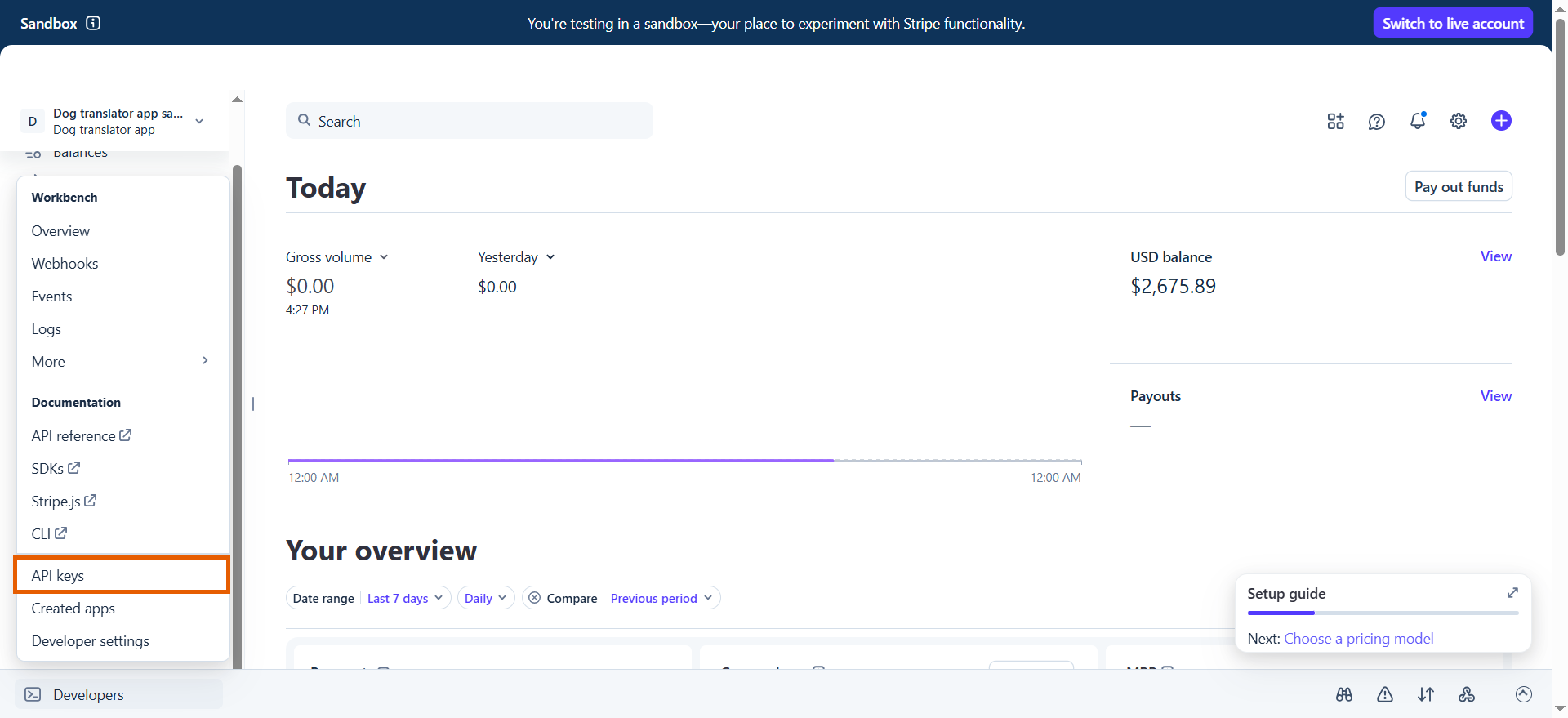
- Go to Developers > API keys at the bottom left.
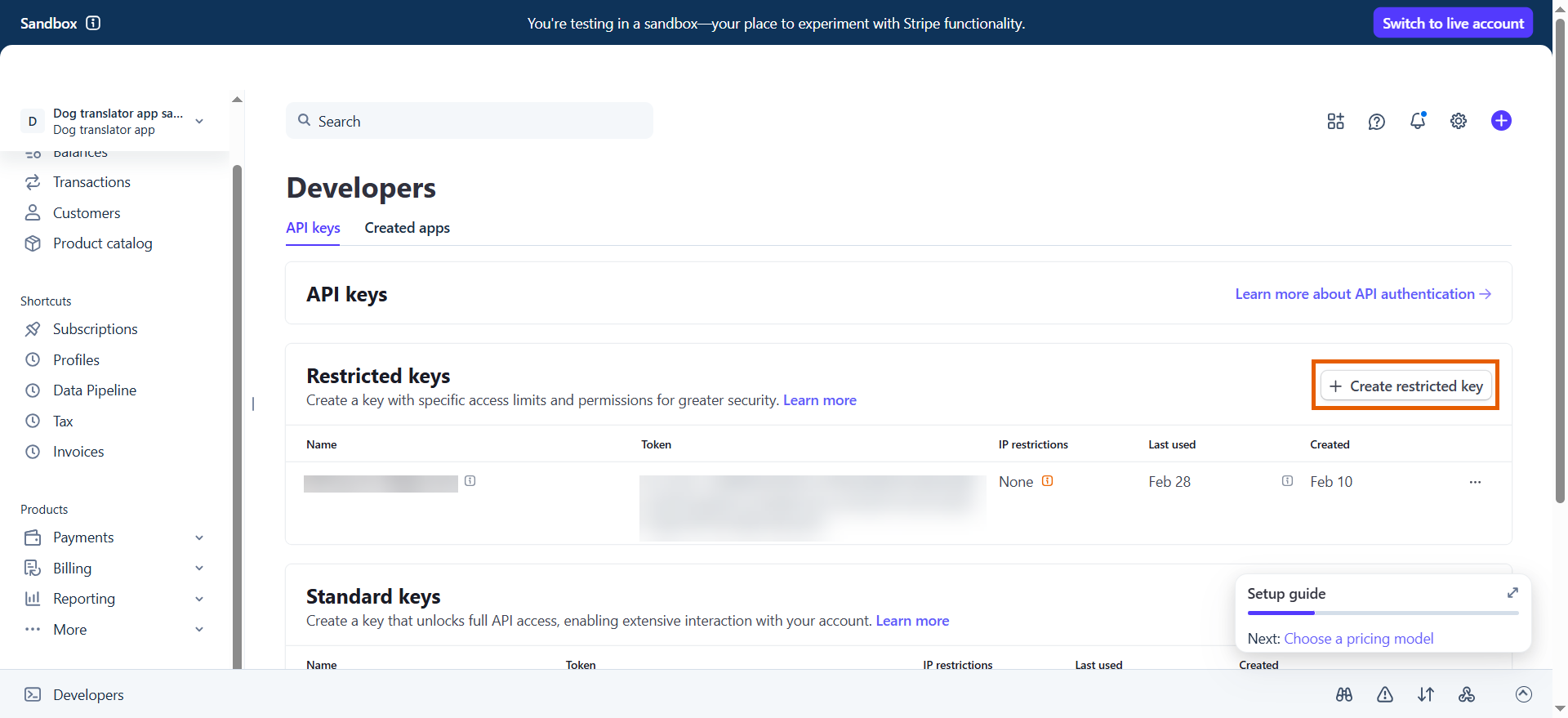
- Click + Create restricted key.
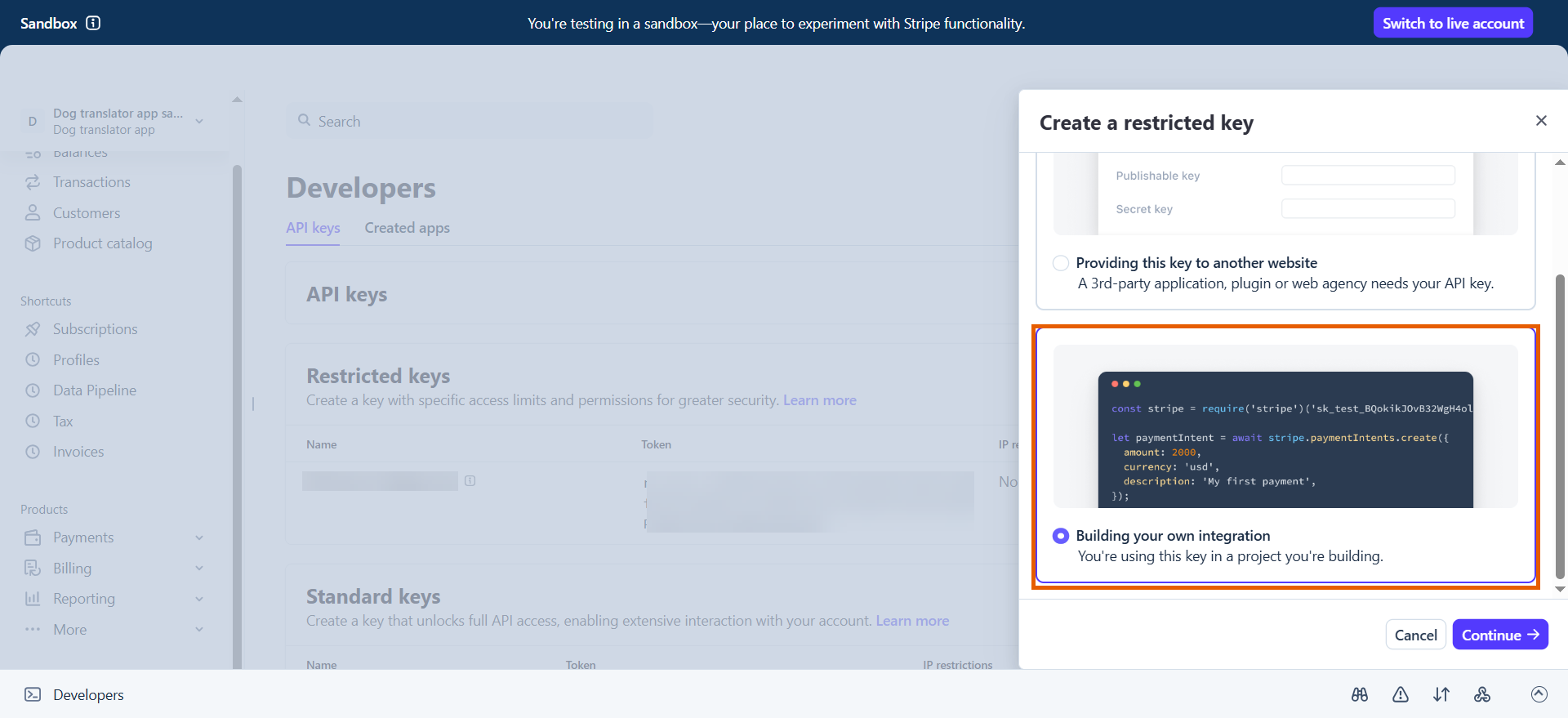
- Select Building your own integration and click Continue.
- Name your key.
- Set the following permissions:
- Charges and refunds: Write
- Invoices: Read
- Credit notes: Read
- Subscriptions: Write
- Connect category: Read
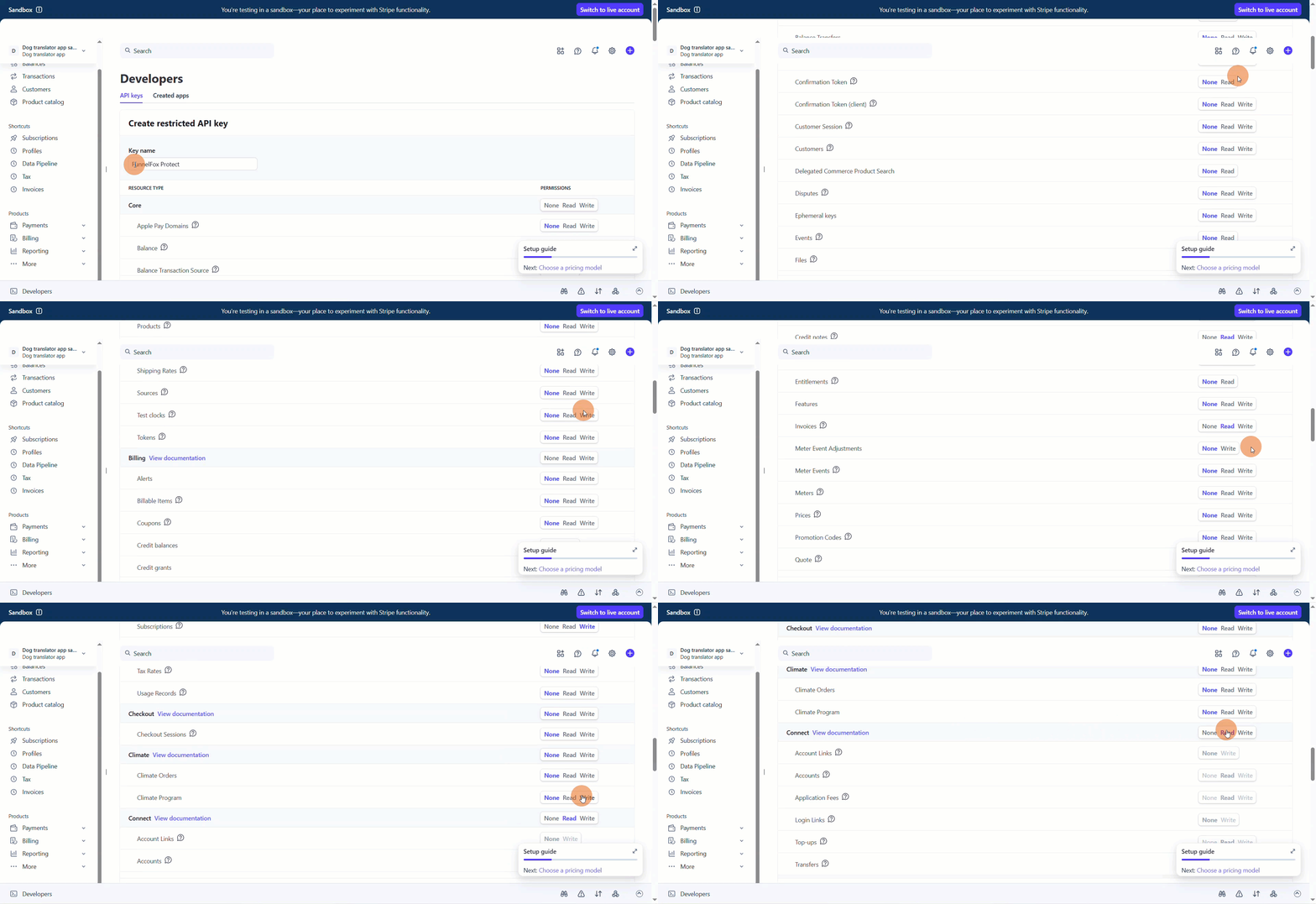
- Click Create key.
- Provide the key to your Solutions Manager.
Your setup is complete. Due to the Visa and MasterCard application review process, this integration will go live in approximately two weeks.