
Authentication methods
Each method balances user experience, reliability, and implementation complexity differently:- Email + password: Simple to integrate and reliable, but requires manual credential entry.
- OAuth: Smooth user experience, but requires integration with your in-app authentication system.
- Deferred deep link (DDL): Most seamless experience, but less reliable and requires a backup method.
- Email + magic link: Most reliable with excellent user experience, but requires more implementation work.
Email + password
The simplest and most reliable authentication method. It also lets customers sign in directly in the funnel if a user was created during a previous funnel experience, but requires a service account key. How it works:- Integrate Firebase or Supabase email/password authentication with FunnelFox.
- Add email and password inputs to the same funnel screen. FunnelFox creates Firebase/Supabase users with the credentials they provide.
If no password input is provided, the user is created with a random password that the user cannot access. You’ll need to implement a password reset flow for the in-app authentication step.
- Add email/password login functionality to your app.
- Display a login link on your in-app paywall for users who previously purchased through the funnel.
OAuth
This option reduces friction by eliminating manual password entry. It also lets customers sign in directly in the funnel if a user was created during a previous funnel experience. How it works:- Integrate Firebase or Supabase OAuth with FunnelFox.
- Add OAuth provider buttons (like Google or Apple) to your funnel screen. FunnelFox creates a user linked to the provider credentials and adds the user’s email to their customer profile.
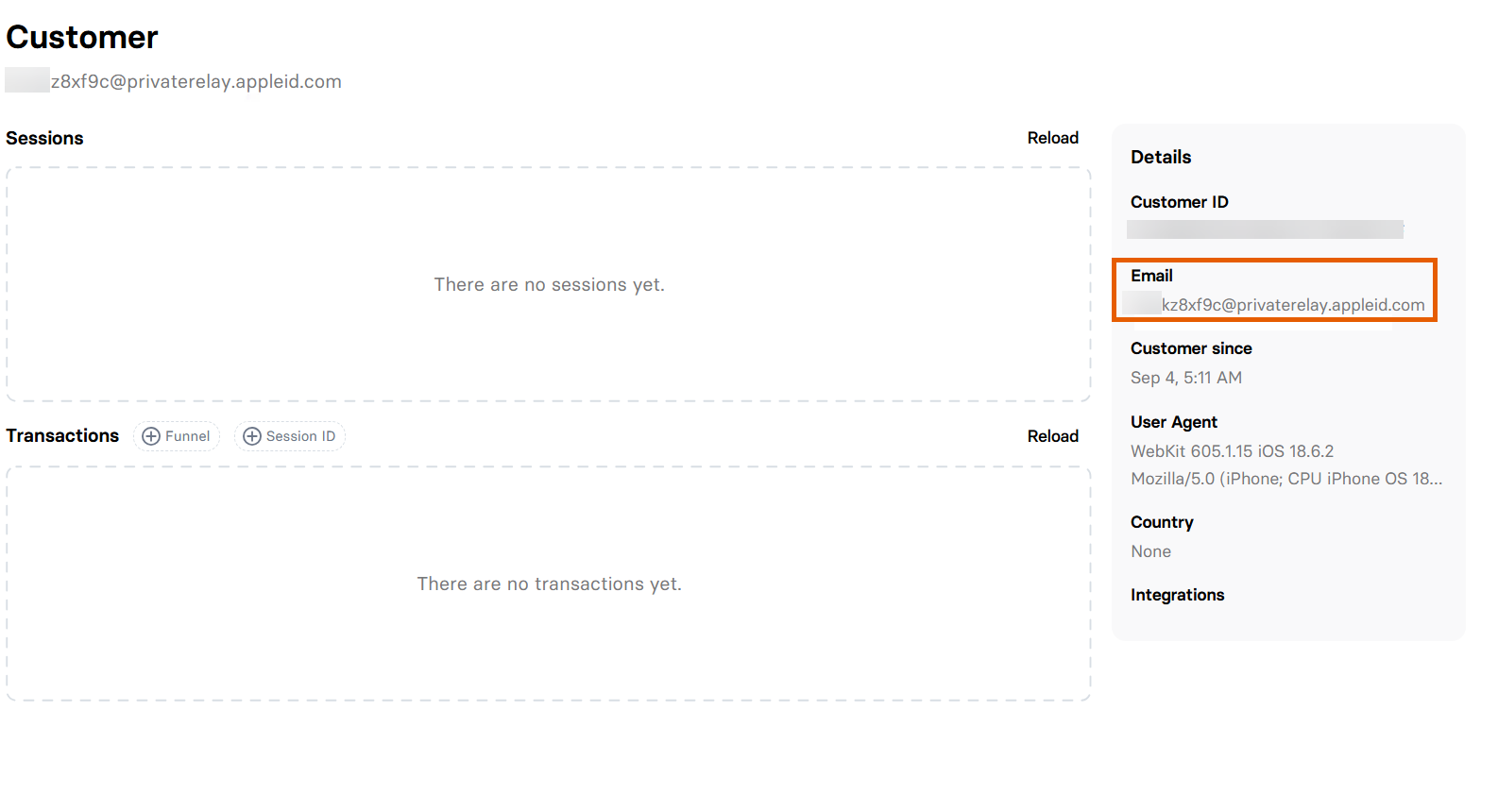
@privaterelay.appleid.com domain.
How customer profile with anonymous email looks like
How customer profile with anonymous email looks like
- Integrate OAuth in-app login functionality.
Deferred deep link
DDLs don’t require any manual input from customers. Users move seamlessly through thefunnel > install > open app > arrive identified flow in one tap.
However, DDLs can fail, users may miss your Download button, and testing is challenging. Always implement a fallback authentication method to reduce support requests.
How it works:
-
Configure DDLs in AppsFlyer or Adjust with a variable containing a unique
user_idorsession_idas a query parameter. -
Add a Button element with a DDL to your last funnel screen. This is typically a
Download appCTA. -
Process the DDL in your app and extract the
user_idorsession_idto sign in the user.
Email + magic link
Magic links eliminate password-related friction and are highly reliable. Users enter their email, receive a link, and tap it to log in. This works perfectly as a fallback when DDLs fail. To use magic links with Firebase, enable Email/Password and Email link (passwordless sign-in), then implement email link sign-in handling in your app. Depending on your setup, you may also need to set up email delivery. You can implement magic links in three ways:Your backend generates link + you send email
Your backend generates link + you send email
- Add an email input to your funnel screen and store the email.
- Generate the sign-in link on your backend using the Firebase Admin SDK (
generateSignInWithEmailLink(email, actionCodeSettings)). - Send the authentication link to the user’s email from your backend.
- Handle email link sign-in in your app.
DDL + Firebase generates link and sends email
DDL + Firebase generates link and sends email
- Add an email input to your funnel screen and store the email.
- Bring the user into your app with a DDL.
- Fetch the user’s email from your backend.
- Call the Firebase client SDK
sendSignInLinkToEmail(...)to send the link. - Handle email link sign-in in your app.
Collect email in the app + Firebase generates link and sends email
Collect email in the app + Firebase generates link and sends email
- Add a manual email entry in your app.
- Call the Firebase client SDK
sendSignInLinkToEmail(...)to send the link. - Handle email link sign-in in your app.