
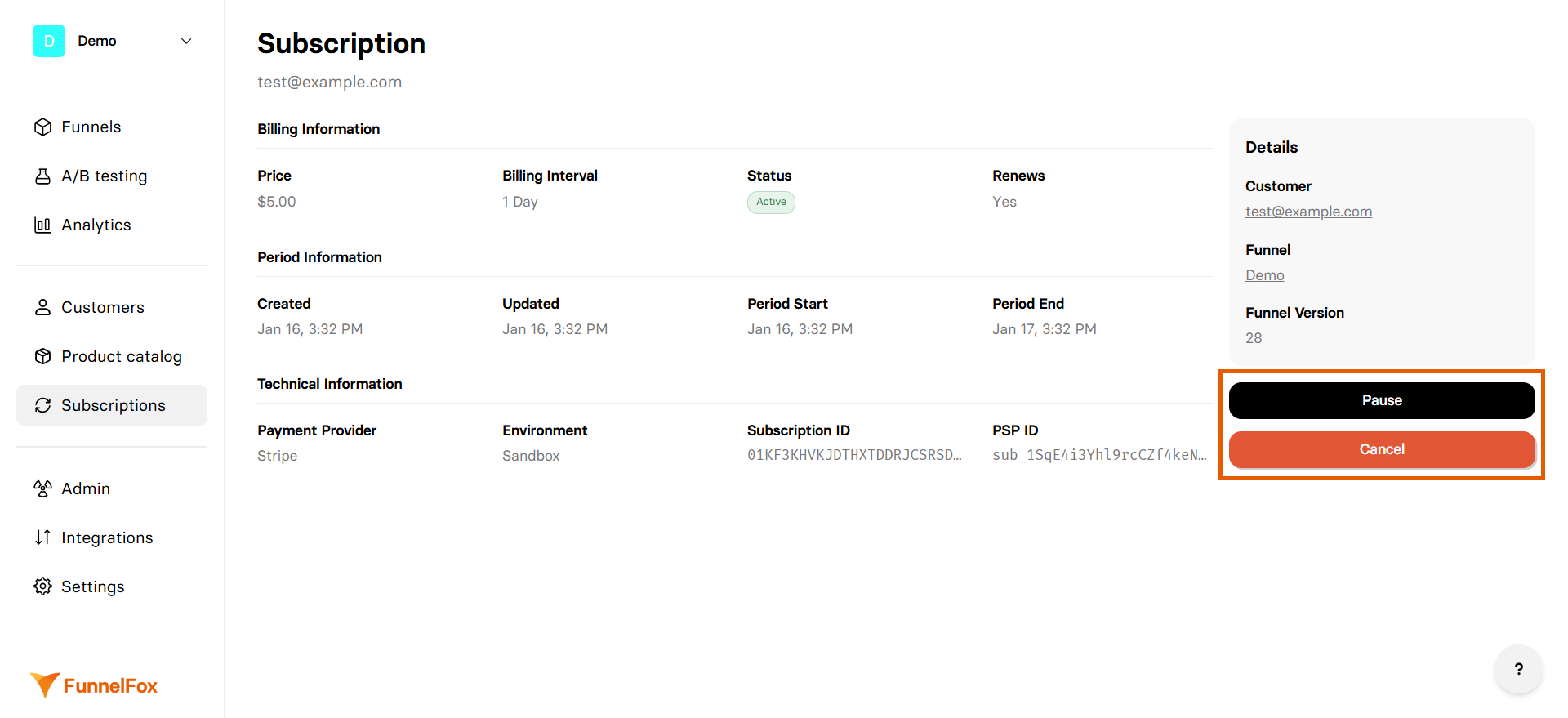
Pause subscriptions
Temporarily stop billing while preserving the subscription:1
Open subscription details
Click on the subscription from the list to open its details.
2
Click Pause button
Click Pause on the right. The subscription is paused immediately.
3
Resume when ready
Paused subscriptions can be resumed at any time by clicking Resume. Customers are not charged for the paused period.
Cancel subscriptions
Permanently end a subscription:1
Open subscription details
Click on the subscription from the list to open its details.
2
Click Cancel button
Click Cancel on the right.Cancellation behavior depends on the PSP processing the subscription.
- Stripe
- Paddle
- FunnelFox Billing
- Solidgate
- PayPal
Cancellation takes effect immediately for Stripe subscriptions.