
Subscriptions list
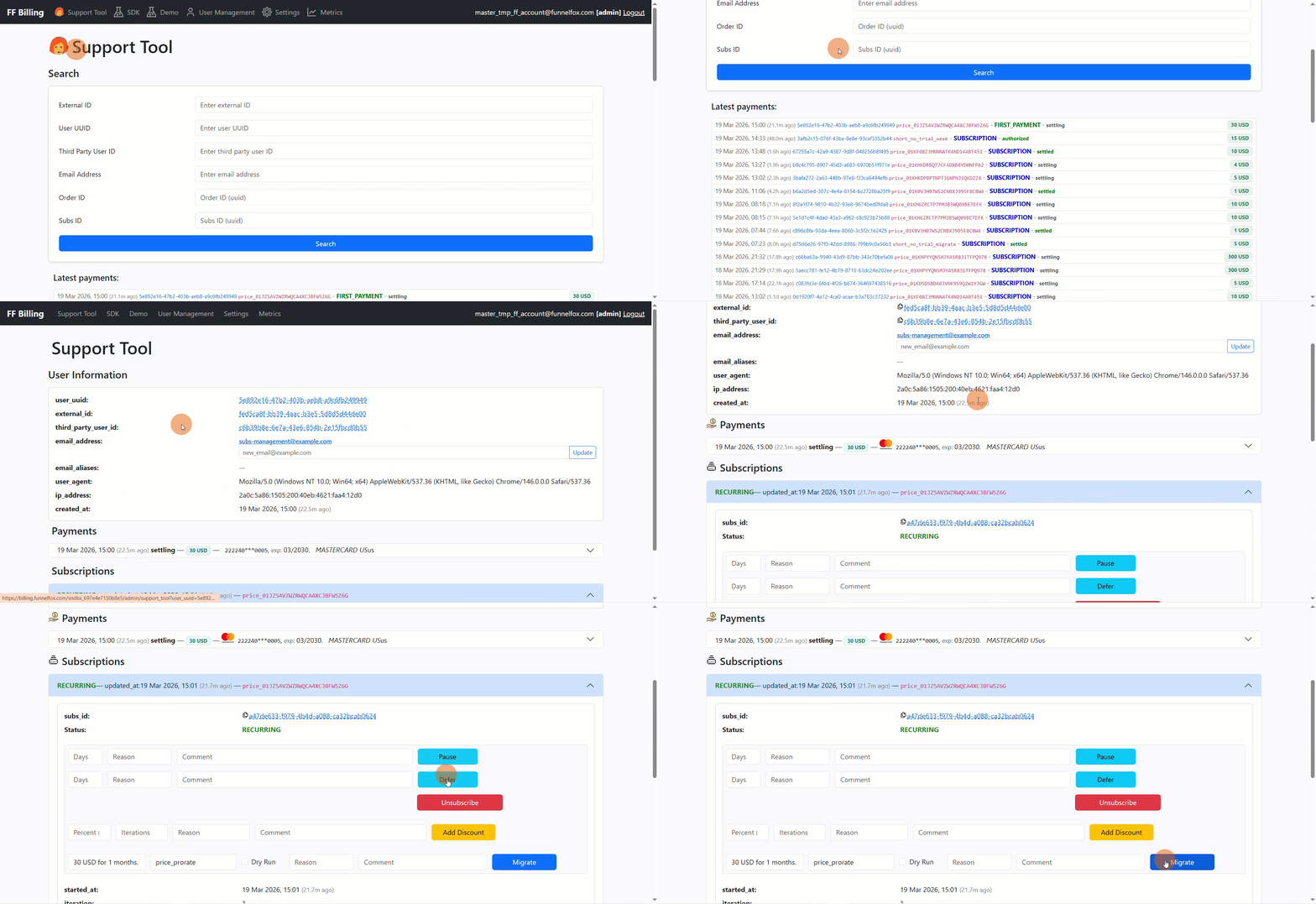
A global subscriptions list is not yet available in FunnelFox Payments. However, you can view subscriptions for a specific customer:- Go to the Support Tool page in your FunnelFox Payments dashboard.
- Search for a user or click on the User UUID under Latest payments.
- View all customer subscriptions under the Subscriptions section.
Subscription details
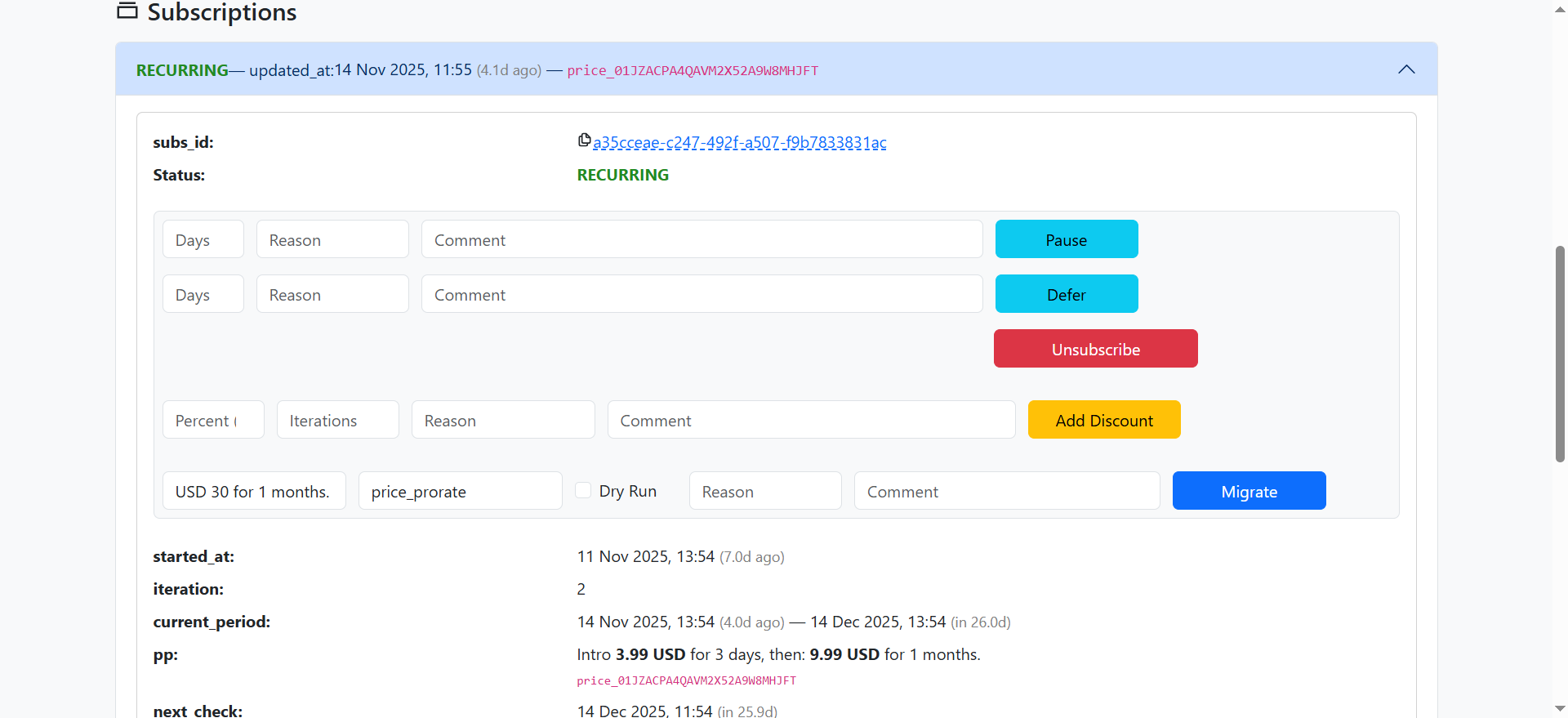
For each subscription, the following fields are available:- subs_id: A unique identifier for this subscription record. Each billing cycle creates a new order, but all orders for the same subscription share this ID.
- started_at: The UTC timestamp of when the subscription first became active. This value is set once and never changes.
- iteration: A count of billing periods that have started, beginning at 1 when the first period activates.
- current_period: The active billing period, displayed as a date range.
- pp: The price point attached to this subscription.
- next_payment_at: The date and time when the subscription will be charged next.
- unused_premium_after_pause: The remaining paid time the user hadn’t consumed when the subscription was paused.
Status
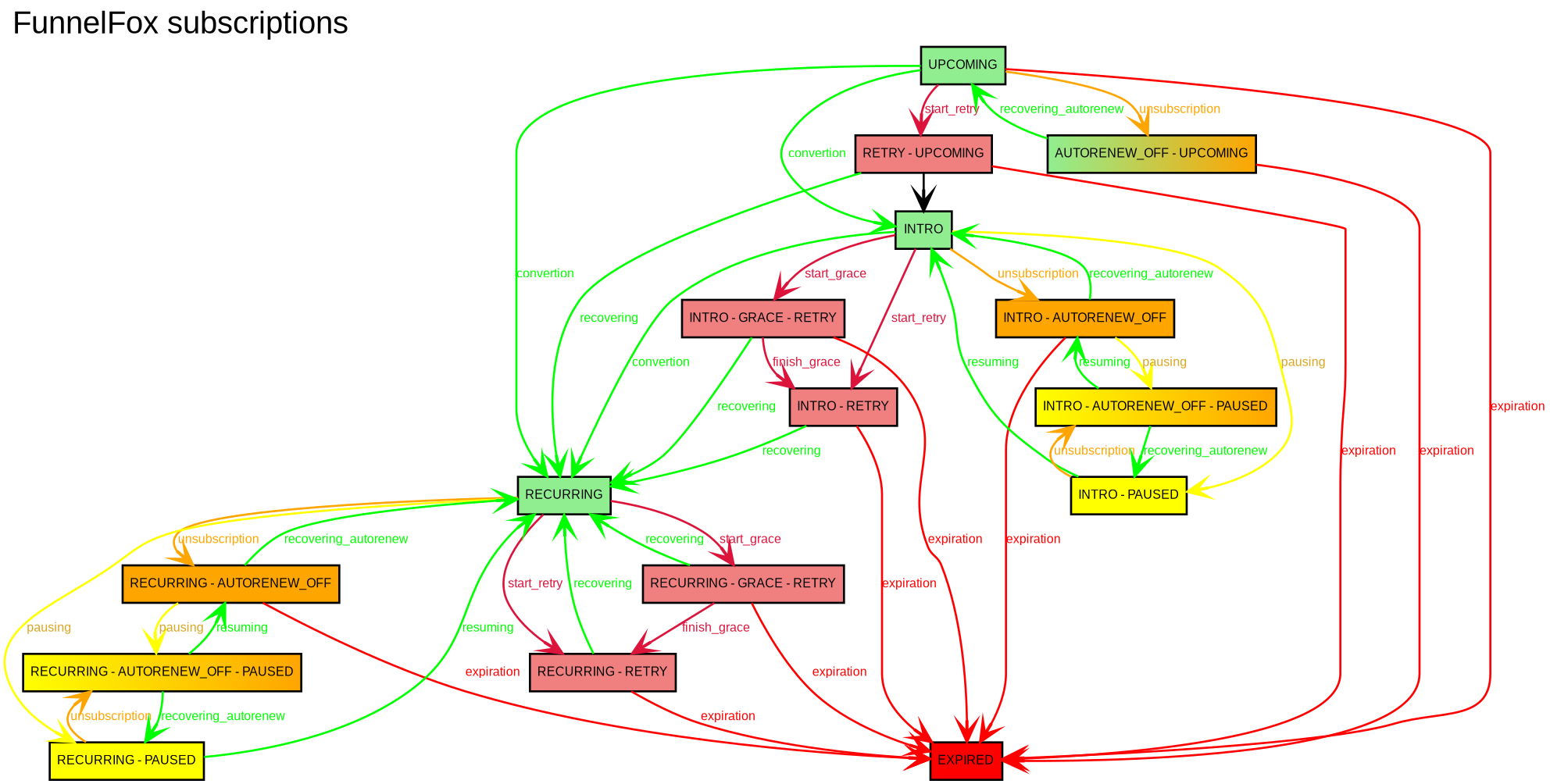
The status field shows the current subscription state:- INTRO: The subscription is in its trial period.
- UPCOMING: The subscription is scheduled to start in the future using migration with the
delayed_startstrategy. It transitions to RECURRING when the previous subscription expires at the end of its paid period. - RECURRING: The trial is over and the subscription is active. Charges occur 2 hours before each billing cycle to ensure uninterrupted access.
- AUTORENEW_OFF: Auto-renewal is disabled. The subscription will end after the current period.
- PAUSED: The subscription is paused until a set date. Premium access is unavailable during this time.
- GRACE: Payment failed, but the user still has temporary access.
- RETRY: Payment failed and the system is retrying the charge.
- EXPIRED: The subscription has ended.
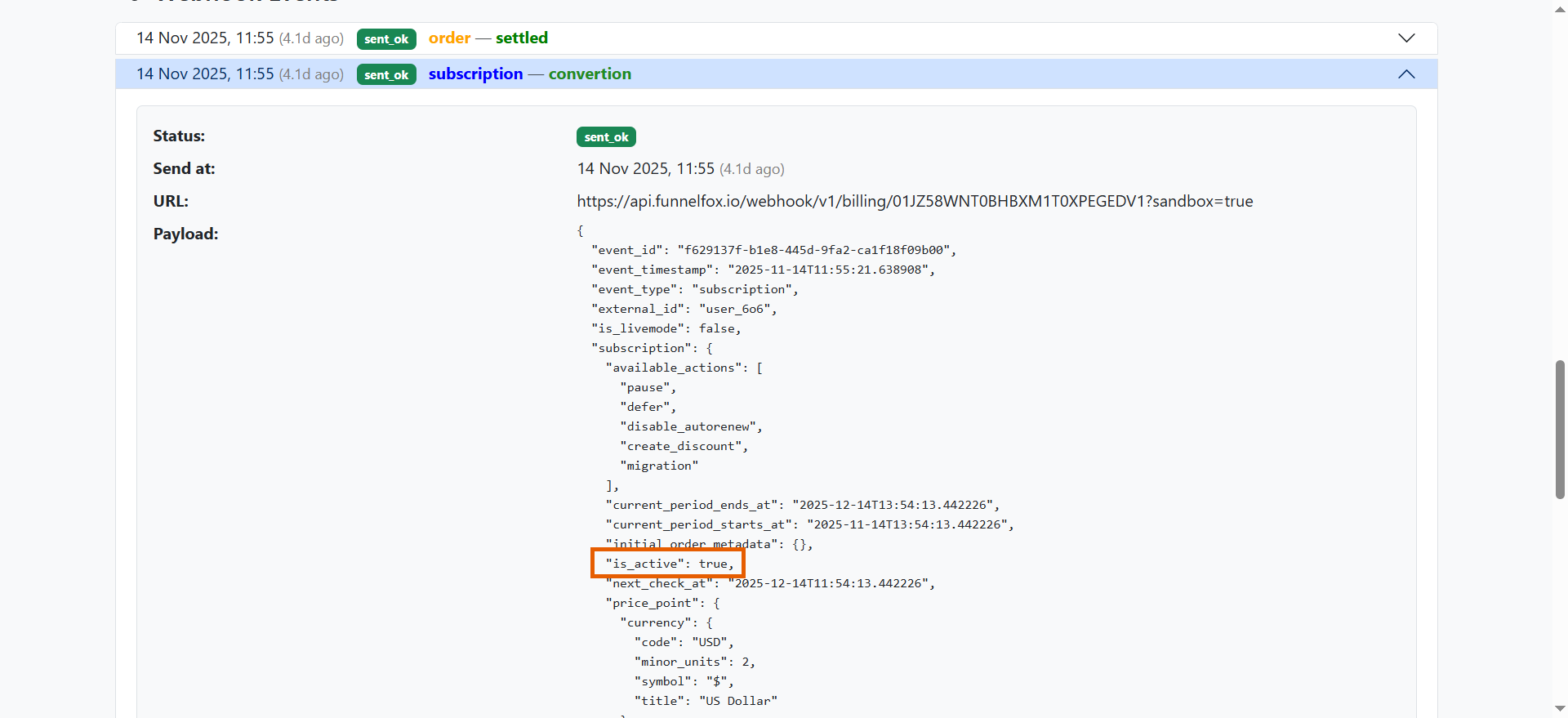
is_active webhook property is true when premium access is active, and false when it’s disabled.
Next check
The next_check field shows when the next subscription action will occur. What happens depends on the current status:A subscription can have multiple statuses simultaneously. When this happens, all corresponding actions occur at
next_check. For example, a subscription with both RECURRING and AUTORENEW_OFF statuses won’t charge again (auto-renewal is disabled), but the current premium access remains active until it expires.Track status changes
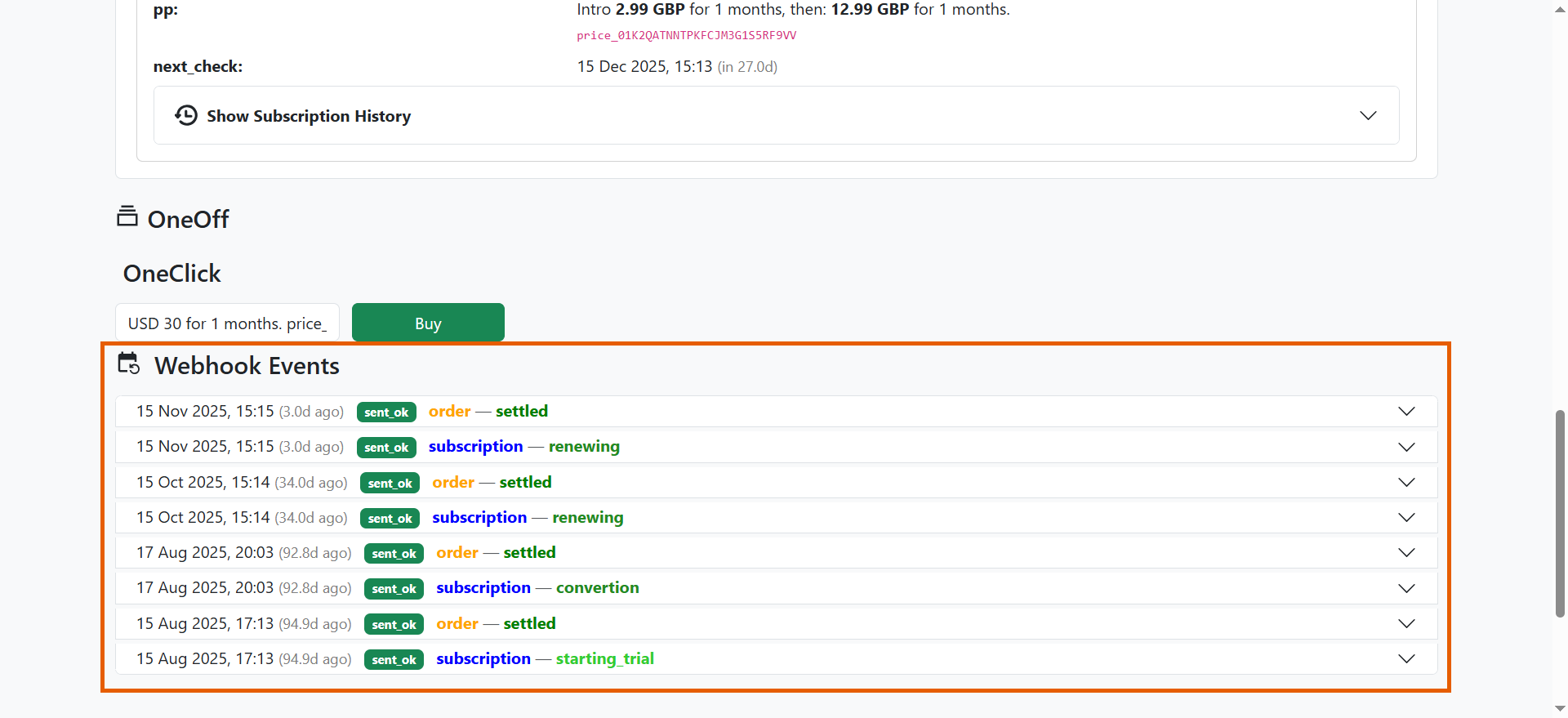
Track all subscription status changes to maintain your own analytics and stay up-to-date on user activity. Each status change creates an event that you can view in two places:- In the Webhook Events section on the user’s information page in the Support Tool.
- At your backend via webhook (if configured).
User information
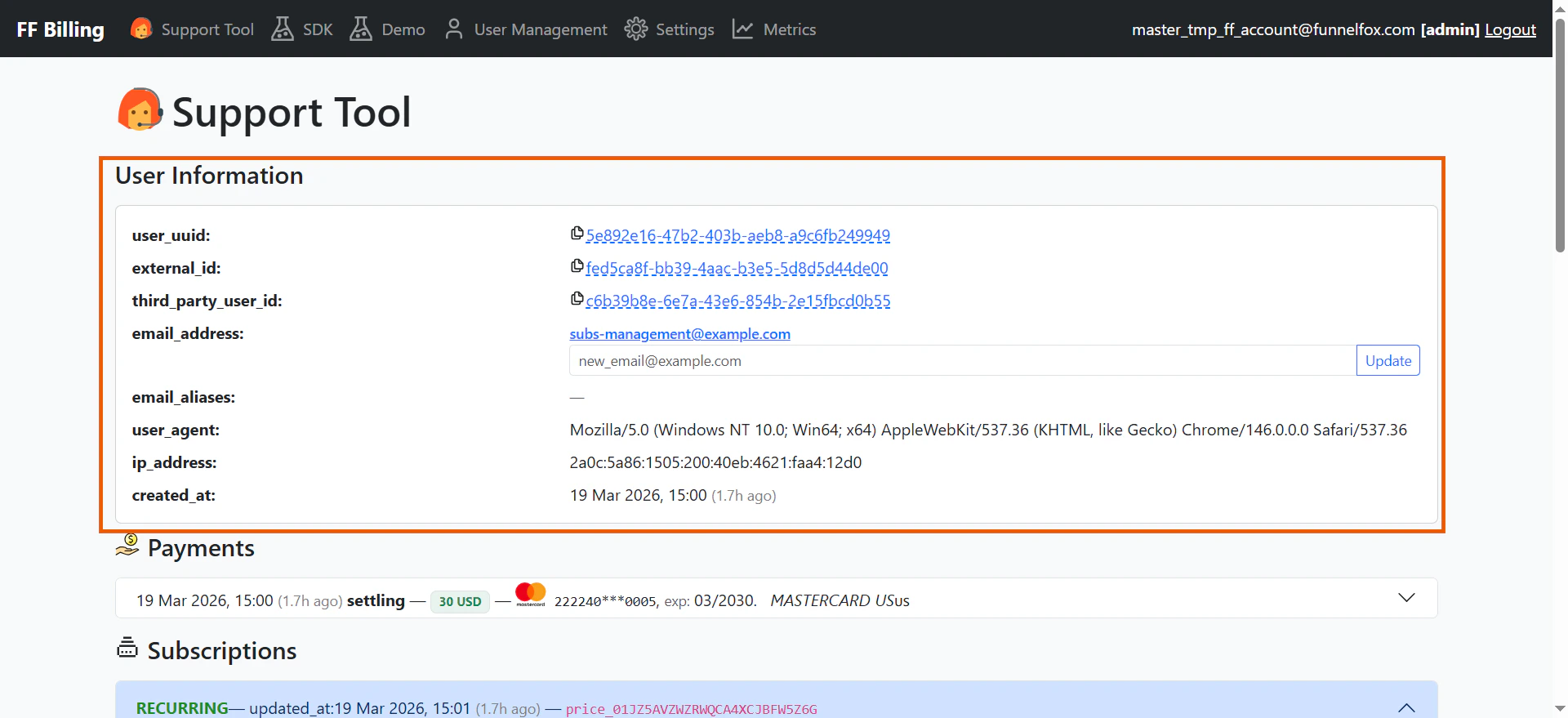
When you search a user’s page in the Support Tool, the User information section displays the following details about your subscriber:- User UUID: A system-generated unique identifier that links the user to their orders, subscriptions, purchases, and webhook events.
- External ID: Your unique identifier for the customer. Use this ID to reference the customer in all API calls — checkout sessions, refunds, cancellations, and email updates.
- Third-party user ID: A system-generated identifier used when communicating with the integrated payment service.
- Email address:The customer’s current primary email, collected at checkout or from Apple Pay. You can update it later. FunnelFox Payments also sends this email with payment metadata.
- Email aliases: A record of all previous email addresses. When the email address is updated, the old value is saved as an alias.
- User agent: The browser and device information captured from the customer’s checkout session.
- IP address: The customer’s IP address at checkout time. Used for fraud scoring and compliance.
- Created at: The UTC timestamp of when the user record was created.
Next steps
- Learn how to manage subscriptions in the FunnelFox Payments dashboard.