
How it works
3D Secure (3DS) asks customers to confirm their identity with their bank, for example by entering a one-time code. It reduces fraud, but applying it to every transaction costs conversions when customers drop off at the challenge. Adaptive 3DS applies it only when needed:- Every payment is first attempted without 3DS.
- If it’s approved, the customer pays instantly.
- If the declines the payment because authentication is required, FunnelFox Payments triggers 3DS and retries.
- The customer completes the challenge, and the payment goes through.
Adaptive 3DS is required for card
payment cascading. The 3DS
result from the first attempt is reused on the backup processor, so the
customer doesn’t authenticate twice.
Setup
Request Adaptive 3DS from your FunnelFox Payments dashboard.- Go to the Payment Features page.
- Click Request to the right of Adaptive 3DS.
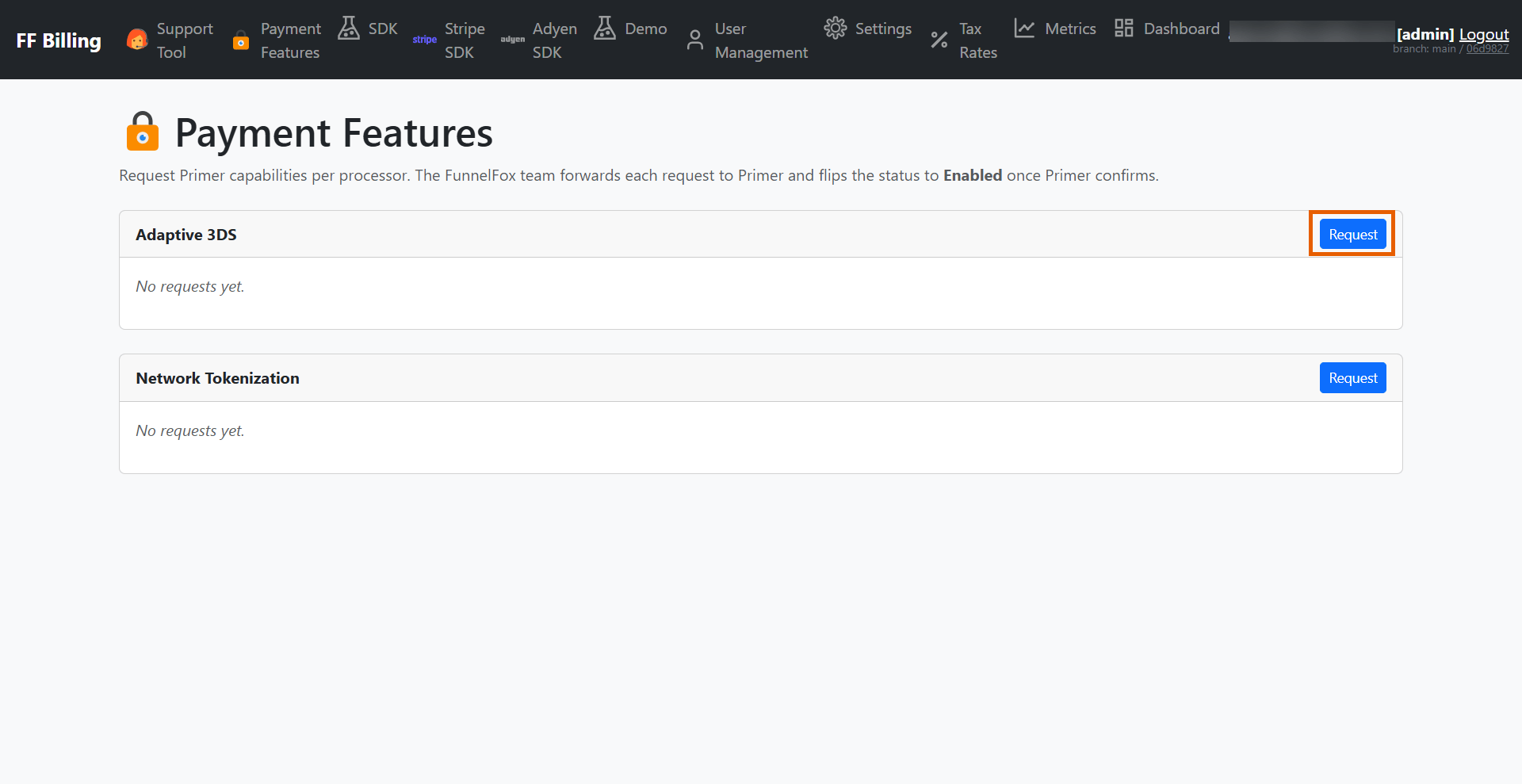
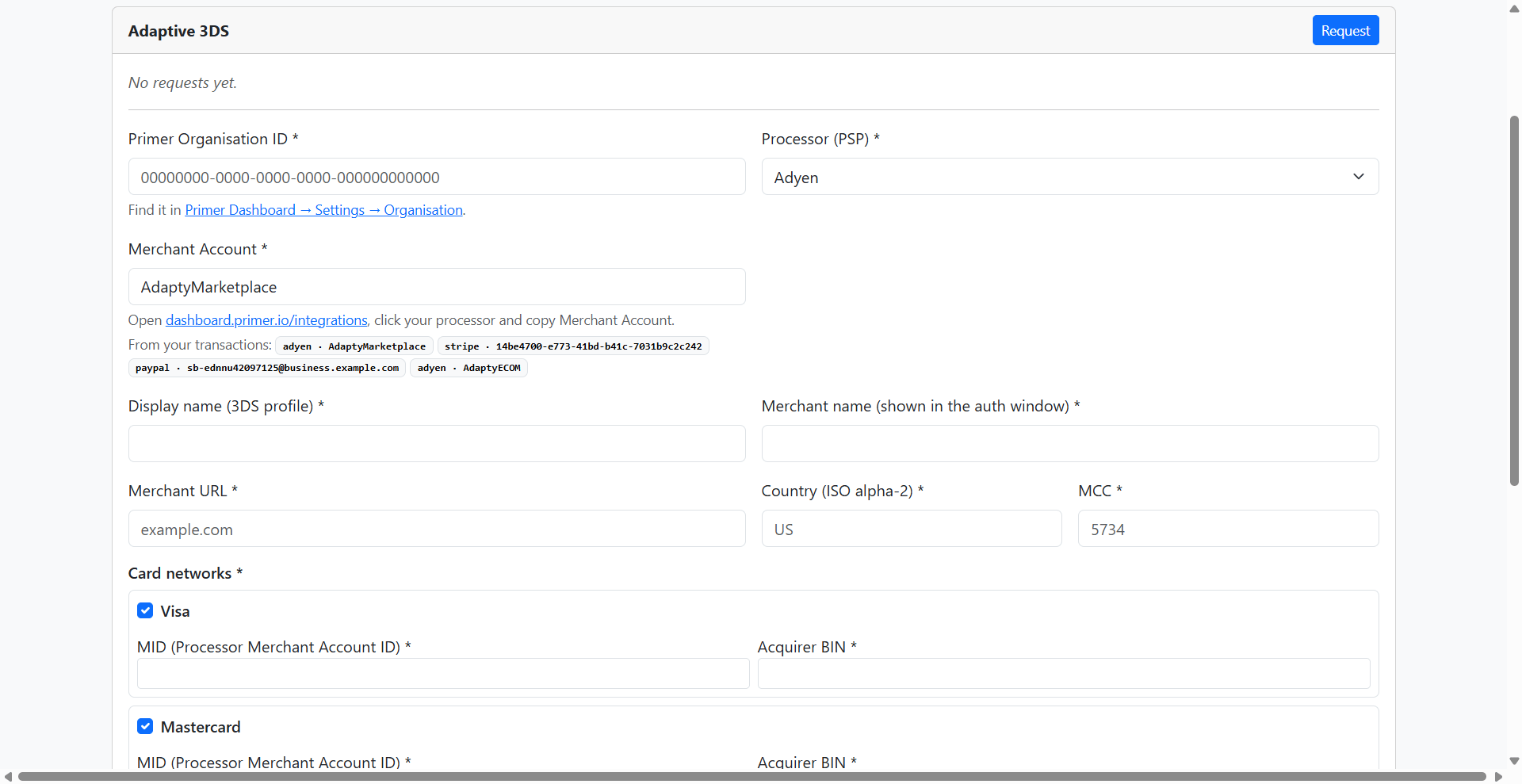
- Complete the form:
- Primer Organisation ID: Find it in the Primer Dashboard under Settings > Organisation.
- Processor (PSP): The processor this profile applies to (for example, Stripe, Adyen, or Airwallex).
- Merchant Account: Find it in the Primer Dashboard under Integrations > [processor] > Merchant Account.
- Display name: Name for the 3DS profile.
- Merchant name: Name shown in the authentication window.
-
Merchant URL: A bare domain like
example.comis fine. -
Country code: ISO 3166-1 alpha-2, for example
US. -
Merchant Category Code (MCC): Exactly 4 digits, for example
5734. -
Card networks: Select at least one (Visa and Mastercard are selected by
default). For each selected network, enter:
- Processor Merchant Account ID (MID)
- Acquirer BIN
- Click Submit request.