
Subscriptions list
The main subscriptions page displays all your subscriptions in one table: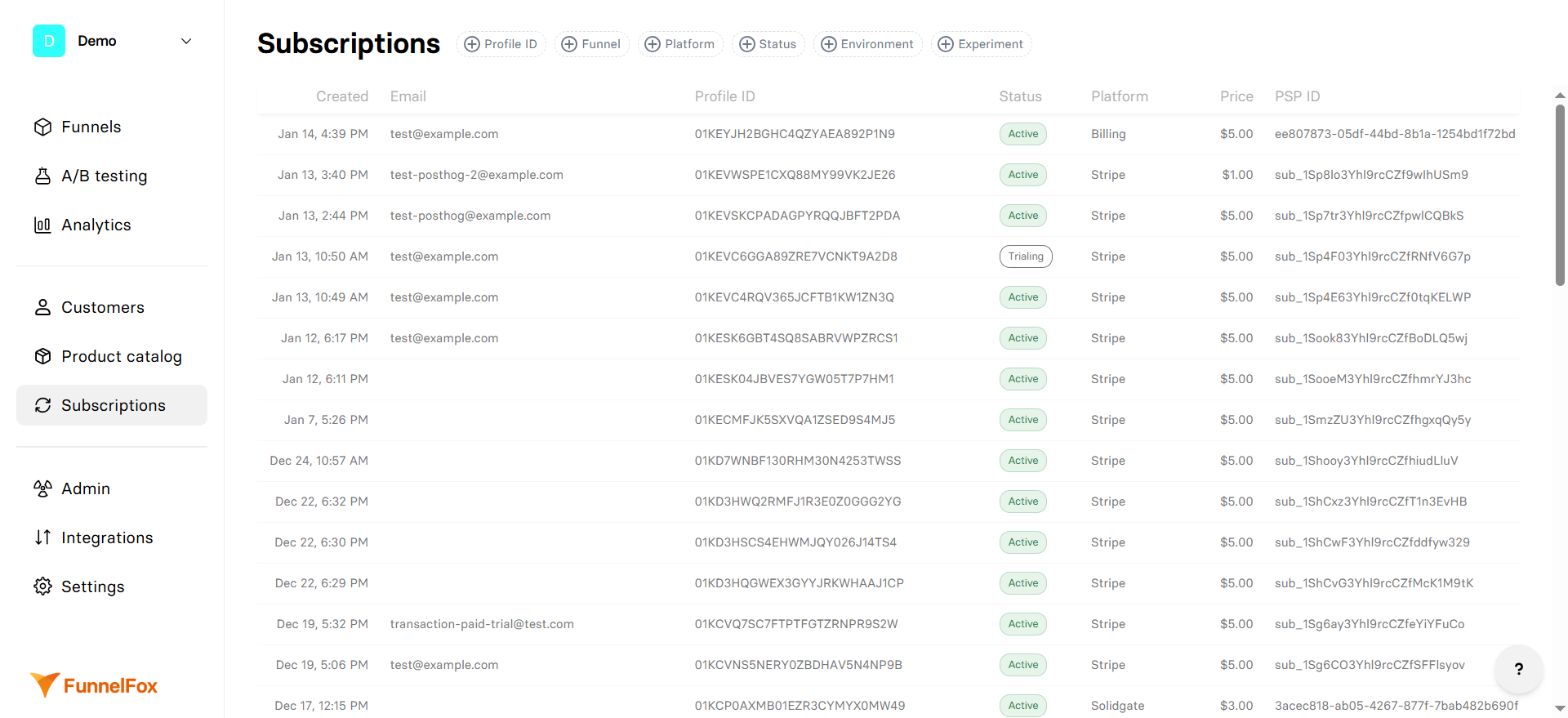
- Created: When the subscription was first created.
- Email: Customer’s email associated with the profile. Click to copy the email.
- Profile ID: The unique identifier for the customer in FunnelFox. Click to copy the ID.
- Status:
- Created - Subscription has just been created
- Trialing - Subscription is in a free or paid trial period
- Active - Currently billing and in good standing
- Paused - Temporarily suspended but can be resumed
- Cancelled - Will not renew after current period
- Unpaid - Latest invoice wasn’t paid
- Expired - Subscription has ended
- Platform: The payment provider handling this subscription (Billing, Stripe, Solidgate, Paddle, etc.).
- Price: The recurring amount charged for this subscription. Shows the regular price, not including any active discounts or trials.
- PSP ID: The subscription identifier in the payment provider’s system.
Filters
Use the filter bar at the top to quickly find specific subscriptions:- Profile ID
- Funnel
- Platform
- Status
- Environment
- Experiment
Enter a customer’s Profile ID to see all their subscriptions across different products and PSPs.
Subscription details
Click any subscription to view complete details and management options: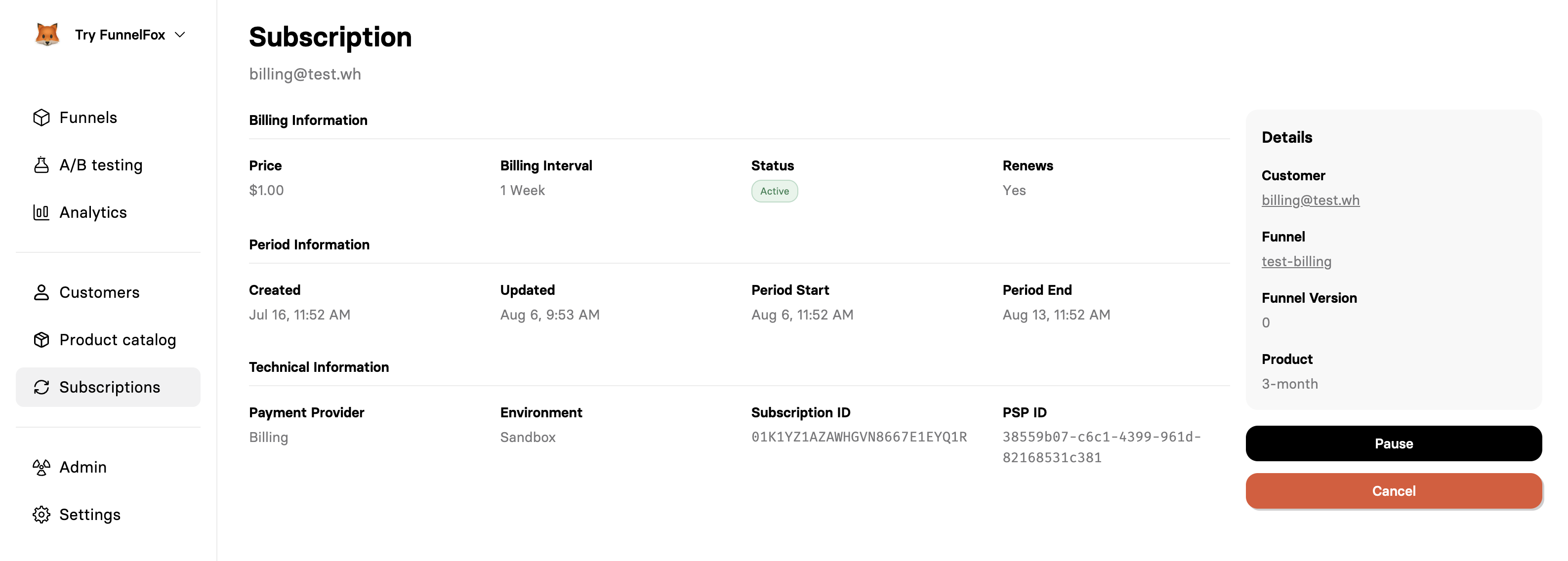
Details
The main subscription details include:- Customer: Email and link to full customer profile
- Funnel: Which funnel converted this customer
- Funnel Version: Specific version for A/B test tracking
- Experiment: Which experiment converted this customer (if applicable)
- Product: What they’re subscribed to (if using FunnelFox Billing)
Billing information
The recurring amount charged for this subscription. Shows the regular price, not including any active discounts or trials.
How often the customer is charged (e.g., Daily, Weekly, Monthly, etc.).
- Created - Subscription has just been created
- Trialing - Subscription is in a free or paid trial period
- Active - Currently billing and in good standing
- Paused - Temporarily suspended but can be resumed
- Cancelled - Will not renew after current period
- Unpaid - Latest invoice wasn’t paid
- Expired - Subscription has ended
Whether the subscription will automatically renew. Shows “No” for cancelled subscriptions that will expire.
Period information
Original subscription creation date. Never changes even if the subscription is paused or modified.
Last modification timestamp.
Beginning of the current billing period.
When the current period expires. This is when the next payment will be attempted (if renewing) or when access ends (if cancelled).
Technical information
The managing this subscription.
- Production - Real customer subscription from a published funnel.
- Sandbox - Test mode subscription from a funnel preview.
FunnelFox’s internal subscription identifier. Use this when working with webhooks or the API.
The subscription ID in the payment provider’s system.
Next steps
- Learn how to manage subscriptions in the main FunnelFox Dashboard.