
How it works
When a checkout session is created, FunnelFox Payments sends a merchant country to Primer asorder.countryCode. It picks the value in this order:
- The override for the customer’s country, if you set one.
- Otherwise, your default merchant country.
- If no default is set, the customer’s own country. Avoid this: it’s almost never your merchant country.
Merchant country applies to payments processed through Primer and to new
checkout sessions. Renewals aren’t affected.
Setup
1
Find your merchant country
Open your PSP contract and find the acquiring entity named in it. Its
country of registration is your merchant country. You can also ask your
PSP account manager:If you use several PSPs, find the merchant country of each one and note
which customer countries each one processes. If you split one customer
country across several PSPs, check Routing scenarios
first.
Stripe accounts
Stripe accounts
Your merchant country is the country of your Stripe account. Find it in
the Stripe Dashboard under
Account details, in the
business and legal entity information. You can also ask Stripe Console:
“What is my merchant country?”Use the Stripe account country even if your contract names a Stripe
entity in another country. For example, a German Stripe account contracts
with Stripe Payments Europe (Ireland), but its merchant country is
DE,
not IE.2
Set merchant country
Go to Settings > Main in your FunnelFox Payments dashboard and enter
your merchant country. Use ISO 3166-1 alpha-2 codes, for example 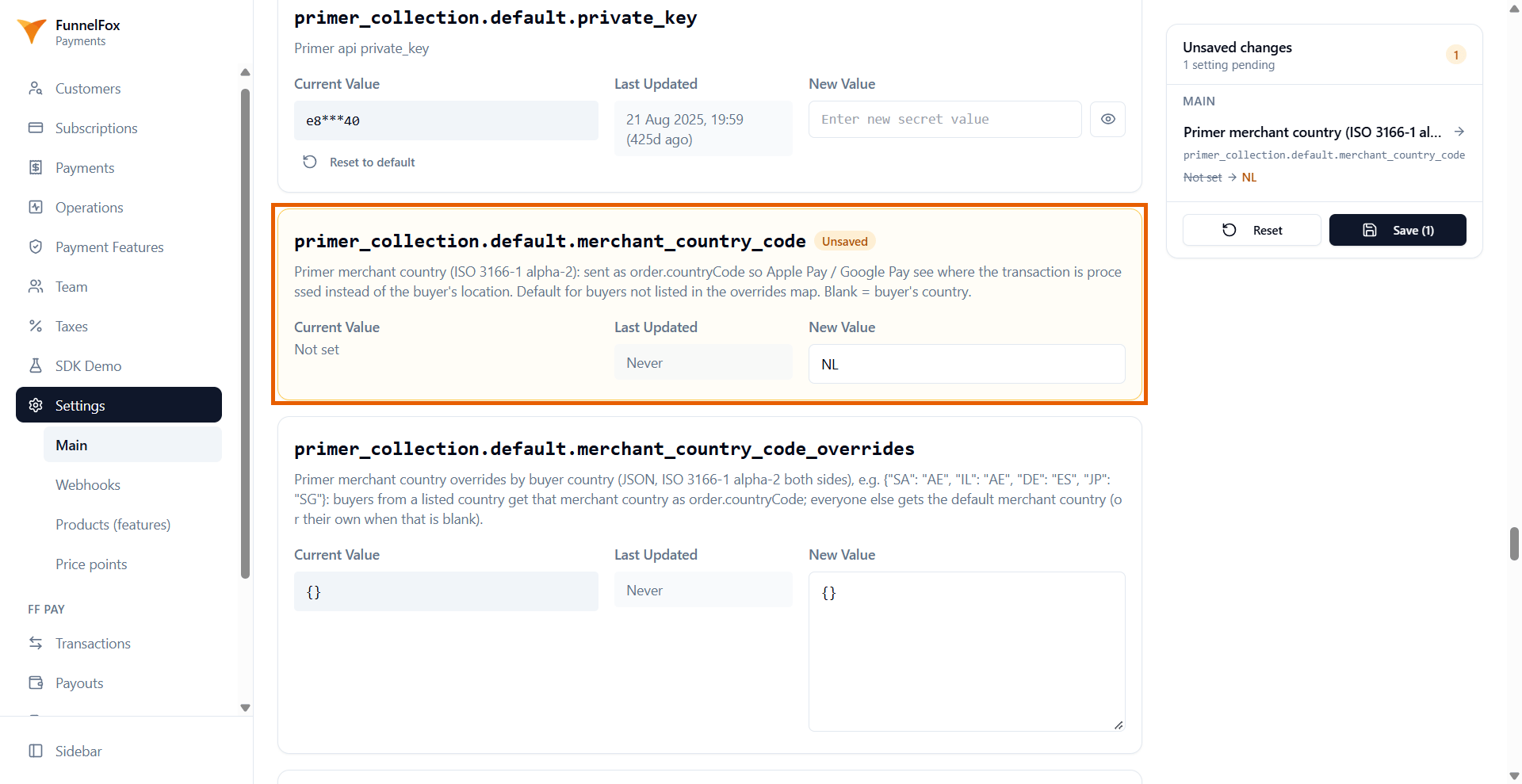
NL.- One PSP
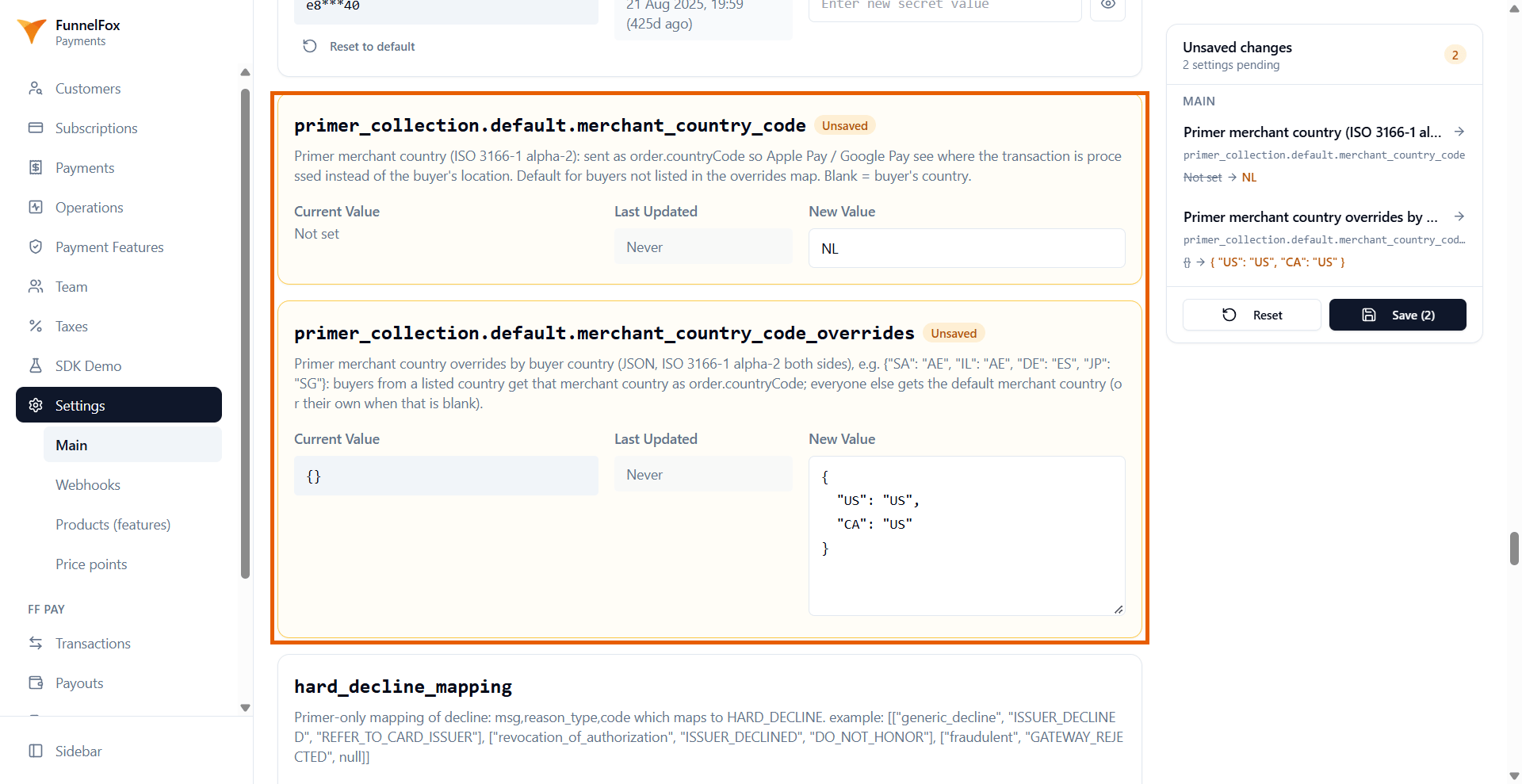
- Several PSPs by customer country
- Enter your merchant country in New Value of
primer_collection.default.merchant_country_code. - Leave
primer_collection.default.merchant_country_code_overridesas{}.
3
Save
Click Save in the Unsaved changes panel on the right.