
authorized status until the PSP confirms the capture. It then
moves to settling and settled, or straight to settled.
A cancellation before capture costs nothing, while a capture followed by a
refund is a real money movement.
Purchases, subscriptions, and outbound webhooks fire at authorization, not at
capture. Customers get access immediately, and only the money settles later.
How it works
FunnelFox Payments picks a delay for each authorized order from three values:- Transaction type: for the first payment, for everything else.
- Card network: Visa or Mastercard, read from the card.
- PSP: The acquirer that authorized the payment. For payments routed through Primer, this is the processor Primer sent the payment to.
fallback for the transaction type applies.
The delay is counted in hours from order creation. A change also applies to
orders that are already authorized.
Default delays
Every organization starts with a 12-hour delay:- Matrix: 12 hours for Visa and Mastercard, CIT and MIT, on Stripe, Airwallex, Adyen, Unlimint, and Braintree.
- Fallback: 12 hours for CIT and MIT. This covers all other networks and PSPs, including PayPal, Checkout, and Primer processor.
Maximum delays
An authorization expires if it is held too long, so every delay is capped. The cap is the shorter of the card network window and the PSP limit, minus a 24-hour safety margin.- Network windows: Visa CIT 240 hours, Visa MIT 120 hours, Mastercard 168 hours.
- PSP limits: Stripe 113 hours, Airwallex 120 hours, Adyen 168 hours, Unlimint 96 hours, Braintree 71 hours. PayPal, Checkout, and Primer processor have no PSP limit, so only the network window applies.
Both fallbacks are capped at 47 hours. An order with an unknown network or PSP
could be on the strictest acquirer, so the tightest cap applies.
FunnelFox Payments rejects a value above its cap when you save. You can
shorten a delay, but never extend it past the cap.
Setup
1. Configure delay
1
Open the setting
Go to Settings > Main in your FunnelFox Payments dashboard and find
delayed_capture.2
Enter the new value
Paste the full JSON into New Value. See the reference below.
3
Save
Click Save at the top of the page. For a managed organization, confirm
the change in the dialog. Invalid JSON or a value above its cap blocks
saving.
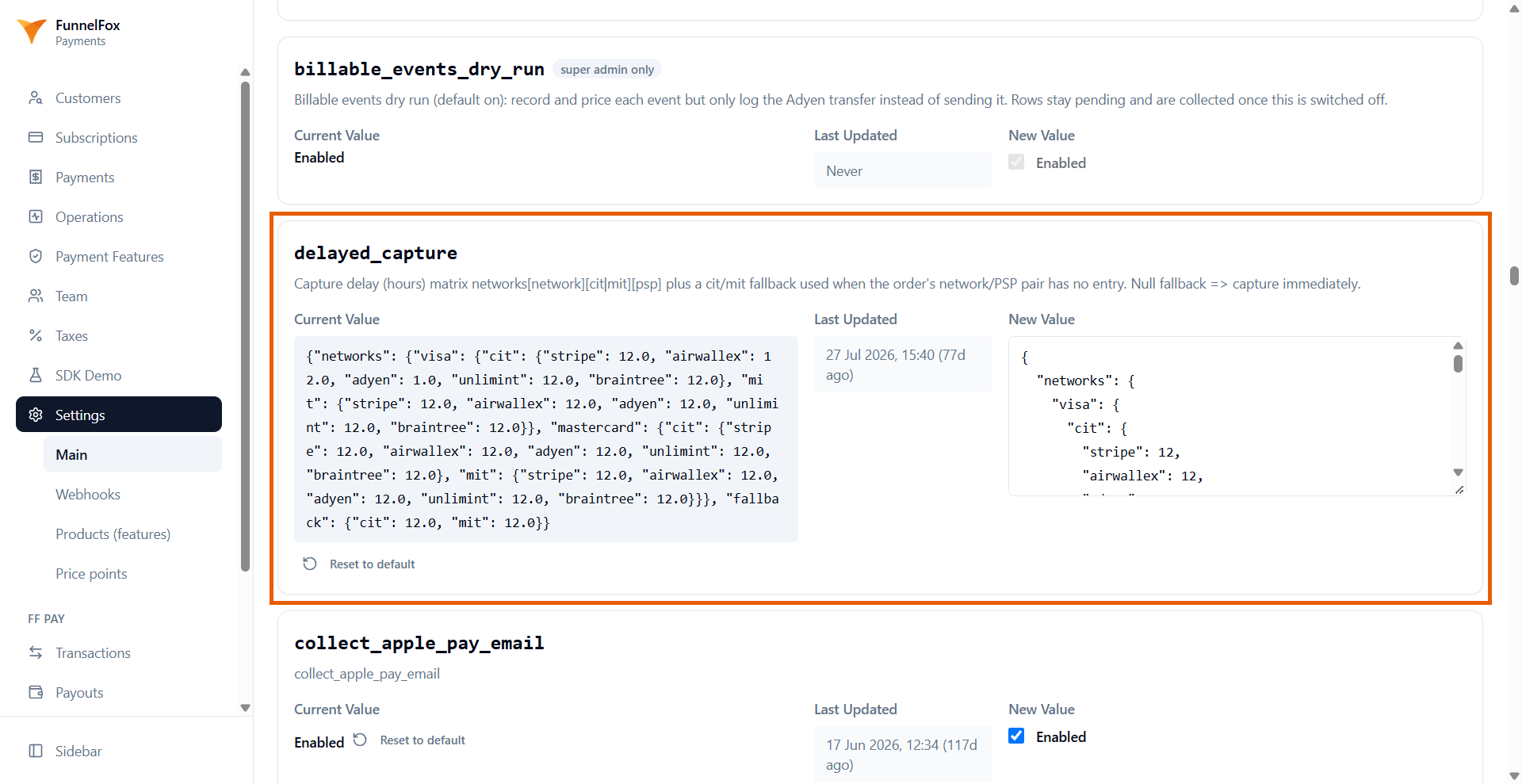
networks: If you include it, only the pairs you list use their own delay. Every other pair goes to the fallback. If you leave it out, the default matrix stays.fallback: If you include it, write bothcitandmit. A missing key becomesnull, so those orders capture without a delay. If you leave it out, the 12-hour defaults stay.
{"networks": {}, "fallback": {"cit": null, "mit": null}}. To go back to the
12-hour defaults, click Reset to default on the setting. The reset applies
immediately and cannot be undone.
delayed_capture JSON reference
delayed_capture JSON reference
There is no partial fall-through inside the JSON. A Visa CIT entry that does
not list your PSP goes straight to the
cit fallback.2. Configure Primer
1
Open your workflow
Go to the Workflows page in your Primer dashboard and open your
workflow.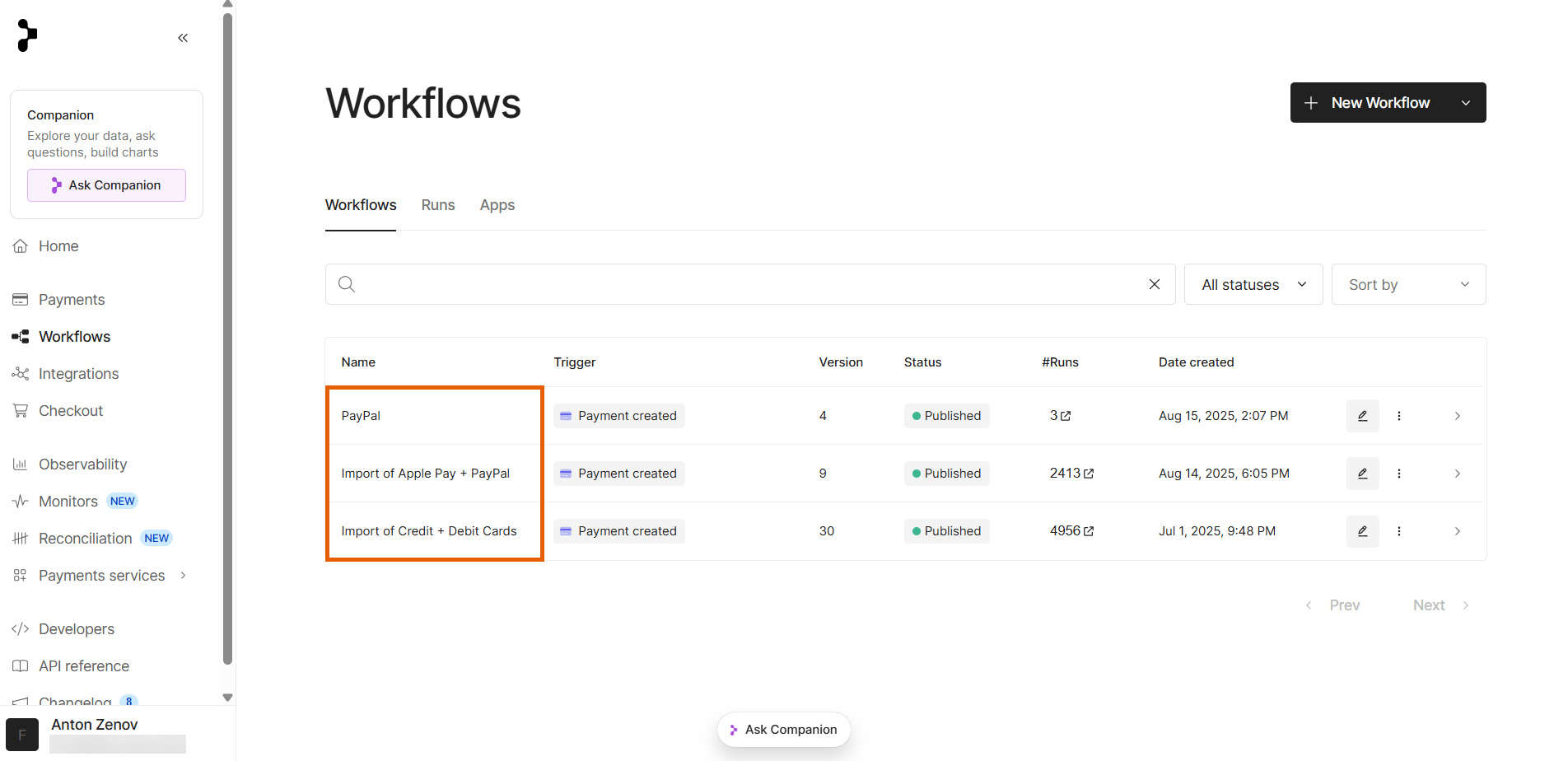
2
Edit the workflow
Click Edit workflow at the top right.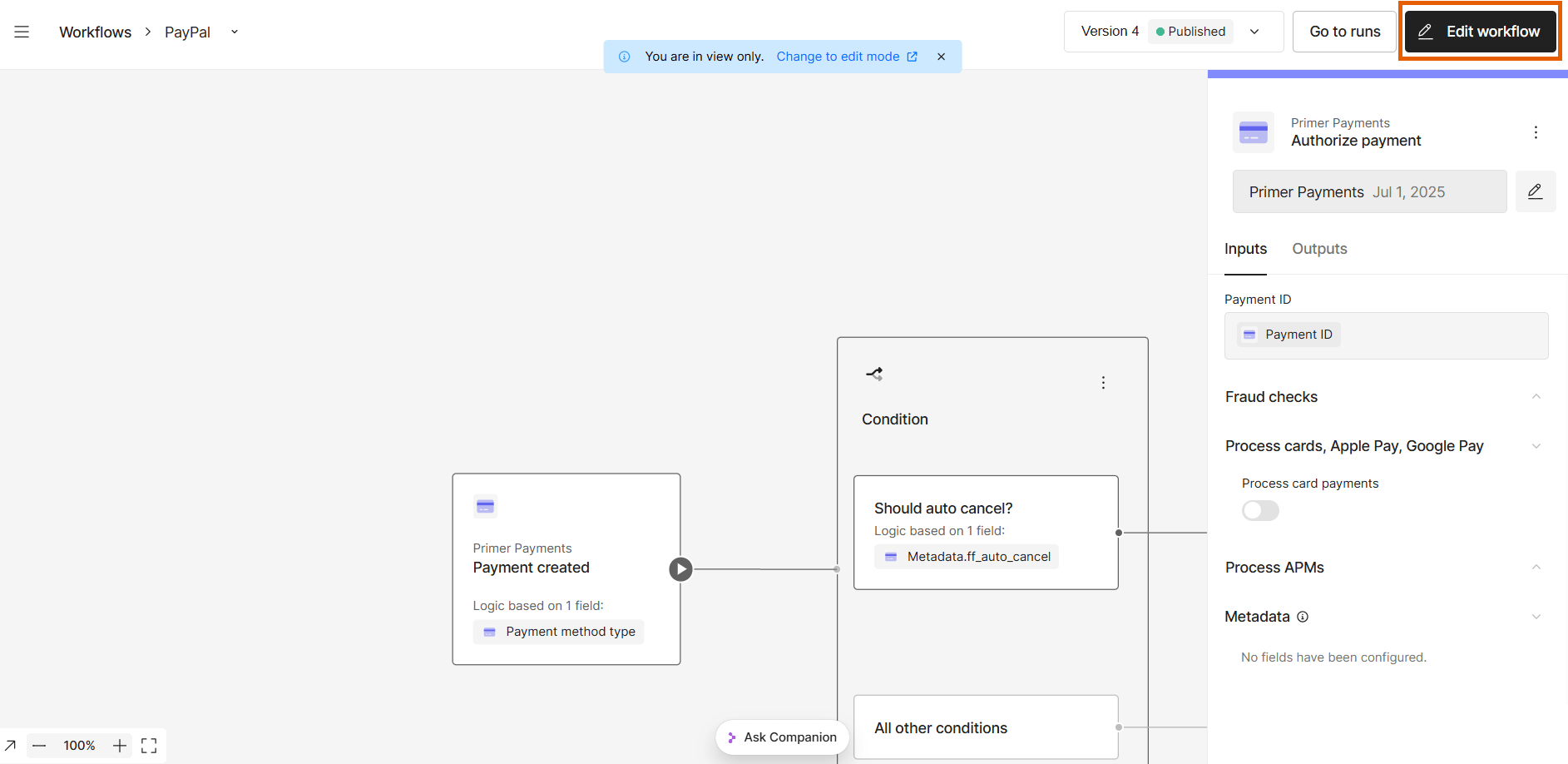
3
Continue after authorization
Select the Authorize payment stage and set Before processing the
next workflow block to Continue payment flow.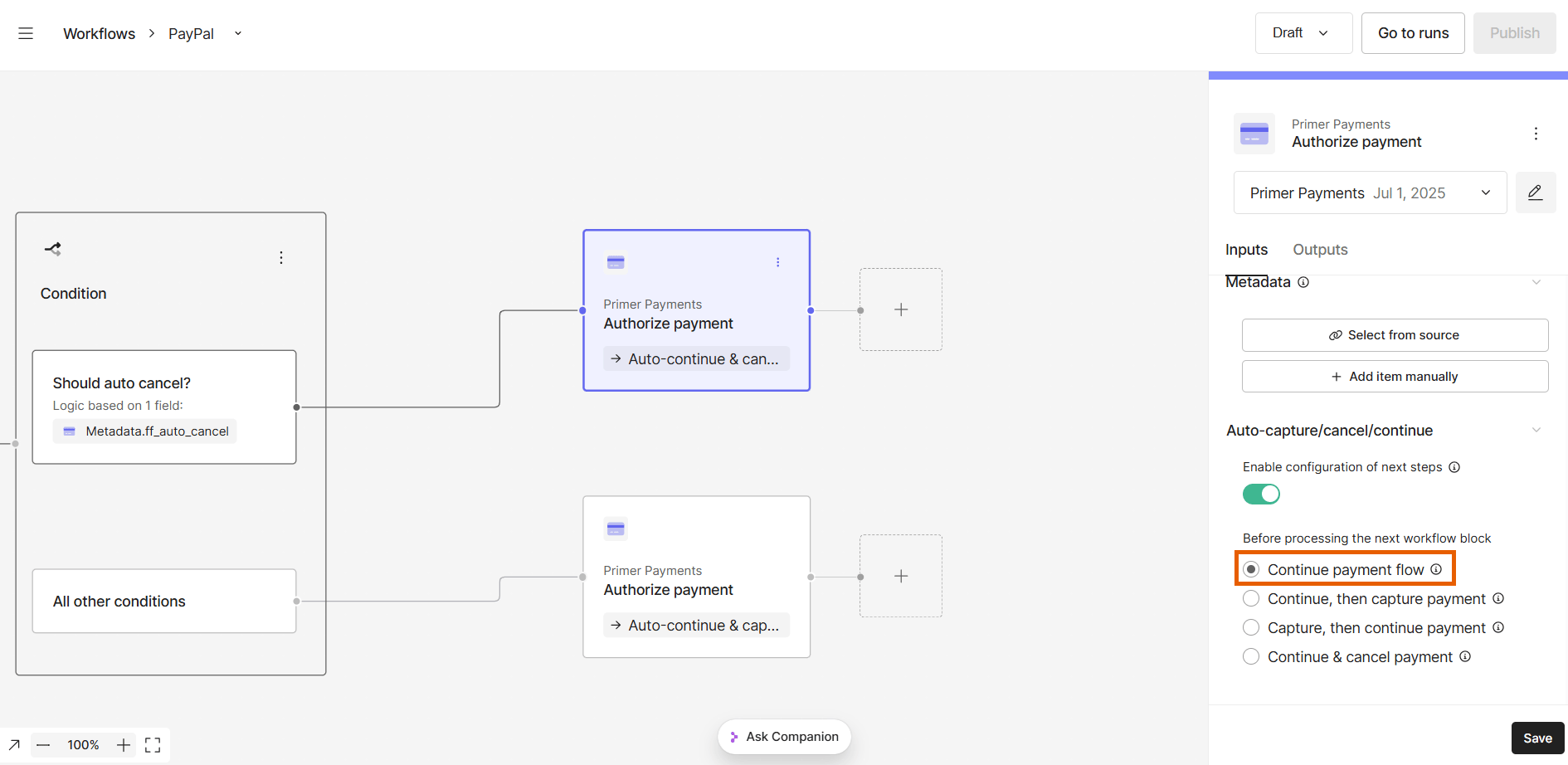
4
Save the workflow
Click Save.