
How it works
A consumable is an Offering (Feature) with the typeconsumable that you attach to a Price Point. These are the
same Offerings and Price Points you already use for subscriptions and
lifetime products.
- Subscription product: The consumable is re-granted on every billing cycle.
- Lifetime (one-off) product: The consumable is granted once.
- Consumable-only product: A Price Point whose only Offering is a
consumable, so the product exists purely to sell that consumable.
- Custom charge: No product at all. You set the amount in the API call, and the consumable is granted once per charge.
Consumables have no balance or counter. Each grant is one record, either
active or revoked. FunnelFox Payments does not count or deduct them, so keep
that logic in your own product.
Manage consumables
Create consumable
Create a consumable in two steps. Granting is automatic, so there is no separate step to give it to a customer.1
Create the Offering (Feature)
Call the
POST /feature/create
endpoint with an ident and feature_type set to consumable. The
Settings > Products (features) page in your FunnelFox Payments
dashboard creates time-based offerings only.2
Attach it to a product
Add the Offering to a Price Point’s
features, on its own or alongside
a subscription or lifetime Offering. On the Settings > Price points
page, click the pencil icon next to a price point and select the Offering
in the Products (features) field, or import new price points with
Upload CSV. You can also use the
POST /pp/create
endpoint.View consumables
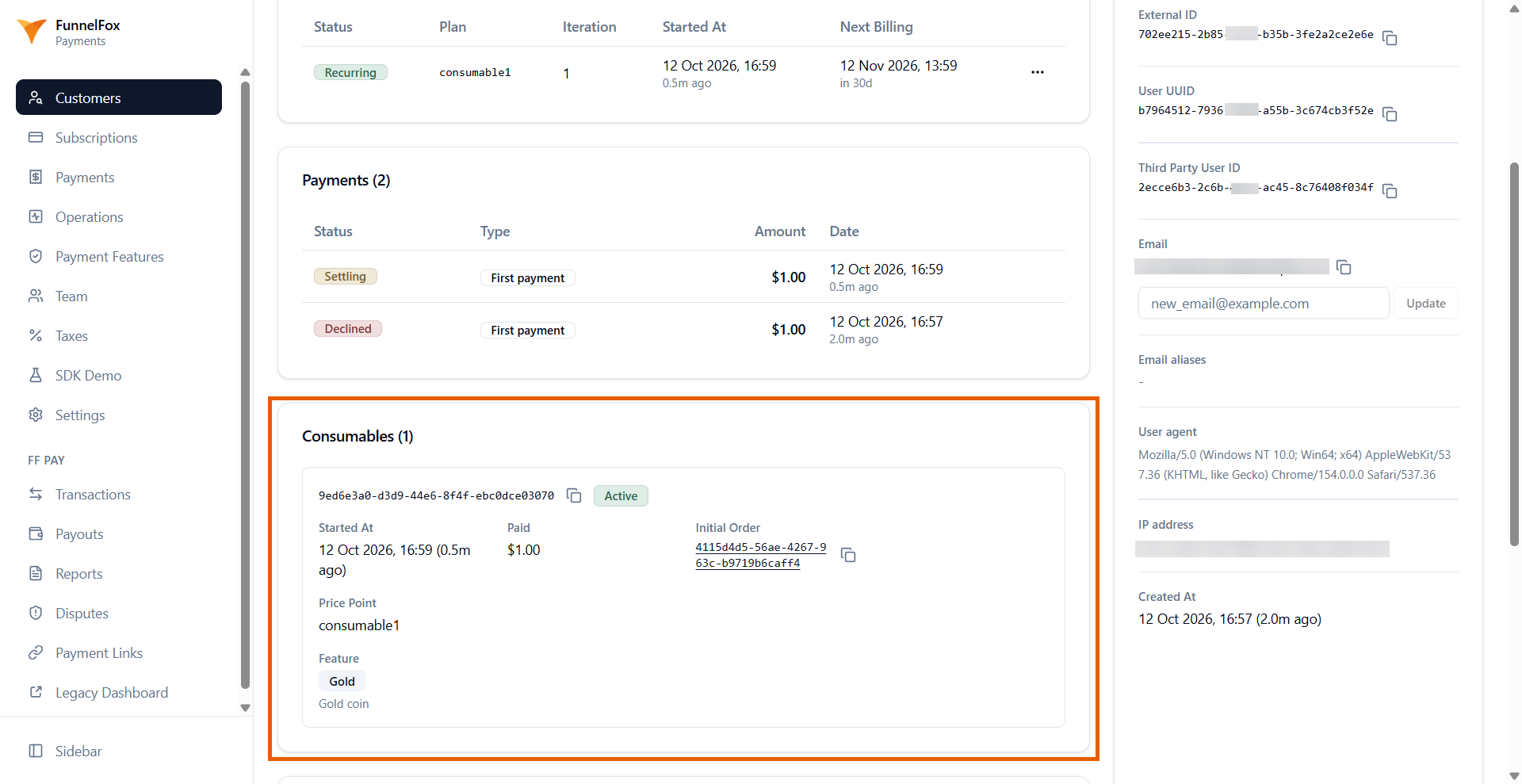
You can see a customer’s consumables in three places:- FunnelFox Payments dashboard: Each customer’s page has a Consumables block that lists every consumable with its status (active, or revoked with the revoke date), start date, paid amount, initial order, price point, and Offering. A payment’s page shows what the payment granted. This view is read-only.
- Billing API: Call
POST /my_assetswith the customer’sexternal_idto return their consumables alongside subscriptions and one-off purchases. Each consumable includesis_active,started_at, andrevoked_at. - Webhooks: FunnelFox Payments sends a consumable event with subtype
grantedon each purchase and renewal, andrevokedon a full refund. See FunnelFox Payments webhooks to receive and verify them.
Custom charges
A custom charge bills any amount you choose against a customer’s saved card, with no Price Point and no checkout page. Use it when the price is not known in advance, such as credit top-ups, token packs, and one-time add-ons. Custom charges come with these limits:- No tax calculation, so the customer is charged exactly the amount you send.
- No 3D Secure, so a card that requires it declines.
- Not for the first payment, so the customer must already have a saved card.
- The maximum amount applies to a single charge, not to a period, and nothing limits how many charges you make.
Create custom charges
To make a charge, callPOST /payment/one_off_charge
with the customer’s external_id, an amount, a currency_code, and an
idempotency_key. The customer needs a prior successful payment, since the
card, , region, and
merchant account are all reused from it.
Call this endpoint from your server only, because the amount comes straight
from your request.
one_off_charge Price Point that it creates on your first charge and reuses
for every charge after it. You never manage that Price Point, and you cannot
use one_off_charge or update_payment_method as your own idents. The charge appears only as a
consumable.
idempotency_key is required and must be unique per customer. Reusing a key
with the same amount and currency charges nothing and returns the original
outcome with idempotent_replay: true. Reusing it with a different amount or
currency charges nothing and returns idempotency_key_reused. Generate one
key per purchase intent and reuse it on every retry of that intent, because a
new key always creates a new charge.