Use the Subscription engine to manage customer subscriptions, modify billing cycles, process refunds, and handle payment failures through the Support Tool.
Auto-renew becomes disabled, no additional charges occur. Premium access remains active until the end of the current paid period, then becomes deactivated.
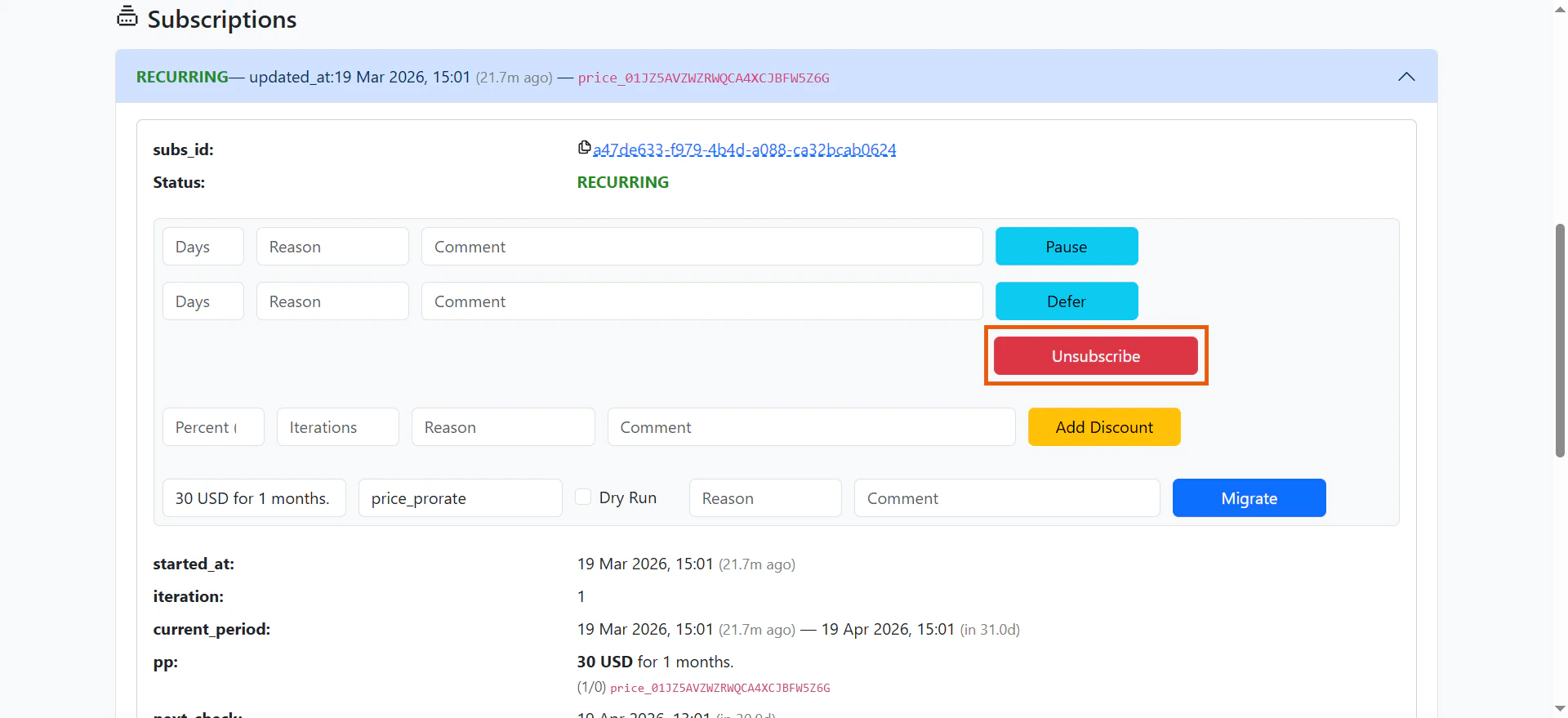
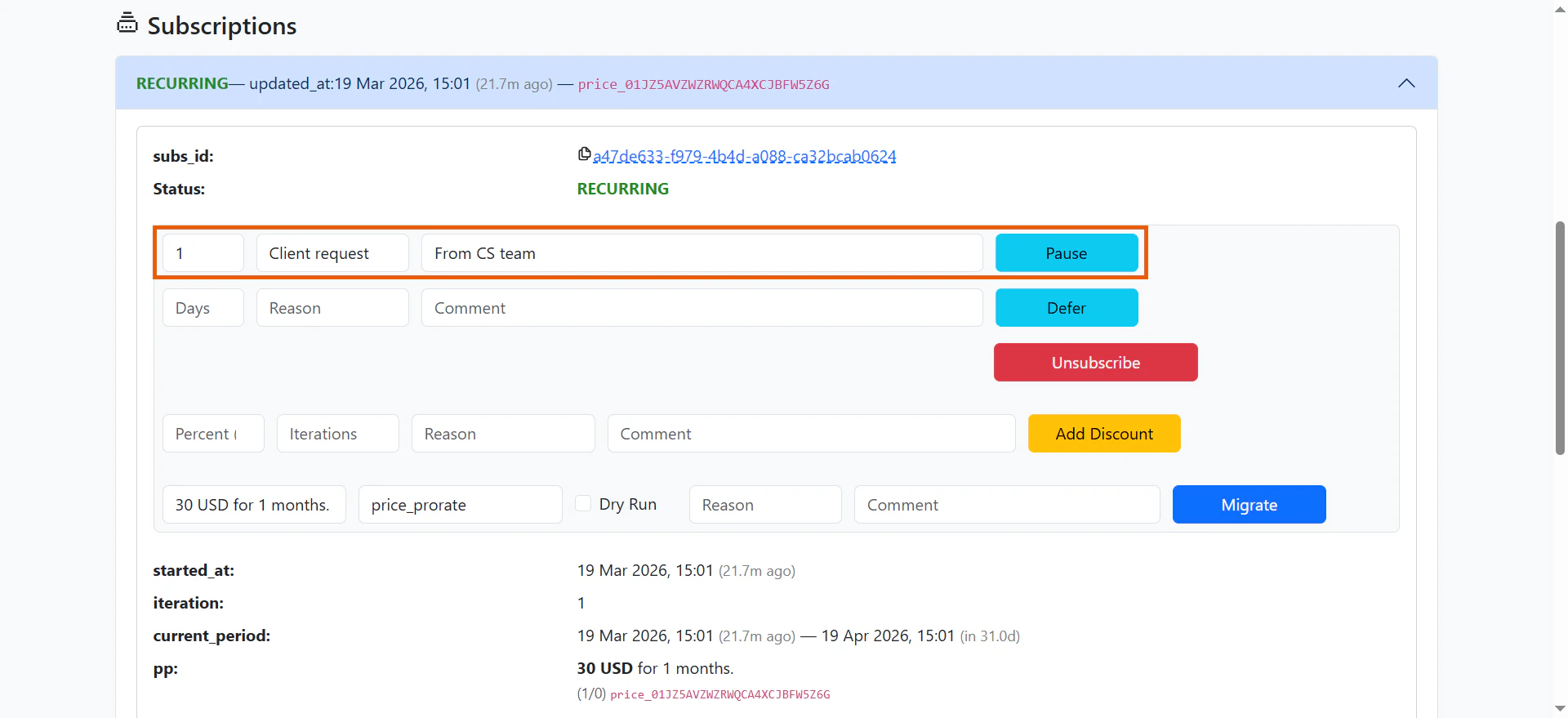
Users can temporarily pause their subscriptions to delay future charges. The subscription resumes automatically after the set period or can be manually resumed via API. Premium access is not available during the pause.
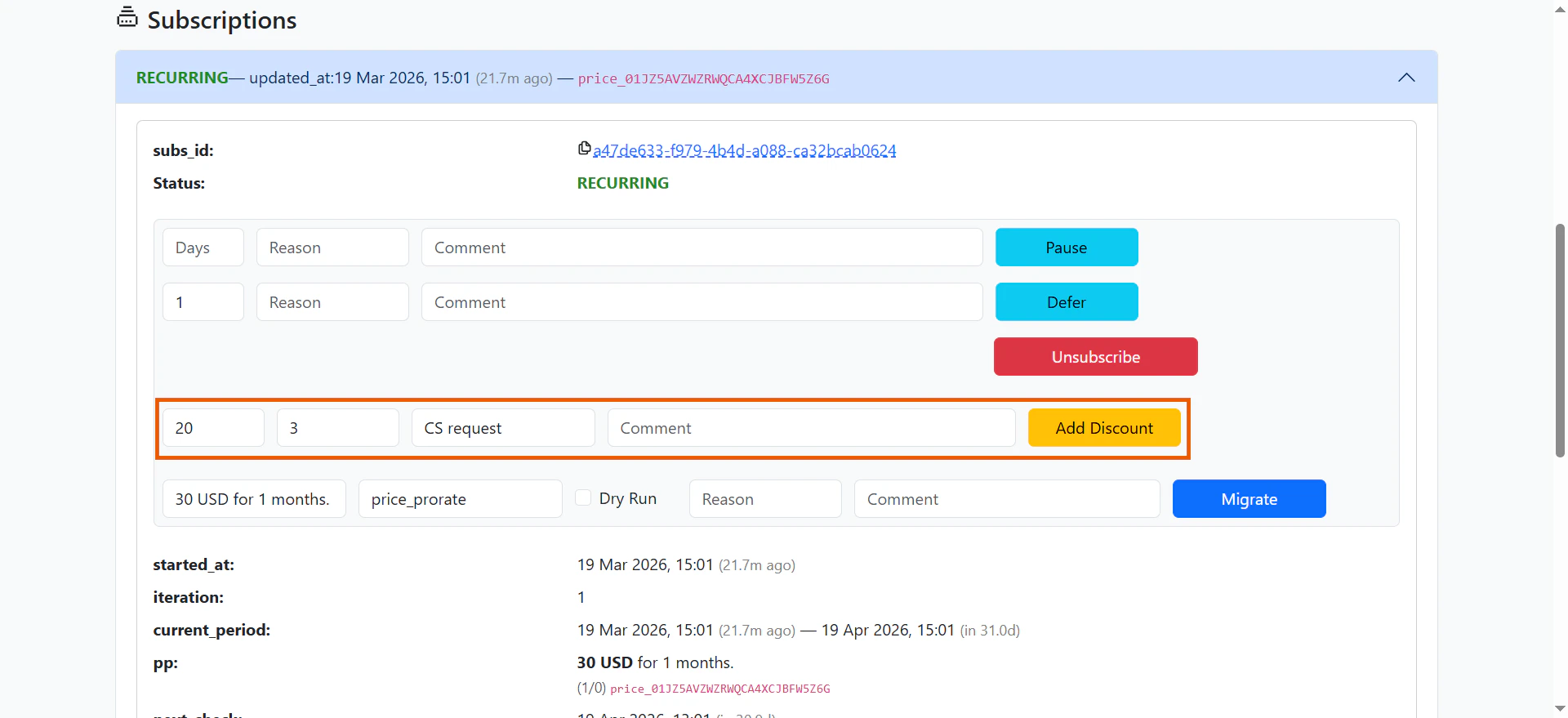
After a subscription is purchased, you can apply discounts to future payments. Discounts are calculated as a percentage of the payment amount. You can also specify how many billing cycles the discount applies to. For example, set a 30% discount on all future payments, or a 50% discount on just the next two payments.
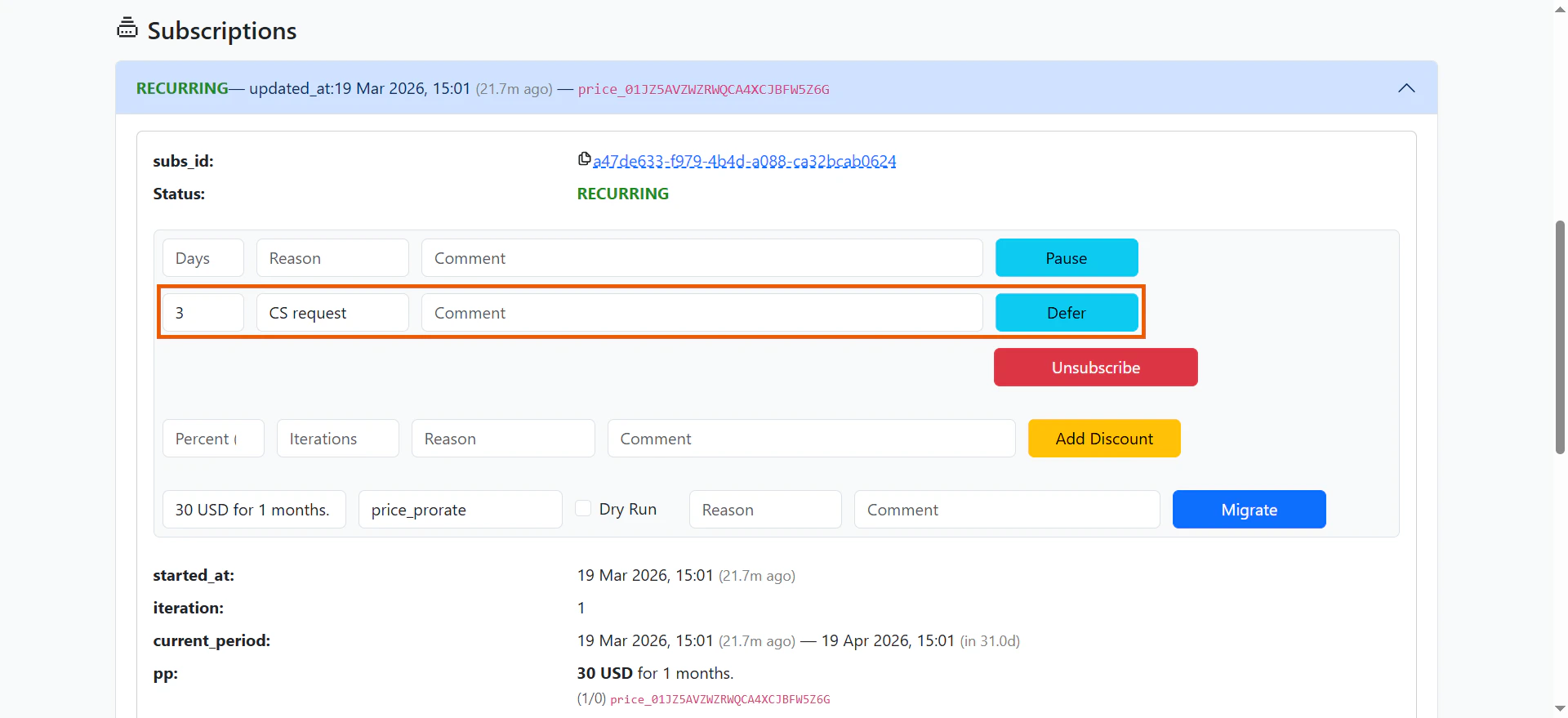
Defer subscription postpones the next charge date. This is useful when a user could not use the app and you want to compensate them for that time.The next payment date is pushed forward, giving the user free access for a set period. This helps maintain customer loyalty without issuing refunds or manually extending subscriptions.
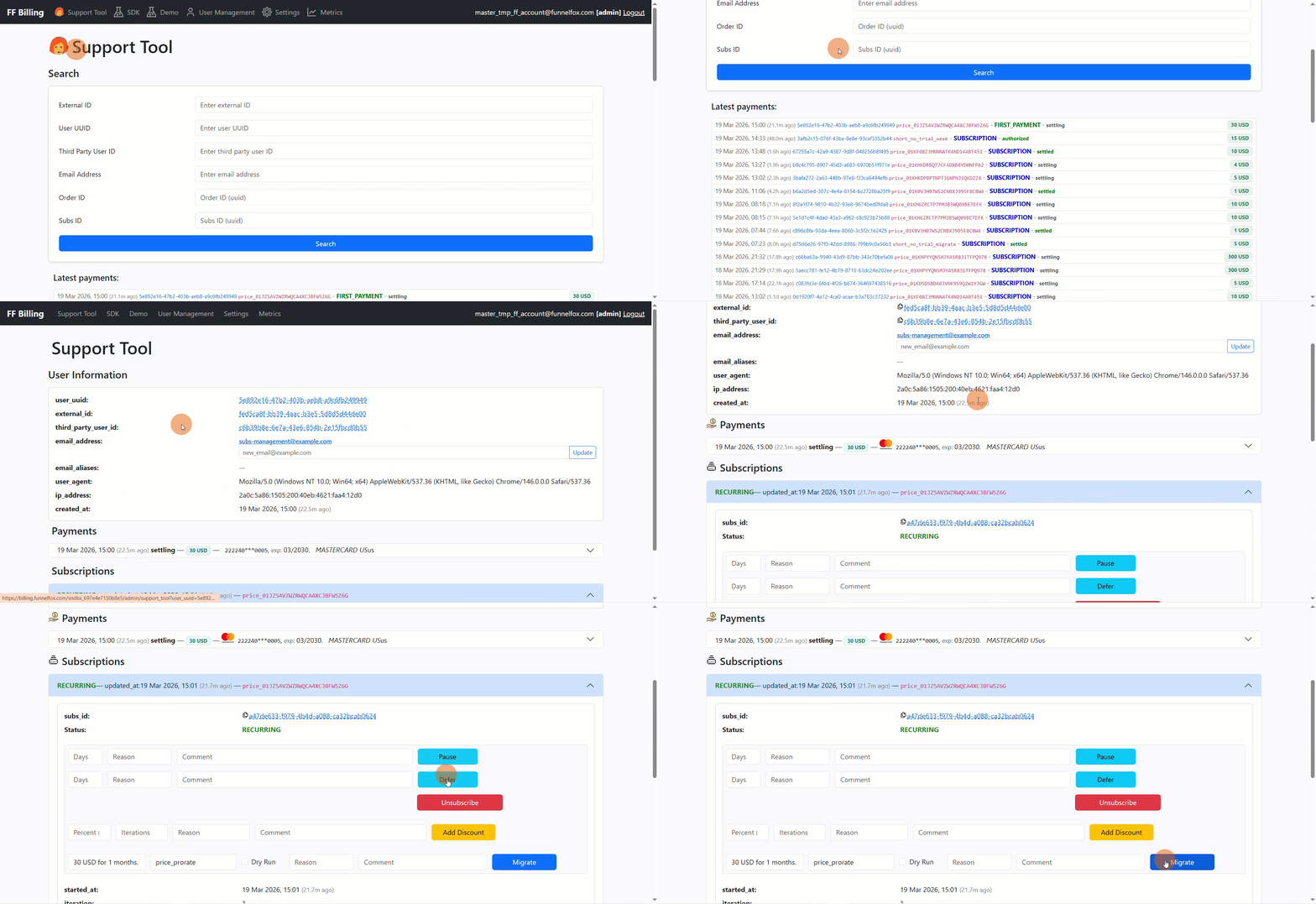
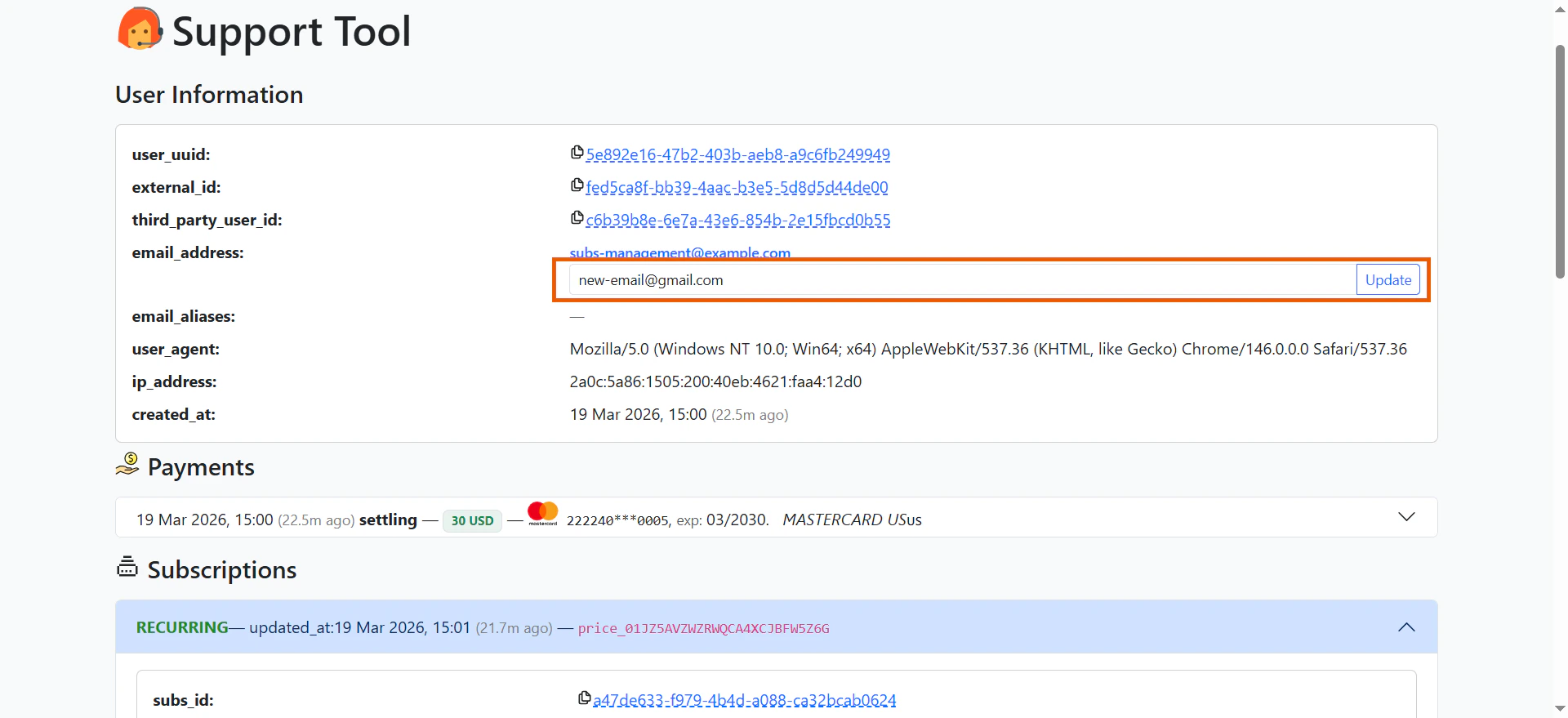
To check a user’s subscription status, open the User Information page in the Support Tool.The Subscription section shows two key fields that tell you the current state and what happens next:
The next_check field shows when the next subscription action will occur. What happens depends on the current status:
Status
What happens at next_check
INTRO
User is charged and the subscription converts to recurring
RECURRING
User is charged for the upcoming billing cycle
AUTORENEW_OFF
Subscription expires and premium access is revoked
PAUSED
Subscription resumes automatically
GRACE
System attempts to charge the user again
RETRY
System attempts to charge the user again
EXPIRED
No action (subscription fully stopped)
A subscription can have multiple statuses simultaneously. When this happens, all corresponding actions occur at next_check. For example, a subscription with both RECURRING and AUTORENEW_OFF statuses won’t charge again (auto-renewal is disabled), but the current premium access remains active until it expires.
Track all subscription status changes to maintain your own analytics and stay up-to-date on user activity.Each status change creates an event that you can view in two places:
In the Webhook Events section on the user’s information page in the Support Tool.
You can switch an active subscription to a different Price Point (subscription plan) using POST /subscription/migrationAPI endpoint or directly from your Support Tool.To process migration in the Support Tool:
Go to the Subscriptions section of the User Information page.
Set up migration fields next to the Migrate button:
Price Point to migrate to.
Migration strategy:
price_prorate: Unused time is credited toward the new plan’s first payment.
delayed_start: Unused time is converted to a free trial on the new plan.
Dry Run: Enable to preview charges without executing the migration.
Reason: Short reason code.
Comment: Human-readable comment or reference (e.g., support ticket link).
By default, if you select a migration strategy that can’t be applied to the specific scenario, the API returns a 400 error.You can set strict_mode to false in the API request to automatically switch to the appropriate migration strategy when the selected one fails. The strict_mode parameter defaults to true.The API response includes the migration_strategy field, which shows which strategy was actually applied to the migration.Here are scenarios where the selected strategy would fail:
When price_prorate fails
User has a $100/month subscription. After 1 day, they want to downgrade to a $5/day plan.With price_prorate, the system would calculate the credit toward the first payment:
Unused value: (29 days / 30 days) × $100 = $96.67
New plan charge: $5
This would result in a negative charge: $5 - $96.67 = -$91.67Since negative charges are impossible:
With strict_mode: true (default): The migration fails with a 400 error
With strict_mode: false: The strategy automatically switches to delayed_start—the new $5/day plan starts immediately with a 29-day free trial, preserving the value of the unused time
When delayed_start fails
User has a $100/month subscription. After 1 day, they want to upgrade to a Lifetime plan for $120.With delayed_start, the unused time would be converted to a free trial, but this doesn’t make sense for a lifetime purchase (which is already permanent). The user would effectively lose their 29 days of already-paid access.This doesn’t make sense for the user, so:
With strict_mode: true (default): The migration fails with a 400 error
With strict_mode: false: The strategy automatically switches to price_prorate:
Credit for unused time: (29 days / 30 days) × $100 = $96.67
Immediate charge: $120 - $96.67 = $23.33
The user gets lifetime access right away and only pays for the difference
These examples use minute-long subscriptions for testing purposes. Because renewals are charged approximately 2 hours before the next cycle, next_check and current_period may appear inconsistent at short intervals. With real plans using days or months, the timeline is clear and behaves as expected.
Free trial → No trial
This example shows what happens when you migrate a user from a free-trial subscription to a no-intro subscription.
From: 180 minutes free trial, then $5 every 240 minutes.
To: $10 every 240 minutes.
Migration strategy: price_prorate.
1. Free trial starts
2. Paid cycle starts
3. Migration
4. New sub renewal
Subscription status:INTRO.Current period:2025-11-24 16:48 → 19:48 (180 minutes free trial).next_check:2025-11-24 17:48 (user will be charged 2 hours before the main subscription period starts).
At the end of the free trial, the subscription gets the RECURRING status and the first $5 paid cycle begins.Subscription status:RECURRING.Current period:2025-11-24 19:48 → 23:48 (240 minutes of the main subscription period).next_check:2025-11-24 21:48 (the user will be charged 2 hours before the renewal)
At 2025-11-24 22:23, the migration occurs.What happens:
The old subscription is stopped (receives AUTORENEW_OFF + RECURRING statuses).
The old subscription expires (receives EXPIRED status).
A new subscription is created on the no-trial plan with RECURRING status.
The engine applies a credit of approximately $5 from the unused time on the old plan toward the new plan’s first payment. This is why the immediate charge is $5 instead of $10.
New sub created
Old sub expiration
Order (prorated first payment)
Current period:2025-11-24 22:23 → 2025-11-25 02:23 (240 minutes of the main subscription period)
next_check:2025-11-25 00:23 (the user will be charged 2 hours before the renewal)
The new plan’s next_check_at is 2025-11-25 00:23:01.
At this time, the engine charges $10 for the upcoming cycle that starts at 02:23.
Renewal
Order
Current period:2025-11-25 02:23 → 06:23 (240 minutes of the upcoming subscription period).next_check:2025-11-25 04:23 (the user will be charged 2 hours before the next renewal).
This example shows what happens when you migrate a user from a paid-trial subscription to a free-trial subscription.
From: $1 intro for 180 minutes, then $10 every 240 minutes.
To: 180 minutes free intro, then $5 every 240 minutes.
Migration strategy: delayed_start.
1. Paid trial starts
2. Main cycle starts
3. Migration + new sub free trial
4. New sub paid cycle
The user starts on the paid-trial plan. The $1 intro charge is settled immediately after the subscription starts.Subscription status:INTRO.
Current period:2025-11-24 16:50 → 19:50 (180 minutes of the paid trial)
When the paid trial ends, the subscription gets the RECURRING status and the first $10 charge is processed.Subscription status:RECURRING.
Current period:2025-11-24 19:50 → 23:50 (240 minutes of the main subscription period).
next_check: 2025-11-24 21:50 (the user will be charged 2 hours before the renewal).
At 2025-11-24 22:23, the migration runs with delayed_start.What happens:
A new subscription is created with INTRO status (free trial starts).
The old paid-trial subscription is disabled and then expired.
The new free-trial subscription shows a 180-minute trial window in its payload (from 22:23 to 01:23).
However, because this migration uses delayed_start, the engine extends the trial until the old subscription’s already-paid time is fully consumed (see the next tab).
The new free-trial subscription started at 22:23:31 with a payload showing ends_at = 01:23:31.
However, the webhook that switches it to RECURRING status occurs at 03:51:11.
With delayed_start, the engine extends the trial until the old subscription’s already-paid time is fully consumed. The old subscription’s paid period ran until 03:50:08, so the new subscription converts immediately after at 03:51.
This timing is due to the short test periods used in this example. With real subscriptions using days or months, this effect is negligible and each cycle switch occurs as expected.
This example shows what happens when you migrate from a no-intro subscription to a paid-trial subscription.
From: $10 every 240 minutes.
To: Paid intro of $1 for 180 minutes, then $10 every 240 minutes.
Migration strategy: delayed_start.
1. Before migration
2. Migration + unused time trial
3. New sub start
4. New sub renewal
This is the current period when the migration occurs.Initial subscription status:RECURRING.Current period:20:48 → 00:48.next_check: 22:48 (charge for the upcoming cycle).
The old subscription receives RECURRING + AUTORENEW_OFF statuses. The current period is paid and premium access remains enabled, but auto-renewal is turned off.
A new subscription is created with INTRO status. This begins the trial period using the unused time from the old subscription.
At 00:49, when the trial for the old subscription’s unused time ends, the user is charged $10 for the new subscription.The new subscription status changes to RECURRING.Current period:00:49 → 04:49 (240 minutes of the new subscription main period).With delayed_start, the engine extends the trial until the old subscription’s already-paid time is fully consumed. The old subscription’s paid period ran until 00:48, and the new subscription converts immediately after.
This timing is due to the short test periods used in this example. With real subscriptions using days or months, this effect is negligible and the migration will include the new subscription’s trial period as expected.
To check if a user has been granted lifetime access, go to the One-off section.Lifetime access is permanent and can only be revoked if a full refund is issued.
The Subscription engine handles payments end to end and includes built-in deduplication to prevent duplicate charges when a user attempts to purchase a product they already own.It also enforces a limit of two charges per day per payment method token.
Once a customer completes a purchase, their payment credentials are securely stored. This allows one-click payments for future purchases without re-entering details.This feature works for both one-off and subscription upsells, streamlining the checkout experience.One-click payments do not use a payment method token, so the two-charge limit does not apply.
To ensure refunds are processed correctly, initiate them only through the Support Tool, Primer, or the FunnelFox Billing API.To process a refund in the Support Tool:
Click any transaction under the Payments section on the User information page.
Configure your refund:
Full Refund: Entire amount refunded; subscription immediately becomes EXPIRED, one-off payment is revoked.
Partial Refund: Partial amount refunded; auto-renewal is disabled automatically.
Soft Refund: Refunds the payment but keeps auto-renewal enabled. No effect on subscription or one-off purchase.
To launch a free trial, you need to save the user’s payment information without charging their card. This is done through the Primary Workflow with the proper metadata configuration.
Create a client session with the special metadata flag ff_auto_cancel = true.
The Primary Workflow processes this flag:
The card is authorized like a normal payment.
Instead of completing the transaction, Primer cancels it.
Result:
No charge is made and no funds are withdrawn.
The card data is saved for the first subscription renewal.
This ensures the card is valid and prevents losses during future automatic charges.
When a user has failed payment attempts and all retry stages are unsuccessful, you can direct them to an Update Payment Method page.This page can also be used anytime card information needs updating.How it works:
The user goes to a page that looks like a standard payment form
It uses a special update_payment_method function designed only for card updates, not purchases
When entering a new card, authorization without charging is performed:
The transaction is cancelled immediately after authorization
When a renewal charge fails, the system automatically initiates retry attempts at approximately the user’s original payment time.This helps preserve subscriptions and reduces customer churn. Each recovered subscription continues generating revenue.To check which retry schedule is active (Long (Smart) or Short), go to the Settings page in your FunnelFox Billing dashboard.