> ## Documentation Index
> Fetch the complete documentation index at: https://funnelfox.com/docs/llms.txt
> Use this file to discover all available pages before exploring further.
# Braze integration
> Automatic subscription event tracking to power lifecycle email and push campaigns
The Braze integration enables automatic server-side forwarding of
subscription lifecycle events from FunnelFox to your Braze
account, letting you trigger targeted campaigns based on
real-time purchase and profile data.
 ## Setup
You'll need an active Braze account to set up this integration. Create your API key in Braze, then apply it in FunnelFox.
### 1. Create API key
1. Go to **Settings > APIs and Identifiers** in [Braze](https://dashboard.braze.com/sign_in).
2. Select **Create API Key**.
3. Give your new key a name.
4. Don't specify any allowlisted IP addresses and subnets
for the new key. This way requests can be sent from any
IP address.
5. Ensure that the **`users.track`**
permission at the `/users/track` endpoint is enabled.
This allows
FunnelFox to record user attributes, custom events, and
purchases.
6. Copy the created API key.
### 2. Apply API key
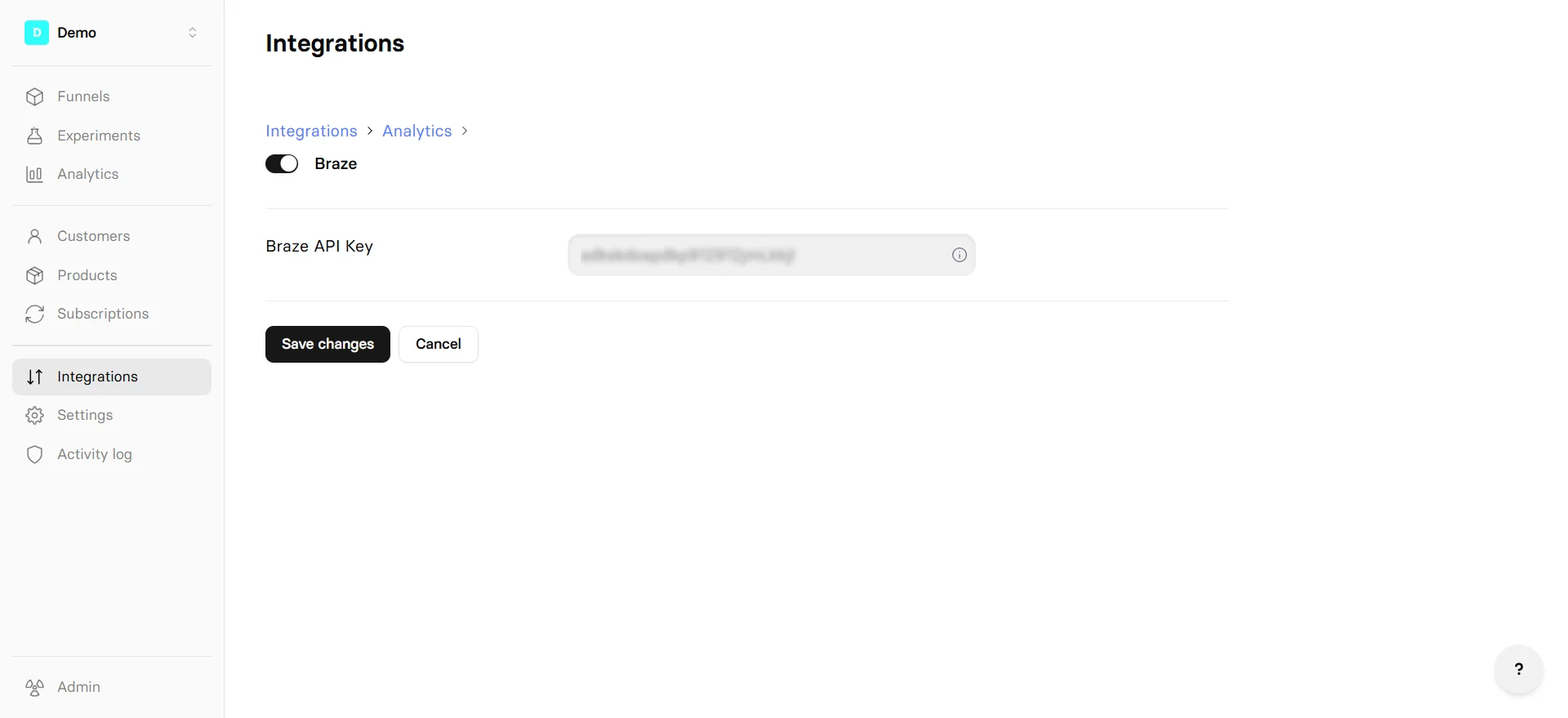
1. Go to
[Integrations > Braze](https://app.funnelfox.com/integrations/braze)
in FunnelFox.
2. Paste the key into the **Braze API Key** field.
3. Click **Save changes**.
Your Braze integration is now active. Republish your
funnels to apply these changes.
## Events
Braze receives the following data from FunnelFox:
| Event | Description |
| -------------------- | ---------------------------------------------------------------------------------- |
| **User attributes** | |
| Profile update | Subscriber enters or changes their email or phone in the funnel via input element. |
| **Purchases** | |
| Trial started | Subscriber starts a free trial. |
| Trial converted | Trial converts to a paid subscription. |
| Subscription started | Subscriber starts a new paid subscription. |
| Subscription renewed | Payment provider confirms recurring charge. |
| Subscription updated | Subscriber changes their subscription plan (upgrade or downgrade). |
| One-off purchase | Subscriber makes a one-time non-subscription purchase. |
| Upsell | Subscriber completes an upsell purchase. |
## User identification
FunnelFox identifies each subscriber in Braze using the
FunnelFox profile ID as the Braze `external_id`. This ID
remains consistent across all events, so profile attributes
and purchase history are unified under one Braze user.
## Setup
You'll need an active Braze account to set up this integration. Create your API key in Braze, then apply it in FunnelFox.
### 1. Create API key
1. Go to **Settings > APIs and Identifiers** in [Braze](https://dashboard.braze.com/sign_in).
2. Select **Create API Key**.
3. Give your new key a name.
4. Don't specify any allowlisted IP addresses and subnets
for the new key. This way requests can be sent from any
IP address.
5. Ensure that the **`users.track`**
permission at the `/users/track` endpoint is enabled.
This allows
FunnelFox to record user attributes, custom events, and
purchases.
6. Copy the created API key.
### 2. Apply API key
1. Go to
[Integrations > Braze](https://app.funnelfox.com/integrations/braze)
in FunnelFox.
2. Paste the key into the **Braze API Key** field.
3. Click **Save changes**.
Your Braze integration is now active. Republish your
funnels to apply these changes.
## Events
Braze receives the following data from FunnelFox:
| Event | Description |
| -------------------- | ---------------------------------------------------------------------------------- |
| **User attributes** | |
| Profile update | Subscriber enters or changes their email or phone in the funnel via input element. |
| **Purchases** | |
| Trial started | Subscriber starts a free trial. |
| Trial converted | Trial converts to a paid subscription. |
| Subscription started | Subscriber starts a new paid subscription. |
| Subscription renewed | Payment provider confirms recurring charge. |
| Subscription updated | Subscriber changes their subscription plan (upgrade or downgrade). |
| One-off purchase | Subscriber makes a one-time non-subscription purchase. |
| Upsell | Subscriber completes an upsell purchase. |
## User identification
FunnelFox identifies each subscriber in Braze using the
FunnelFox profile ID as the Braze `external_id`. This ID
remains consistent across all events, so profile attributes
and purchase history are unified under one Braze user.