> ## Documentation Index
> Fetch the complete documentation index at: https://funnelfox.com/docs/llms.txt
> Use this file to discover all available pages before exploring further.
# Cookie consent element
> Add GDPR-compliant cookie consent banners to your FunnelFox funnels. Customize styling, text, and consent management behavior.
You can add a cookie consent to your web funnel by adding a Cookie Consent element to your screen. The cookie consent allows you to provide users with the possibility to turn off analytical events or marketing tracking.
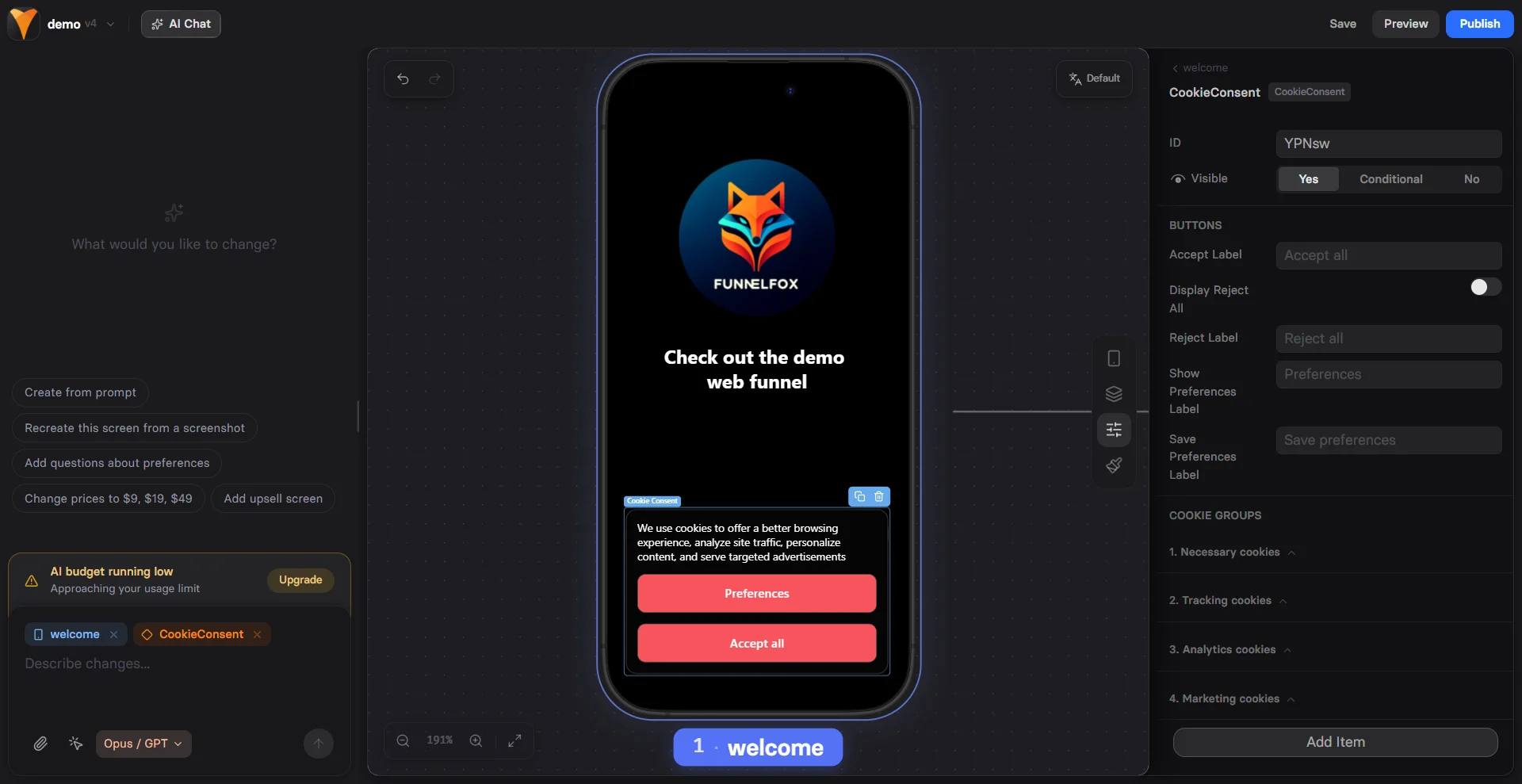 ## Setup
### 1. Add Cookie Consent
Prompt the AI Chat in Editor to add a cookie consent element to your screen.
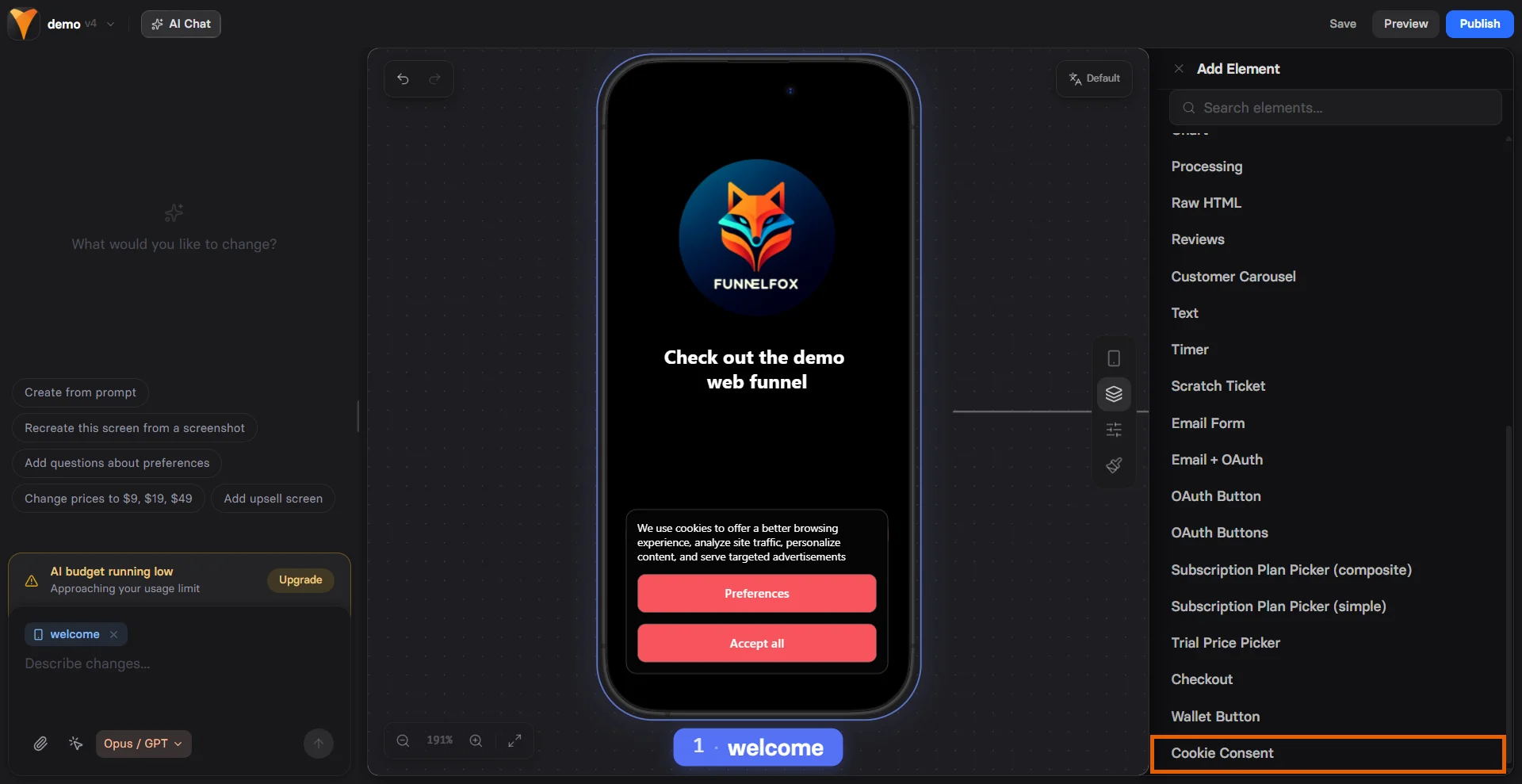
Or open the **Layers** tab, click **+Add element**, then go to **All > Cookie Consent**.
## Setup
### 1. Add Cookie Consent
Prompt the AI Chat in Editor to add a cookie consent element to your screen.
Or open the **Layers** tab, click **+Add element**, then go to **All > Cookie Consent**.
 ### 2. Cookie categories
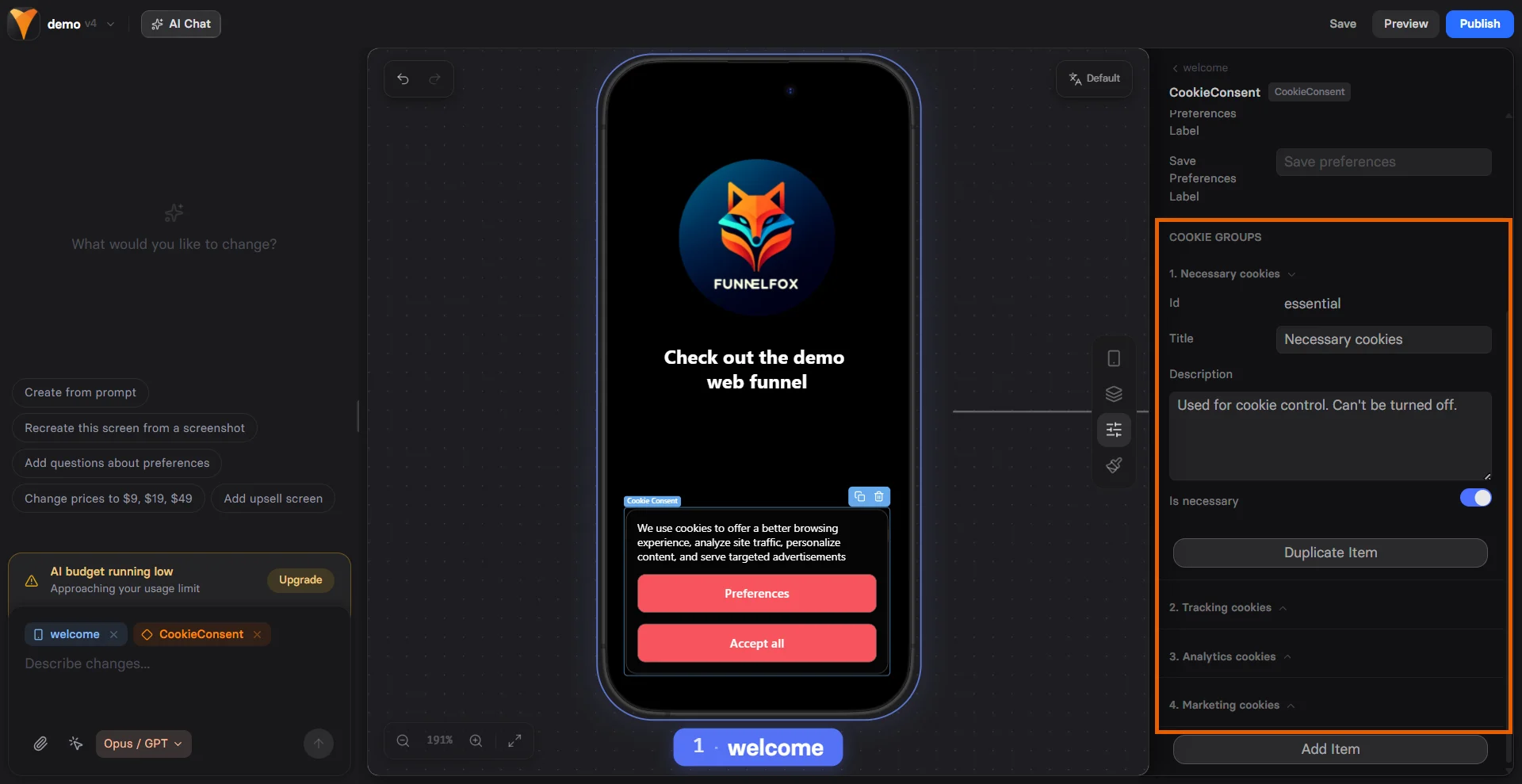
In the **Parameters** tab, Cookie Consent element has three built-in categories of cookies:
* **Necessary Cookies**: Includes FunnelFox cookies and events to [the FunnelFox webhooks](/develop/webhooks).
* **Analytics Cookies**: Includes cookies and events for 3rd party analytics systems (e.g., Google Analytics, Amplitude, Mixpanel)
* **Tracking Cookies**: Includes marketing and ad-tracking cookies (e.g., ad pixels).
The current Cookie Consent implementation does not integrate with Google services for consent validation.
For each category, you can edit:
* **Title**
* **Description**
* **Necessity** (if enabled, users cannot turn this category off)
### 2. Cookie categories
In the **Parameters** tab, Cookie Consent element has three built-in categories of cookies:
* **Necessary Cookies**: Includes FunnelFox cookies and events to [the FunnelFox webhooks](/develop/webhooks).
* **Analytics Cookies**: Includes cookies and events for 3rd party analytics systems (e.g., Google Analytics, Amplitude, Mixpanel)
* **Tracking Cookies**: Includes marketing and ad-tracking cookies (e.g., ad pixels).
The current Cookie Consent implementation does not integrate with Google services for consent validation.
For each category, you can edit:
* **Title**
* **Description**
* **Necessity** (if enabled, users cannot turn this category off)
 ### 3. Cookie consent styles
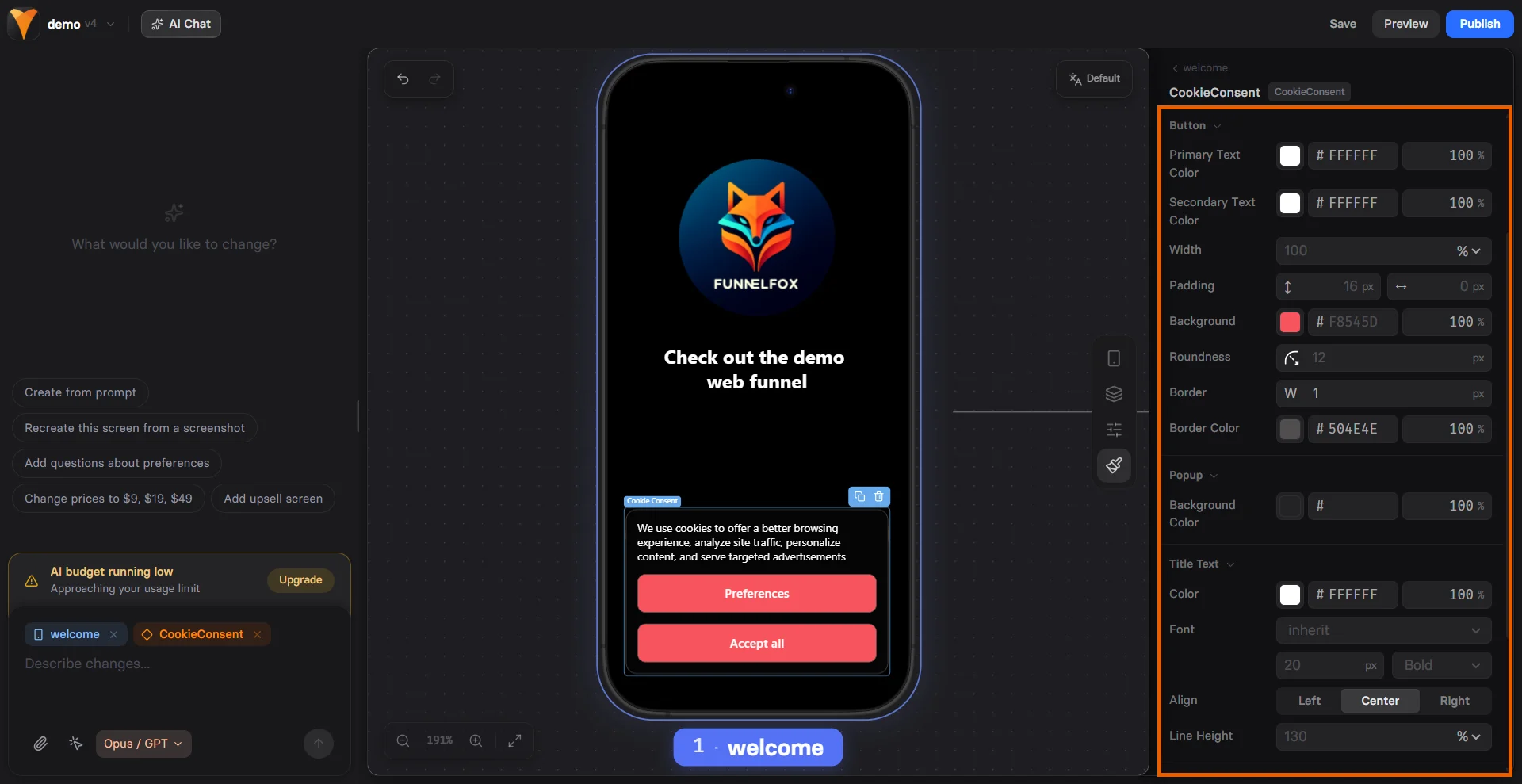
In the **Styles** tab, configure the appearance of your Cookie Consent element. The chosen style applies to all consent views.
### 3. Cookie consent styles
In the **Styles** tab, configure the appearance of your Cookie Consent element. The chosen style applies to all consent views.
 ### 4. Preview
There are two views for Сookie Сonsent:
* **Consent view**: can be previewed directly in the builder.
* **Configuring cookies pop-up**: open Preview for the screen to view this state.
### 4. Preview
There are two views for Сookie Сonsent:
* **Consent view**: can be previewed directly in the builder.
* **Configuring cookies pop-up**: open Preview for the screen to view this state.