> ## Documentation Index
> Fetch the complete documentation index at: https://funnelfox.com/docs/llms.txt
> Use this file to discover all available pages before exploring further.
# Subscription engine webhook events
> Handle subscription engine webhook events in FunnelFox. Event types, payload schemas, and integration examples for billing.
## How Webhooks work
When an event occurs in FunnelFox Billing, FunnelFox Billing sends an HTTP POST request to your configured endpoint with a JSON payload containing event details. The same event is also recorded and displayed in the Support Tool for visibility and troubleshooting.
There are two webhook event flows in FunnelFox Billing:
**Events triggered by customer actions**
```mermaid theme={null}
sequenceDiagram
autonumber
participant User
participant FunnelFoxBilling as FunnelFox Billing
participant SupportTool as Support Tool
participant YourServer as Your Server
User->>FunnelFoxBilling: Purchases subscription
FunnelFoxBilling->>YourServer: POST webhook event
YourServer->>YourServer: Process event
YourServer-->>FunnelFoxBilling: 200 OK
FunnelFoxBilling->>SupportTool: Display event in Support Tool
```
**Events triggered by your team in the Support Tool**
```mermaid theme={null}
sequenceDiagram
autonumber
participant SupportTool as Support Tool
participant FunnelFoxBilling as FunnelFox Billing
participant YourServer as Your Server
SupportTool->>FunnelFoxBilling: Refund subscription
FunnelFoxBilling->>YourServer: POST webhook event
YourServer->>YourServer: Process event
YourServer-->>FunnelFoxBilling: 200 OK
FunnelFoxBilling->>SupportTool: Display event in Support Tool
```
## Get started
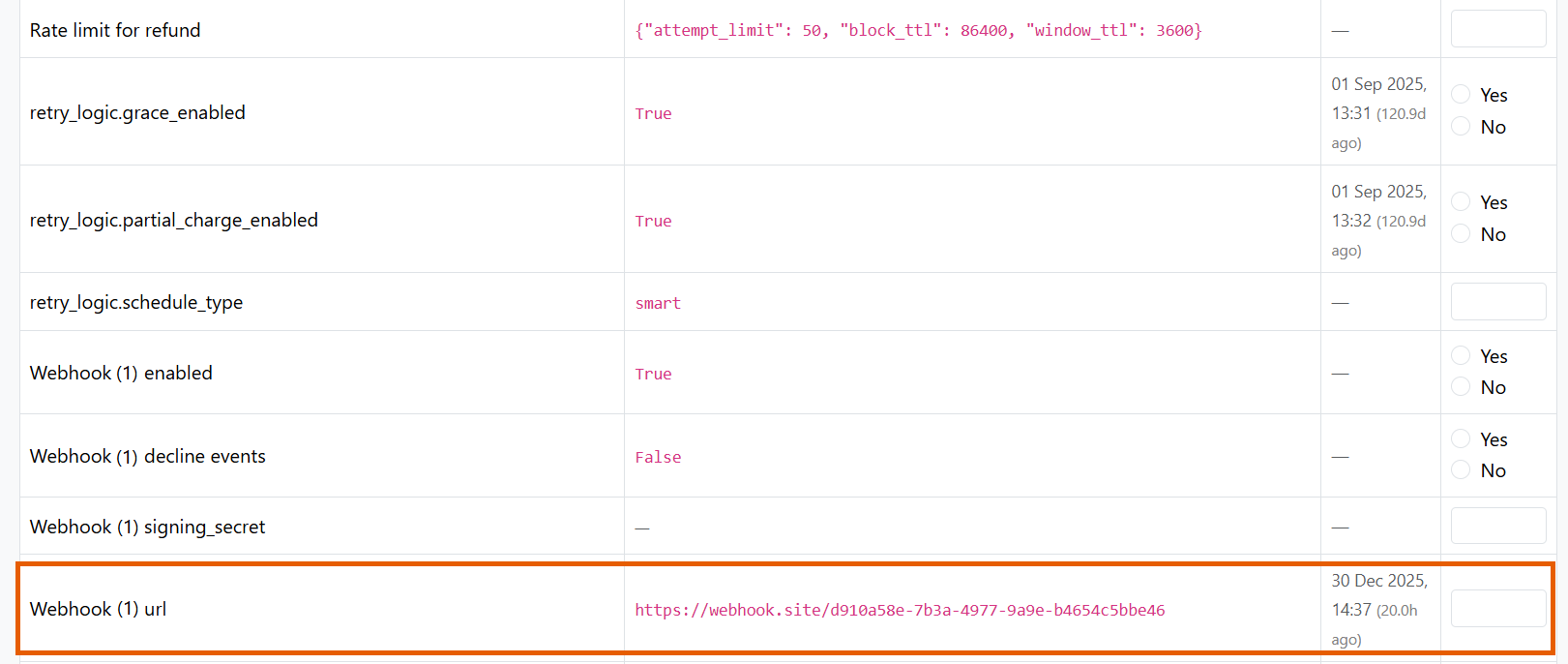
Go to **Settings** of your FunnelFox Billing dashboard and paste your endpoint into **Webhook url**.
Click **Submit**.
You can include query parameters in the URL for example, to pass an environment.
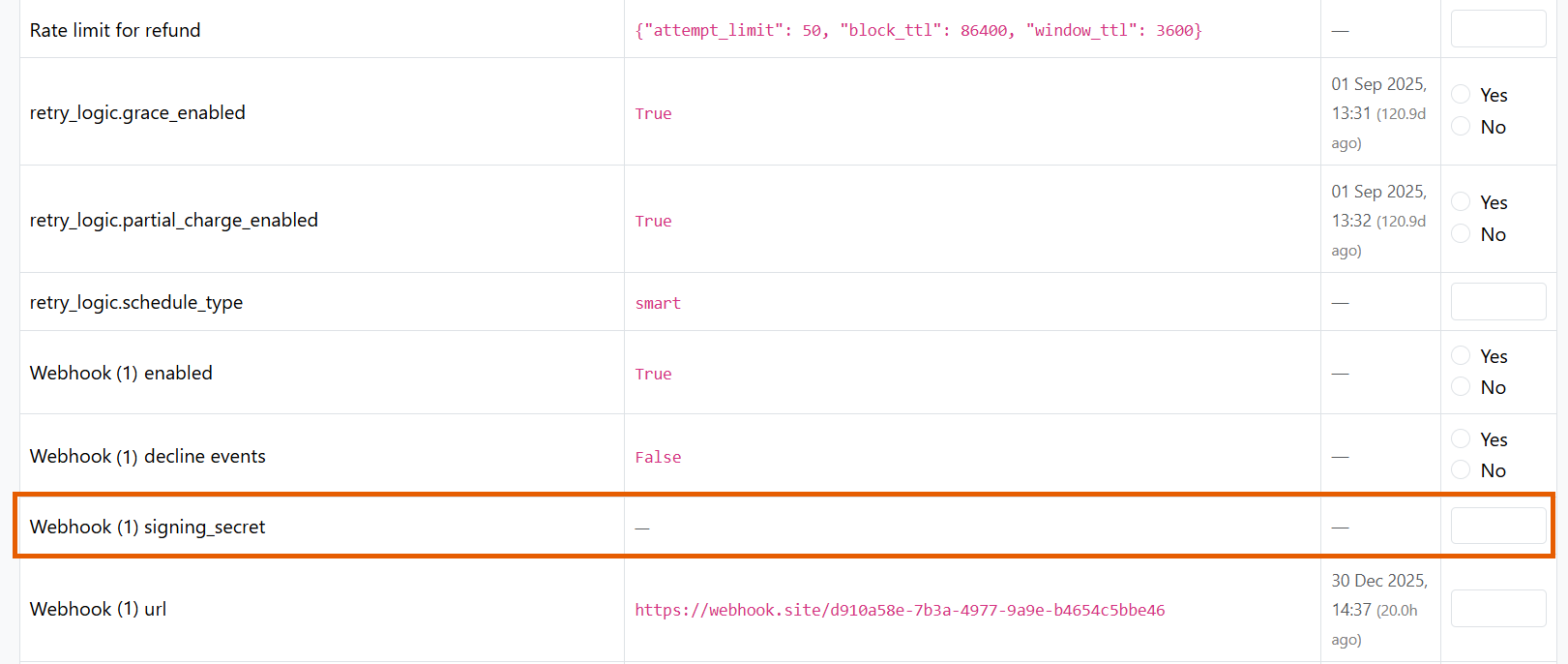
 Add a secret in **Webhook signing\_secret** to enable signature verification.
Learn about [verification](/develop/webhooks-billing#verification).
Add a secret in **Webhook signing\_secret** to enable signature verification.
Learn about [verification](/develop/webhooks-billing#verification).
 Parse the JSON payload and return a **2xx** response (for example `200`) to acknowledge it.
Webhooks may be retried. Use `event_timestamp` from the payload as a unique key to detect and ignore duplicate events.
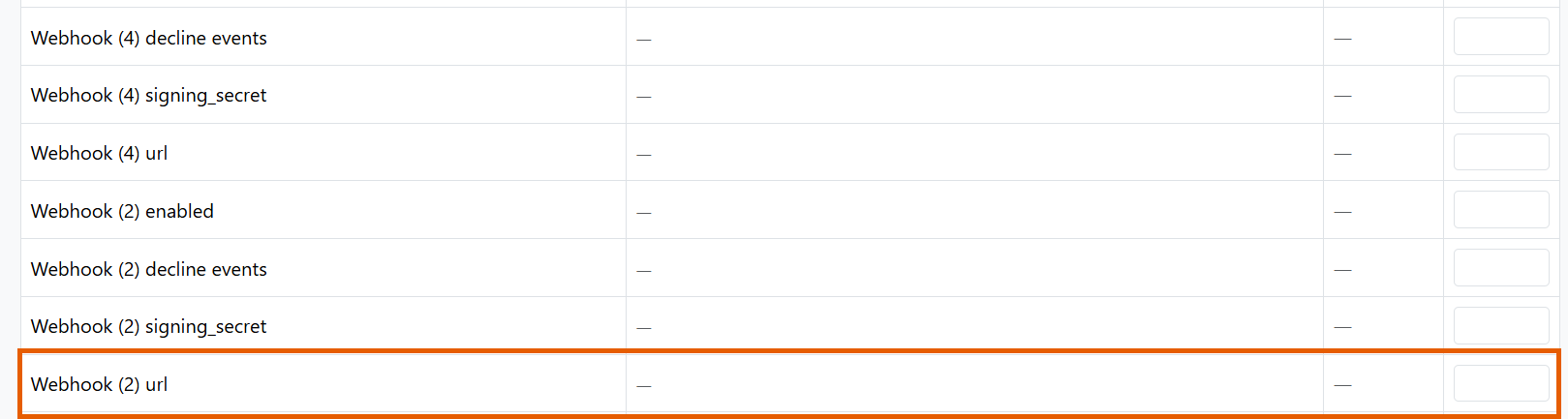
Use additional fields, such as **Webhook url (2)**, if you want to send webhooks to multiple destinations, for example production and sandbox.
Parse the JSON payload and return a **2xx** response (for example `200`) to acknowledge it.
Webhooks may be retried. Use `event_timestamp` from the payload as a unique key to detect and ignore duplicate events.
Use additional fields, such as **Webhook url (2)**, if you want to send webhooks to multiple destinations, for example production and sandbox.
 ## Event types
FunnelFox Billing sends webhooks for these events:
Subtypes:
* `settled` - Payment completed successfully
* `declined` - Payment failed or was rejected
Subtypes:
* `starting_trial` - Trial period starts
* `convertion` - Trial converts to paid subscription
* `renewing` - Subscription renews (regular charge)
* `unsubscription` - User cancels subscription (auto-renewal disabled)
* `planning_postponed_subscription` - Subscription with **UPCOMING** status scheduled to start when **delayed\_start** migration is used
* `pausing` - Subscription paused
* `defering` - Next charge date postponed
* `resuming` - Paused subscription resumes
* `recovering_autorenew` - Auto-renewal restored after failure
* `expiration` - Subscription expired
* `unknown` - Unknown or unclassified event
* `start_grace` - Grace period starts after failed charge
* `start_retry` - Retry attempts start without grace period
* `finish_grace` - Grace period ends
* `recovering` - Recovered from grace/retry state
Subtypes:
* `granted` - Access granted
* `revoked` - Access revoked
`refund` - Sent when a refund is completed for an order.
Subtypes:
* `update_email` - User's email address was updated
Subtypes:
* `opened` - A dispute was registered for an order
All events include the full state of related objects (subscription, order, user) in the payload, allowing you to sync your system without additional API calls.
See the [FunnelFox Billing webhook reference](/api-reference/webhook-reference/order) for complete payload schemas.
## Verification
FunnelFox Billing supports webhook signature verification to ensure requests are authentic.
To enable signature verification:
1. Go to **Settings** in your FunnelFox Billing dashboard.
2. Add a secret key in the **Webhook signing\_secret** field.
3. Click **Submit**.
FunnelFox Billing will include an `ff-webhook-signature` header with each webhook request containing an HMAC SHA-256 signature of the payload.
Optionally, you can verify the signature by computing the HMAC SHA-256 hash of the raw request body using your secret key and comparing it to the received signature. For example:
```python theme={null}
import hmac
import hashlib
def verify_signature(payload: str, secret: str, received_signature: str) -> bool:
expected_signature = hmac.new(secret.encode(), payload.encode(), hashlib.sha256).hexdigest()
return hmac.compare_digest(expected_signature, received_signature)
```
## Retry logic
If your endpoint fails to respond with a 2xx status code (for example, server downtime or errors), FunnelFox Billing automatically retries delivery up to **6 times** with exponential backoff.
### Retry schedule
The retry schedule is configurable per merchant.
FunnelFox Billing uses the following retry intervals (in seconds):
```
[8, 64, 512, 4096, 32768, 262144]
```
This results in approximately:
* Attempt 1: \~8 seconds
* Attempt 2: \~1 minute
* Attempt 3: \~8.5 minutes
* Attempt 4: \~1.1 hours
* Attempt 5: \~9 hours
* Attempt 6: \~72 hours (3 days)
Delivery is considered successful when your endpoint returns any HTTP 2xx status code. Retries continue until success or the maximum number of attempts is reached.
### Failed deliveries
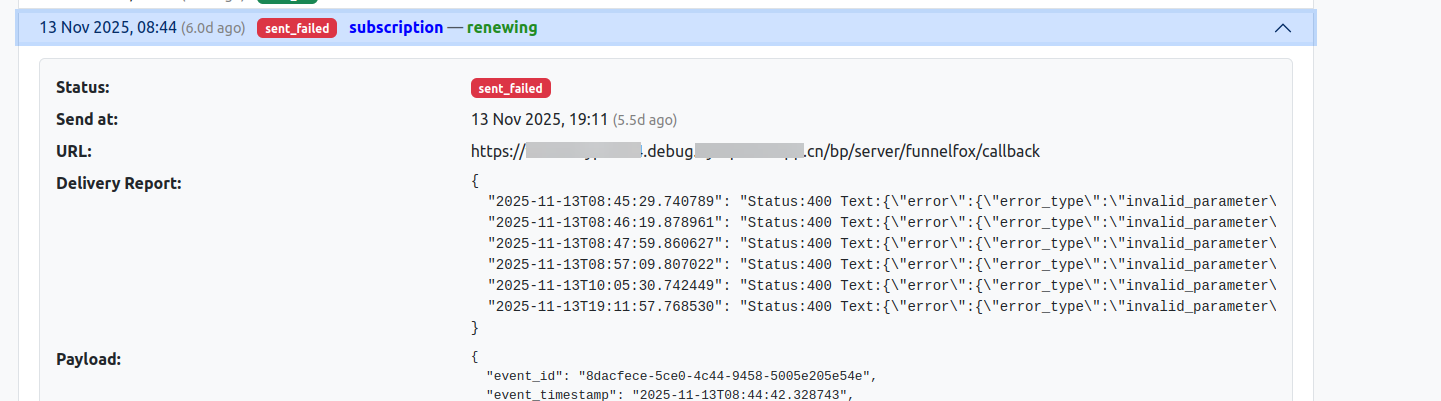
You can view all failed webhook deliveries and their retry details in the **Webhook Events** section of any **User information** page in the Support Tool.
## Event types
FunnelFox Billing sends webhooks for these events:
Subtypes:
* `settled` - Payment completed successfully
* `declined` - Payment failed or was rejected
Subtypes:
* `starting_trial` - Trial period starts
* `convertion` - Trial converts to paid subscription
* `renewing` - Subscription renews (regular charge)
* `unsubscription` - User cancels subscription (auto-renewal disabled)
* `planning_postponed_subscription` - Subscription with **UPCOMING** status scheduled to start when **delayed\_start** migration is used
* `pausing` - Subscription paused
* `defering` - Next charge date postponed
* `resuming` - Paused subscription resumes
* `recovering_autorenew` - Auto-renewal restored after failure
* `expiration` - Subscription expired
* `unknown` - Unknown or unclassified event
* `start_grace` - Grace period starts after failed charge
* `start_retry` - Retry attempts start without grace period
* `finish_grace` - Grace period ends
* `recovering` - Recovered from grace/retry state
Subtypes:
* `granted` - Access granted
* `revoked` - Access revoked
`refund` - Sent when a refund is completed for an order.
Subtypes:
* `update_email` - User's email address was updated
Subtypes:
* `opened` - A dispute was registered for an order
All events include the full state of related objects (subscription, order, user) in the payload, allowing you to sync your system without additional API calls.
See the [FunnelFox Billing webhook reference](/api-reference/webhook-reference/order) for complete payload schemas.
## Verification
FunnelFox Billing supports webhook signature verification to ensure requests are authentic.
To enable signature verification:
1. Go to **Settings** in your FunnelFox Billing dashboard.
2. Add a secret key in the **Webhook signing\_secret** field.
3. Click **Submit**.
FunnelFox Billing will include an `ff-webhook-signature` header with each webhook request containing an HMAC SHA-256 signature of the payload.
Optionally, you can verify the signature by computing the HMAC SHA-256 hash of the raw request body using your secret key and comparing it to the received signature. For example:
```python theme={null}
import hmac
import hashlib
def verify_signature(payload: str, secret: str, received_signature: str) -> bool:
expected_signature = hmac.new(secret.encode(), payload.encode(), hashlib.sha256).hexdigest()
return hmac.compare_digest(expected_signature, received_signature)
```
## Retry logic
If your endpoint fails to respond with a 2xx status code (for example, server downtime or errors), FunnelFox Billing automatically retries delivery up to **6 times** with exponential backoff.
### Retry schedule
The retry schedule is configurable per merchant.
FunnelFox Billing uses the following retry intervals (in seconds):
```
[8, 64, 512, 4096, 32768, 262144]
```
This results in approximately:
* Attempt 1: \~8 seconds
* Attempt 2: \~1 minute
* Attempt 3: \~8.5 minutes
* Attempt 4: \~1.1 hours
* Attempt 5: \~9 hours
* Attempt 6: \~72 hours (3 days)
Delivery is considered successful when your endpoint returns any HTTP 2xx status code. Retries continue until success or the maximum number of attempts is reached.
### Failed deliveries
You can view all failed webhook deliveries and their retry details in the **Webhook Events** section of any **User information** page in the Support Tool.
 ## Rate limits
Detailed documentation is coming soon!
## Rate limits
Detailed documentation is coming soon!